
You are here:
Report Download Dashboard
Use the Report Download dashboard to view and download customer-specific reports for every stage of the Quote to Order process. These reports offer a comprehensive view of the stage's status and highlight any missing or partially valid data, enabling users to quickly correct crucial details, such as addresses.
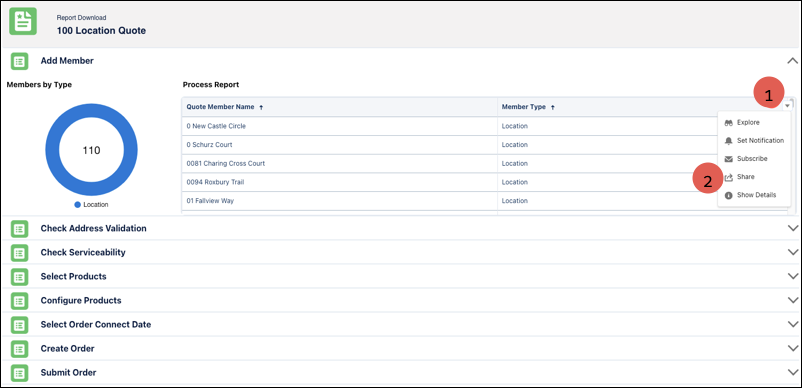
- Use the drop-down arrow to view the options (1).
- Use the Share option to access the Download Process page. You can post the content to a group chatter feed, export it to Quip, or download the report in various formats such as image, Excel, and CSV .
Did this article solve your issue?
Let us know so we can improve!
