
You are here:
Add Semantic Models
Within Tableau Next, create a new semantic model from an existing asset.
Required Editions
| View supported editions. |
| User Permissions Needed | |
|---|---|
| To create semantic models in Tableau Next: | Tableau Unmetered Platform Analyst or Tableau Next Platform Analyst permission set |
-
From your workspace, click Add and select New Semantic
Model.
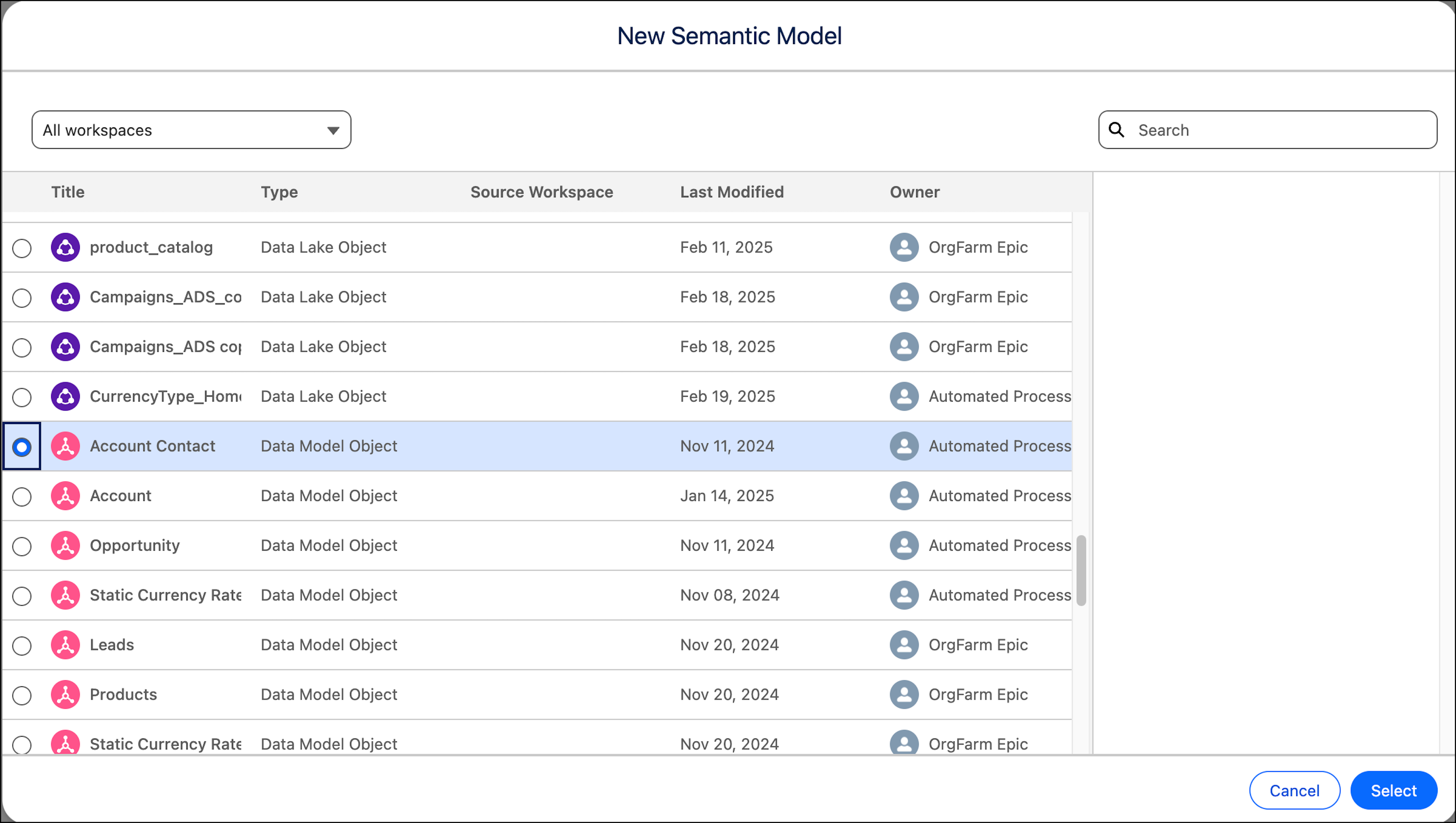
- Select the data model object that you want to build relationships on, and click Select.
-
To add another data object, under Data Objects, click the plus icon.
 Note For performance reasons, avoid mixing data objects with a Live Query Federation conection and data objects from other sources.
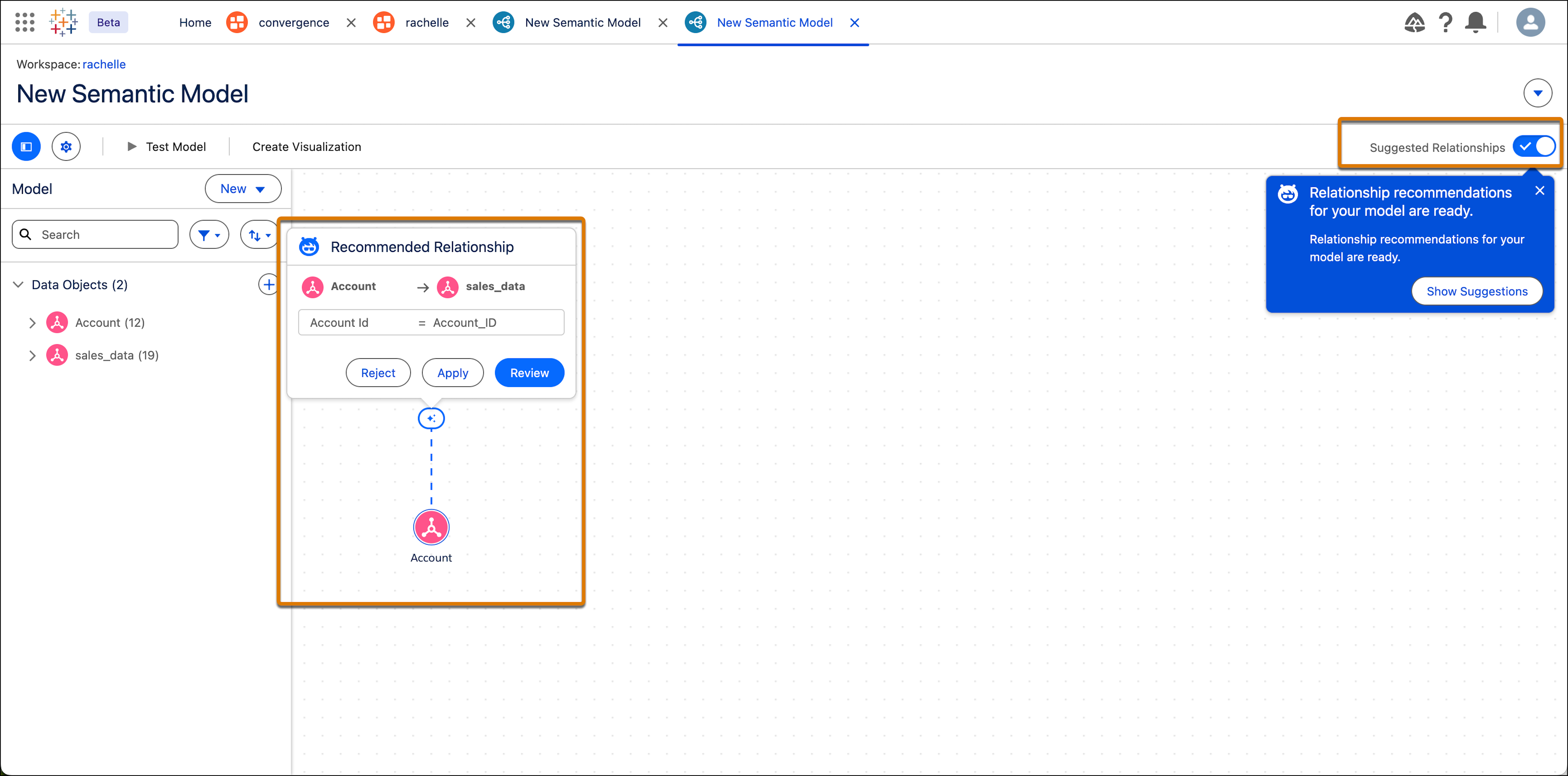
 - If you want to connect the data objects based on a common field, you can create a relationship. You can either do this manually, or you can let Einstein suggest relationships for you.
-
Click Show Suggestions and then review the suggestions and apply if
needed. You can always turn suggestions on or off using the Suggested
Relationships toggle.
- Continue building your model by adding more data objects, calculated fields, parameters, and logical views. For more information, see Semantic Model Builder in Tableau Semantics.
- To add a name and description to your semantic model, click the Settings icon.
- To test your model and make sure the semantic model works as expected, click Test Model. Tableau Semantics runs your model through the Tableau Semantics Query Generator and gives you test results. For more information, see Test a Semantic Model.
- After you’re finished creating a semantic model, you can now create a metric or a visualization. For more information, see Add a Metric to a Semantic Model and Create Visualizations.

Did this article solve your issue?
Let us know so we can improve!
