
You are here:
View Your Intelligent App Resources
You can see and explore the resources your Intelligent App installs. The resources can include Einstein Studio models, CRM Analytics dashboards, recipes, and datasets, and Data 360 transforms and data model objects.
When the app instance has installed successfully, all the resources are available on this tab.
- From Setup, select your app instance and click Resources.
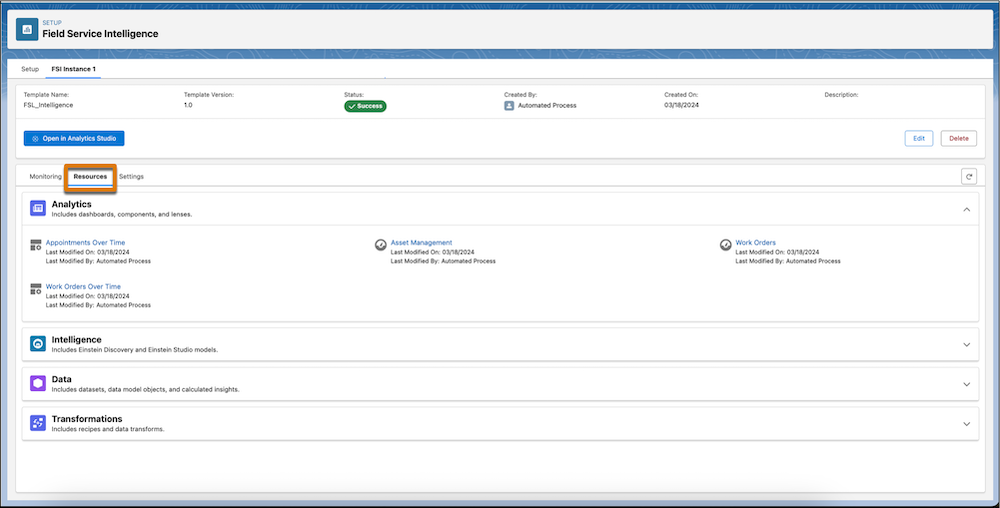
- To view visualization resources, click Analytics.The list includes CRM Analytics dashboards, components, and lenses.
- To view predictive model resources, click Intelligence.The list includes Einstein Studio and Einstein Discovery models.
- To view data sources, click Data.The list includes Data 360 data model objects (DMO) and calculated insights, and CRM Analytics datasets.
- To view data transformations, click Transformations.The list includes Data 360 data transforms and CRM Analytics recipes.
When you select a resource in any section, it opens in its respective tool for detailed inspection. Each resource displays details such as name, last modified on, and last modified by.
The sections are empty if the app fails installation or if the app doesn’t include any resources for the section type.
Did this article solve your issue?
Let us know so we can improve!
