You are here:
Catalog Scenarios
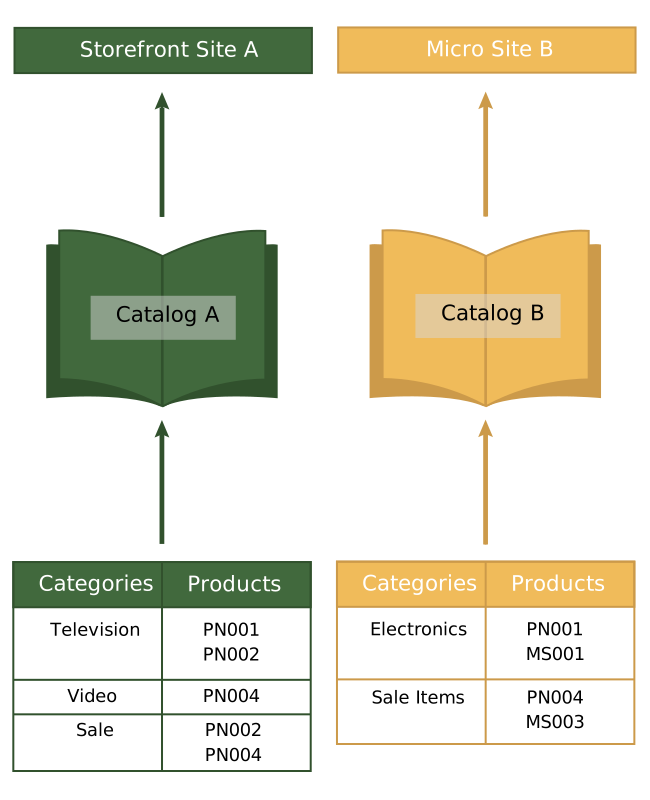
This topic applies to B2C Commerce. Here are some common ways you can configure and use catalogs to merchandise your products.
Manage Products in a Single Catalog
You manage all your products in a single catalog, and want the same catalog structure as your storefront.
Solution
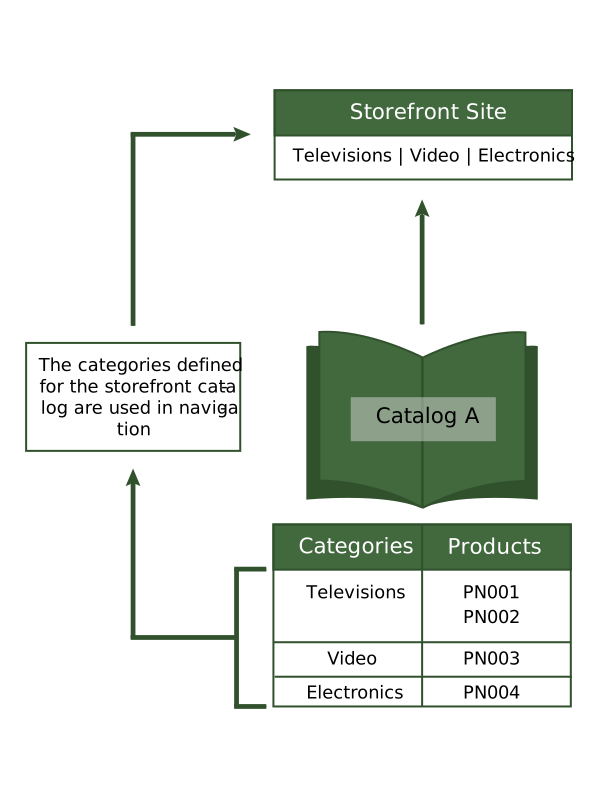
Create one catalog. For example, Catalog A, with the same category definitions, product definitions, and internal classification of your standard catalog–this is the same structure as your inventory system. You associate Catalog A with your storefront, and the categories become the storefront's navigation structure.
Manage Products in a Different Category Configuration
You have one storefront, but you want to organize the products differently on your storefront than within your organization.
Solution
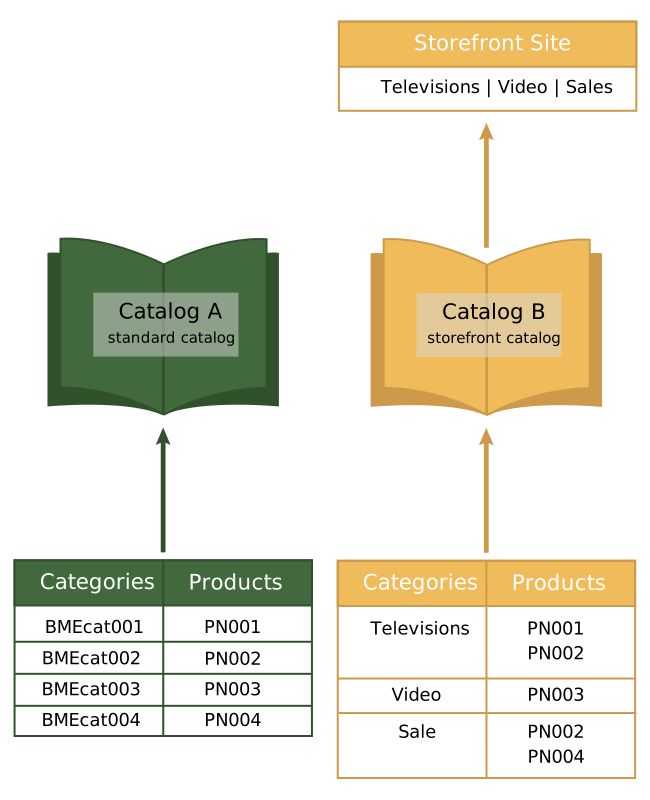
Create Catalog A with the same category definitions, product definitions, and internal classification of your standard catalog. Create Catalog B and define the categories. Assign the products that you defined in Catalog A to the categories in Catalog B. You then assign Catalog B to the storefront. Category B provides the structure for storefront navigation.
Share Products Among Multiple Storefronts
You have products that you want to sell on two different storefronts, but you want to edit them in the same structure used by your inventory system.
Solution
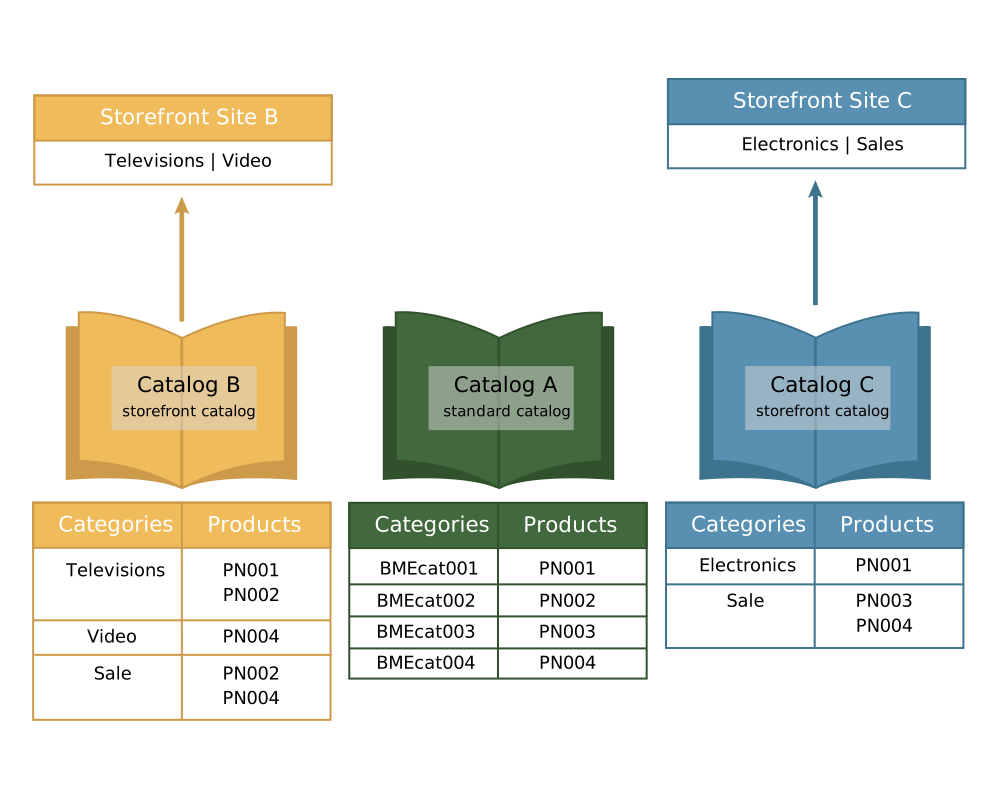
Create Catalog A with the same category definitions, product definitions, and internal classification of your standard catalog. Don't assign Catalog A to a storefront.
Create Catalog B with the features you want and the configuration of categories you want for navigation on Storefront 1, and then assign it to Storefront 1. Assign products owned by Catalog A to categories in Catalog B.
Create Catalog C with the features you want and the configuration of categories you want for navigation on storefront 2, and then assign it to Storefront 2. Add product owned by Catalog A to categories in Catalog C.
Only products included in a storefront catalog are visible on that site. For example, PN003 is visible only on Storefront C.
In this scenario, some products sold on Storefront B are also available on Storefront C, and some aren’t. For example, the product PN004 is available for sale on Site B and Storefront Site C, as shown.
Products can also be available for sale in multiple categories. For example, PN004 is available in the Video and the Sale categories in Storefront Site B.
Share Products Between Two Storefronts
You have two storefronts, a stable storefront A and a sale storefront B, which changes monthly.
Solution
Create Catalog A, which contains all product definitions for both storefronts and the category definitions for Storefront A. Create Catalog B, which contains a few storefront-specific products and the categories for Storefront B.