
You are here:
Default Domain Support for B2C Commerce
Default Domain provides a Salesforce-managed, eCDN-enabled hostname for each instance (Development, Staging, and Production) so teams can test without manual DNS, custom domain registration, or certificate management.
What Is the Default Domain?
The Default Domain is a Salesforce-owned, pre-configured hostname for your B2C Commerce instances (Development, Staging, and Production) with eCDN features enabled.
Example Default Domain format:
<realm>-<stg>.my.commercecloud.salesforce.com (for example,
abcd-stg.my.commercecloud.salesforce.com).
This domain co-exists with your custom branded domain (for example,
www.example.com) and is intended for developer testing, load
testing, pre-production review, and enabling eCDN when you don't yet have or
want a custom domain.
1. Accessing the Default Domain
After provisioning a new realm (or enabling the feature for an existing realm during a pilot), the Default Domain is immediately available.
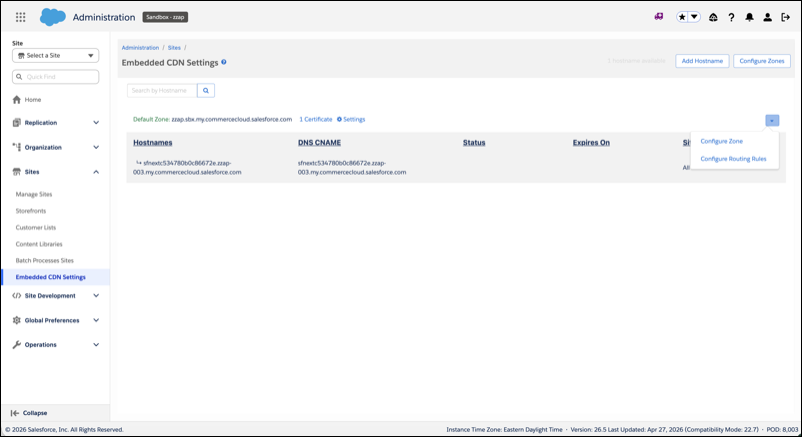
- Locate the Domain: In Business Manager, open the Embedded CDN settings page. The Default Domain is listed as one of the hostnames.
- Access: Use the provided URL in your browser.
- Development or Staging: These environments are typically protected sites; authenticate with your user credentials to access. Add a "Block All" eCDN rule on Development or Staging to block access.
- Production: The Default Domain can be public if you choose
not to use a custom domain, but it is primarily for lower-environment testing.
If you do not have a vanity domain, you might run into issues navigating in Page Designer and Preview functions; for example, development functions fail with preview.
In this case:
- Create a vanity hostname for the Page Designer and Preview functions.
- Create a custom rule to allow your IPs or User-Agents in the Default zone for this traffic.
- Disable the Block All rule in Production.
 Note Removing the foundational "Block All" rule makes the Default Domain fully public for all sites in Production and, therefore, isn't a recommended option without additional security or rate limit rules.
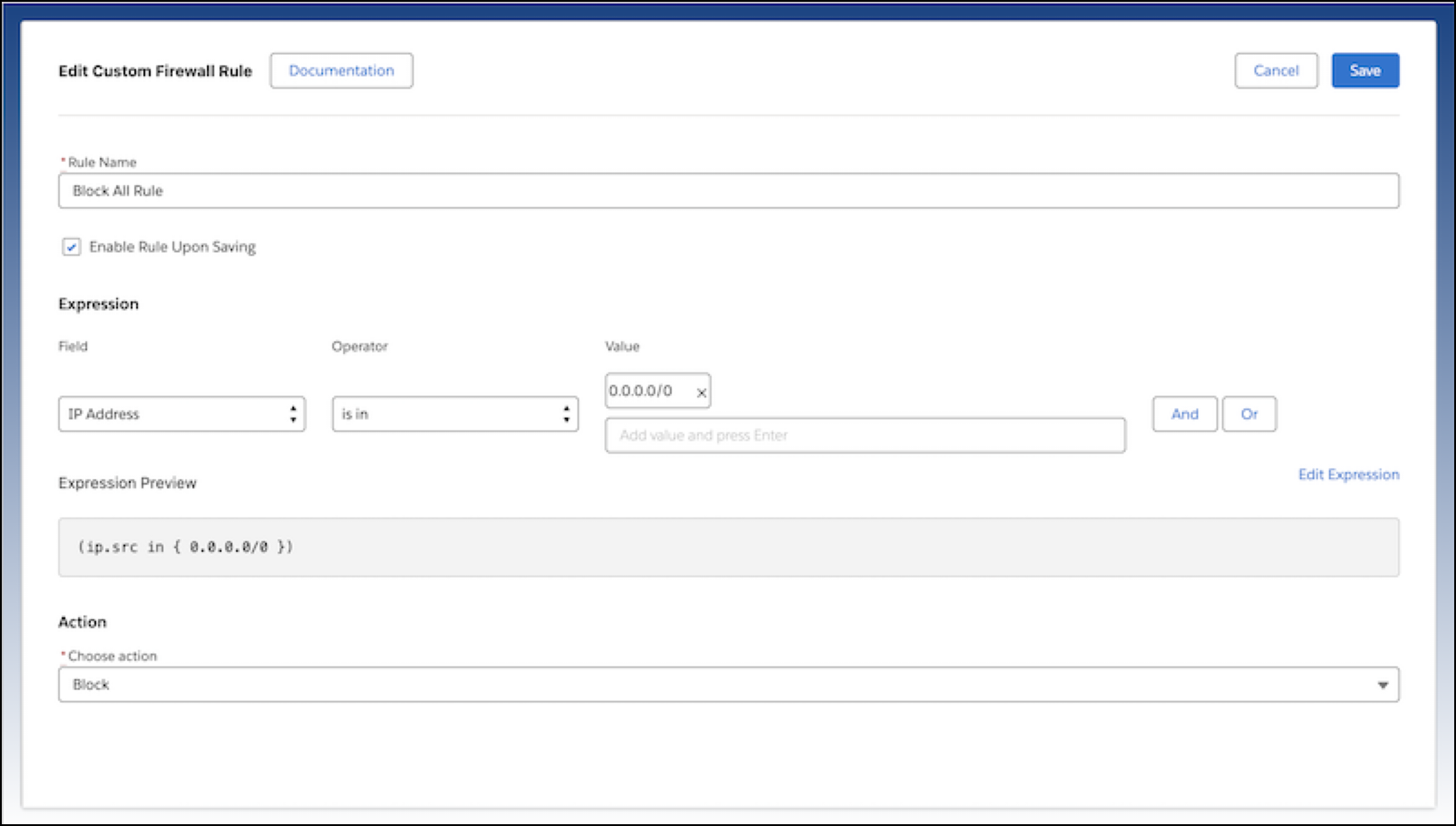
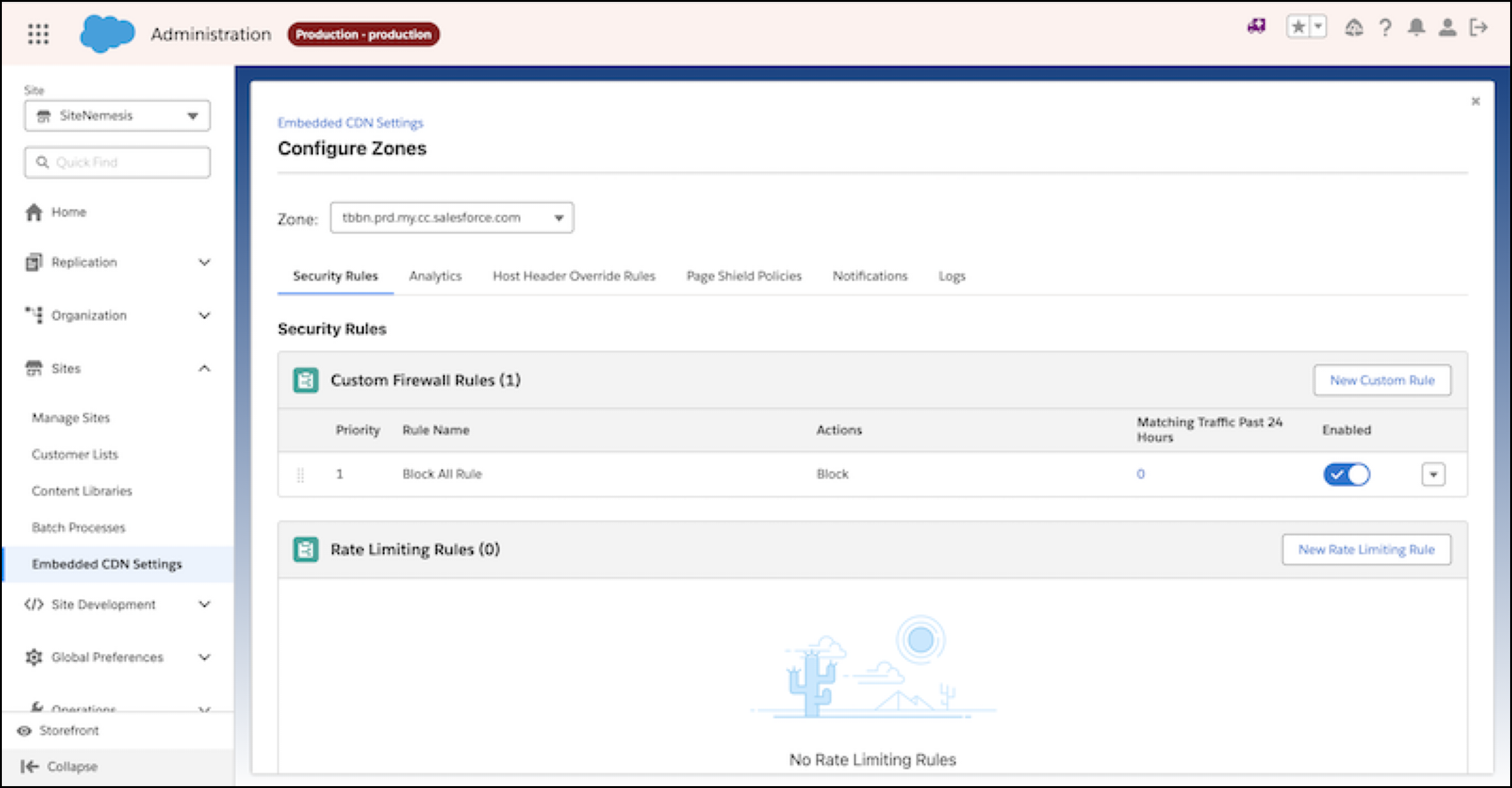
- Default Production Security Configuration: To maintain security, the Production Default Domain has a final "Block All" rule at the eCDN layer.
- Add explicit "Allow" rules (for sites/paths) above the "Block All" rule for any content you want to be publicly accessible via the Default Domain.
- Removing the foundational "Block All" rule makes the Default Domain fully public for all sites in Production and triggers an explicit notification.
2. Configuring eCDN on the Default Domain
The Default Domain is fully configurable via both the Business Manager (BM) UI and the CDN API, just like a custom domain. You can also stack an external CDN in front of the Default Domain. For details, see Configure an External CDN or Third-Party Proxy.
| Configuration Area | Availability | Details |
|---|---|---|
| WAF, Speed, Routing Rules | BM UI & CDN API | Create, edit, and test all security and performance rules to mirror production eCDN setups. |
| Host Names | BM UI & CDN API | The Default Domain hostname is read-only and can't be changed or deleted. |
| Certificates | BM UI & CDN API | Salesforce manages SSL/TLS for the Default Domain entirely. You can't upload, delete, or renew the certificate. |
3. Impact on Custom Domains
The Default Domain doesn't change the functionality or behavior of existing custom domains.
- Co-existence: Default and custom domains can exist on the same instance.
- Branding: Custom domains remain preferred for external, branded storefronts.
- Consistency: Changes to the Default Domain don't affect your custom domain configuration.
4. Key Caveats (Important)
| Caveat | Description |
|---|---|
| Protected Sites | Protect the Default Domain similarly to a protected storefront. See B2C Storefront Password Protection. |
| Certificate Management | Editing, deleting, or uploading certificates for the Default Domain is blocked and is visually disabled in BM UI. Attempts to perform these actions result in an error. |
| Realm Availability | The Default Domain is automatically visible for new realms created after the 26.1 CDN API release. Existing realms are onboarded during the pilot/migration phase. |
5. Default Domain on On-Demand Sandboxes (ODS)
Starting with the 26.4 release, eCDN Default Domain is available on all ODS instance types (dev, prd, partner) and is automatically provisioned when a new ODS instance is created. No DNS changes or certificate management is required.
| Item | Details |
|---|---|
| Storefront hostname | <instance>.sbx.my.commercecloud.salesforce.com (for example,
bldp-001.sbx.my.commercecloud.salesforce.com). Wildcard certificate
*.sbx.my.commercecloud.salesforce.com is managed by Salesforce. |
| Business Manager hostname | <instance>.dx.commercecloud.salesforce.com, updated via
Route 53 to proxy through the shared BM zone (ccbm.<realm>-sbx.cc-bm.net).
Wildcard certificate *.dx.commercecloud.salesforce.com is managed by
Salesforce. |
| Shared zone model | All ODS instances in a realm share one storefront zone and one BM zone. WAF rules, MRT routing rules, cache settings, host header overrides, and PCI policies configured on the zone apply to all instances in the realm. |
| Block All rule | No default Block All firewall rule is applied to ODS zones. Unlike some PIG production zones, ODS zones are open by default. Add explicit rules as needed to restrict access. |
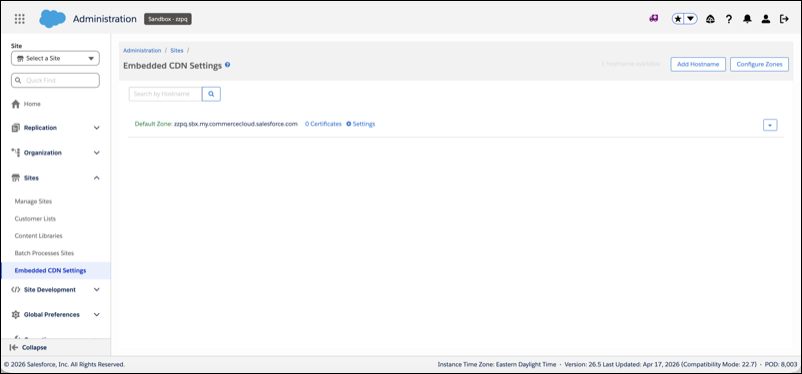
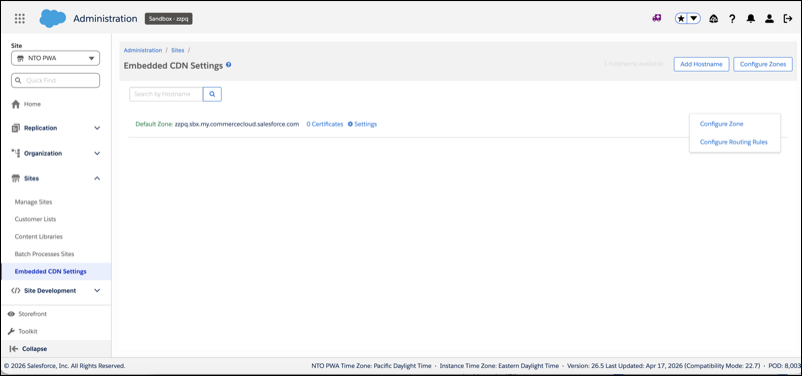
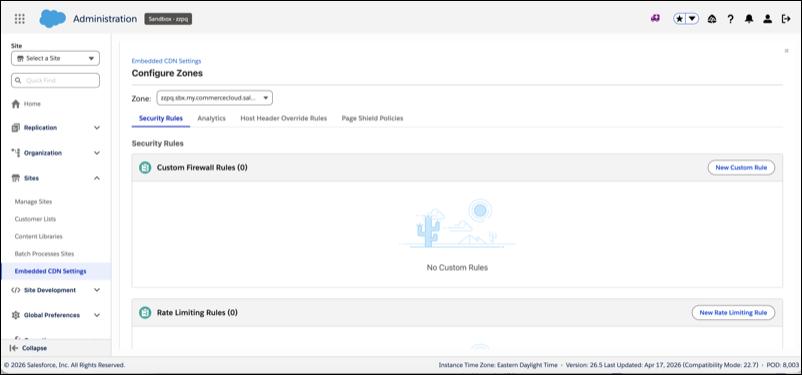
| BM UI visibility | After provisioning, the Default Zone appears in Business Manager under
Administration > Sites >
Embedded CDN Settings as the Default Zone row (for example,
zzpq.sbx.my.commercecloud.salesforce.com). |
| Existing ODS instances | Existing ODS instances are not retroactively migrated. Provision a new ODS instance to receive eCDN automatically. |
6. Vanity Domains on ODS
If you use vanity hostnames on ODS (CNAMEd to
dx.commercecloud.salesforce.com), take action before the 26.4 rollout.
- Scenario 1 — Vanity hostnames with ingress TLS termination
- Full self-service vanity hostname support for ODS is planned for the 26.7 release. For 26.5 pilot customers only, an interim path is available that requires manual eCDN team involvement. Contact Salesforce Support to begin this process.
- Scenario 2 — Vanity hostname CNAMEd to dx.commercecloud.salesforce.com (no ODS cert)
- This scenario requires further assessment of hostnames in this state. The migration path isn't yet defined. Coordinate with your Salesforce account team before the rollout date.
For step-by-step zone creation and vanity domain migration guidance, see Create a Zone in B2C Commerce.
