
You are here:
OWASP WAFv2 Managed Ruleset
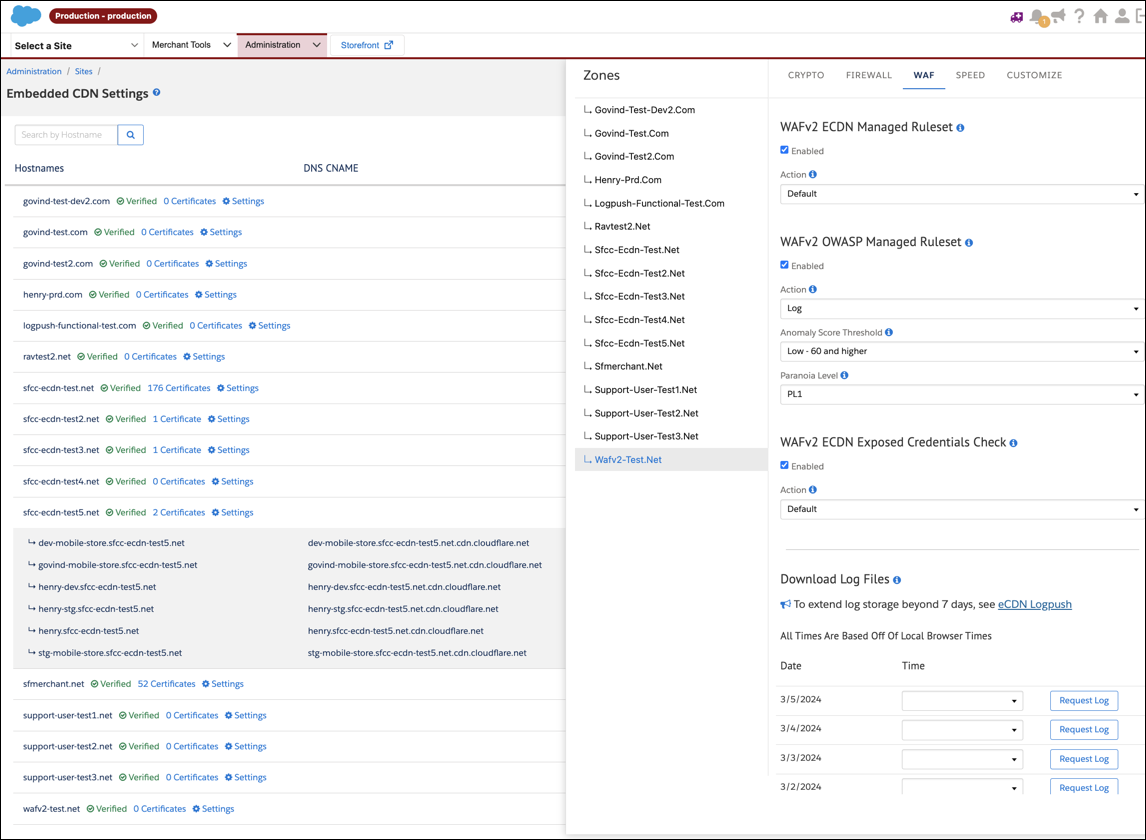
When responding to a potential web application threat, eCDN WAF looks at each incoming request, assigns the request a threat score, and responds appropriately. Each incoming request that triggers an OWASP rule increases the overall threat score. Some rules impact the score more than others.
WAF uses these action modes in response to a threat detected by OWASP. The default setting for the OWASP WAF v2 managed Ruleset is enabled
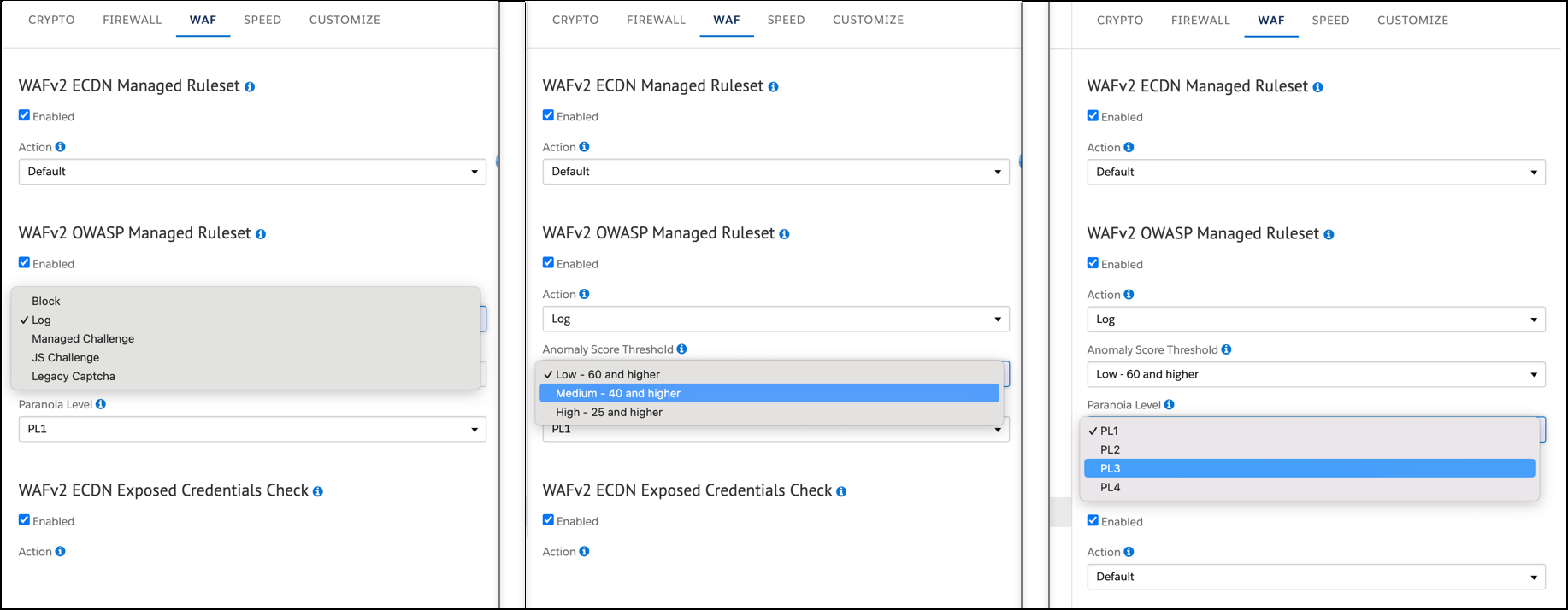
- Set paranoia level (PL1 default, PL2, PL3, or PL4) - The managed ruleset assigns a specific paranoia level (PL) to each rule, ranging from PL1 to PL4. Higher paranoia levels offer enhanced protection but can result in more legitimate traffic being blocked due to false positives. In response to a threat, all rules associated with paranoia levels up to the configured paranoia level are enabled.
- Define score Anomaly score threshold–Define the score threshold. The available thresholds
are:
- Low (60 and higher)
- Medium (40 and higher – default)
- High (25 and higher)
- Setting a Low threshold implies having a higher threshold value, typically 60 or above. With this setting, a higher number of rules must align with the current request for the managed ruleset to initiate the configured action. The cumulative scores of the matching rules determine the request's threat score.
- Select the action to perform. The action is executed when the calculated threat score is
greater than the score threshold. The available actions are:
- Legacy captcha
- Log
- JS Challenge
- Block
- Managed Challenge
Did this article solve your issue?
Let us know so we can improve!
