
You are here:
Simplify Coupon Management by Sharing Coupon Codes Across Sites
Share system-generated coupon codes across multiple sites. If a customer redeems a shared code on one site, that code can't be redeemed on another site unless it’s set to be redeemed more than once. You can import and export shared coupon codes, and you can set site-specific redemption limits.
Where: This change applies to B2C Commerce.
Who: This feature is available to users with access to the Coupon Code Sharing Business Manager module.
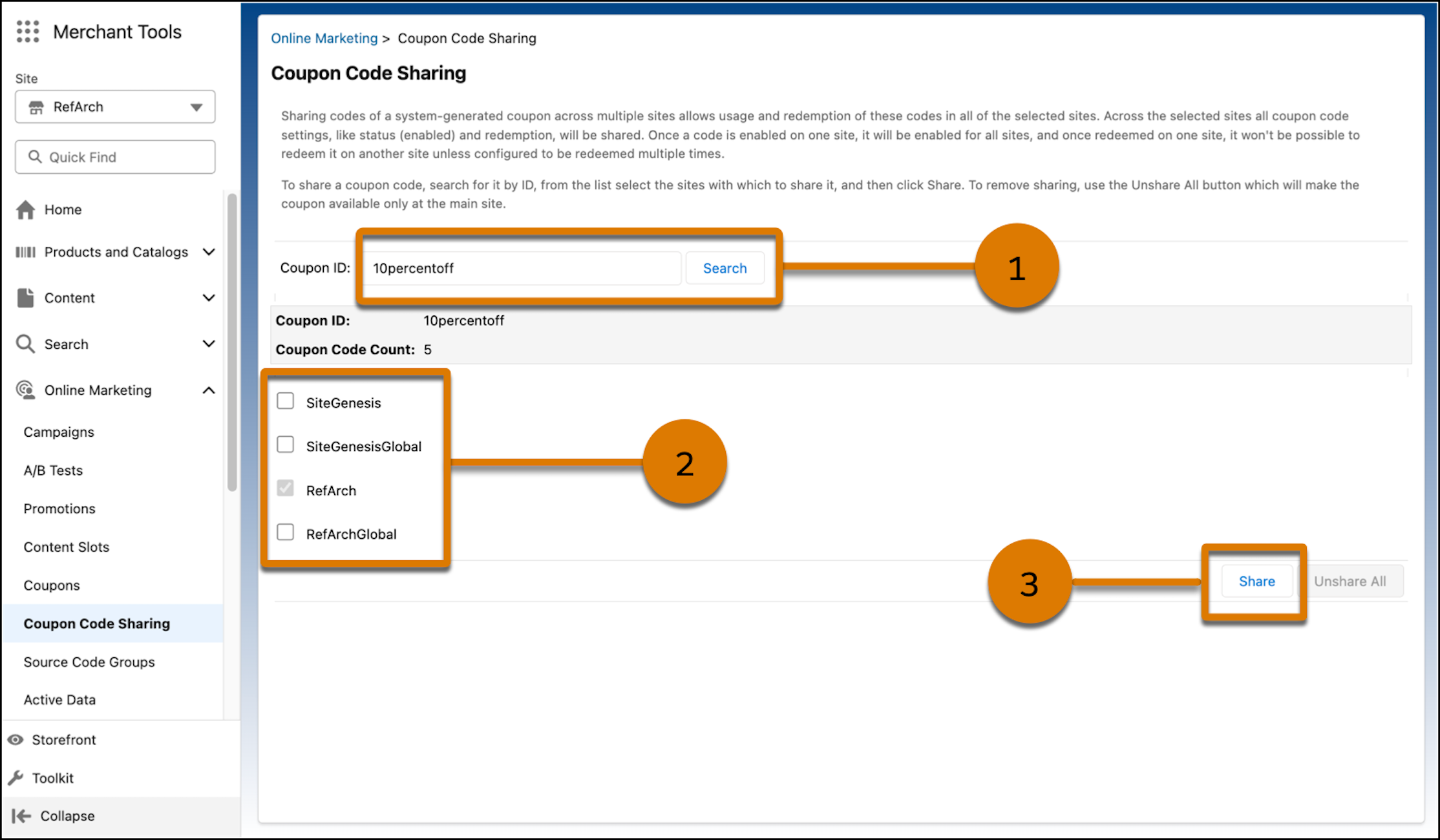
How: To enable Coupon Code Sharing, in Business Manager, click the App Launcher, and then select . To share coupons, go to . Search for a coupon by its ID (1), select the sites to share it with (2), and click Share (3).
Did this article solve your issue?
Let us know so we can improve!
