If your B2B store allows guests to purchase products, you can configure whether to
create a person or business account for the guest upon checkout. As of Winter ’25, person
accounts don’t need to be enabled for B2B store guest checkout.
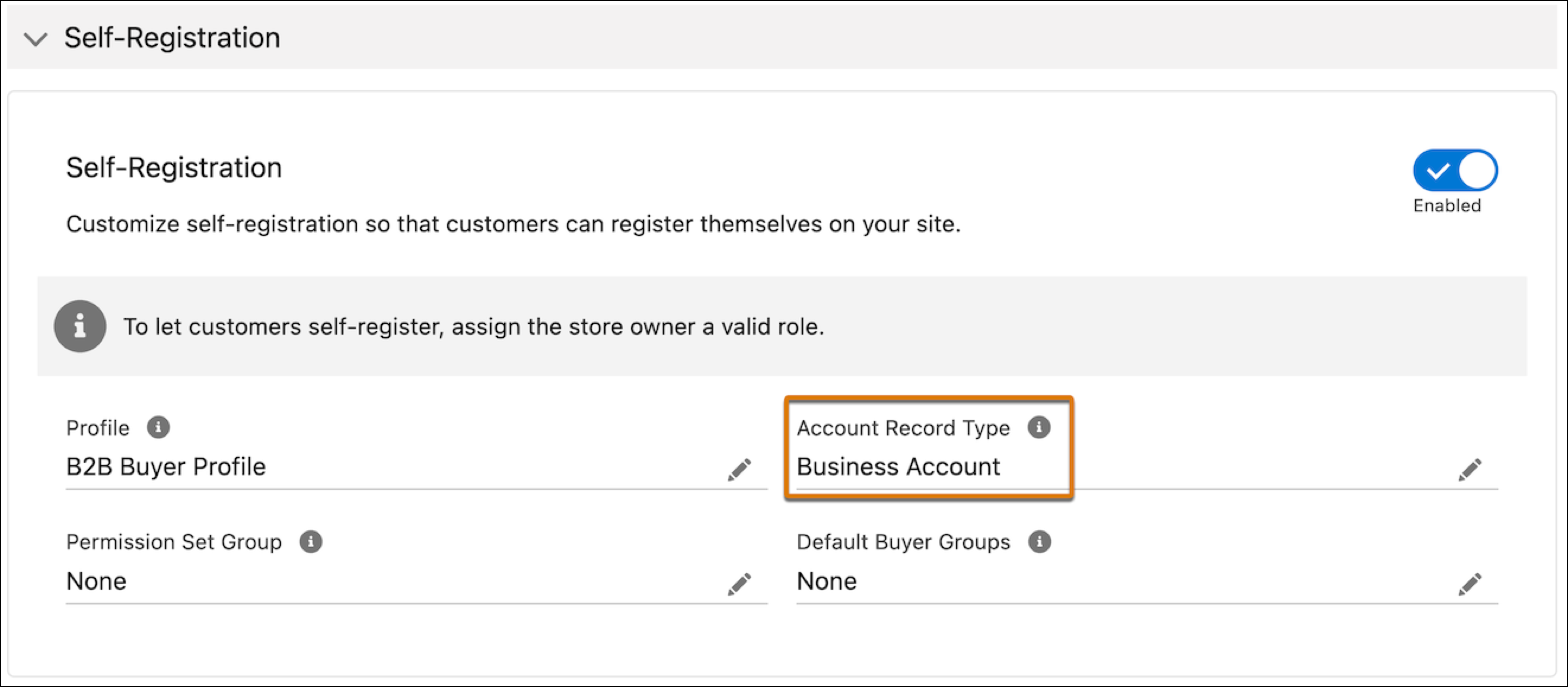
Business account creation: When the account record type for self-registration is
set to Business Account.
Person account creation: When the account record type for self-registration is
set to Person Account.
Self-registration not supported
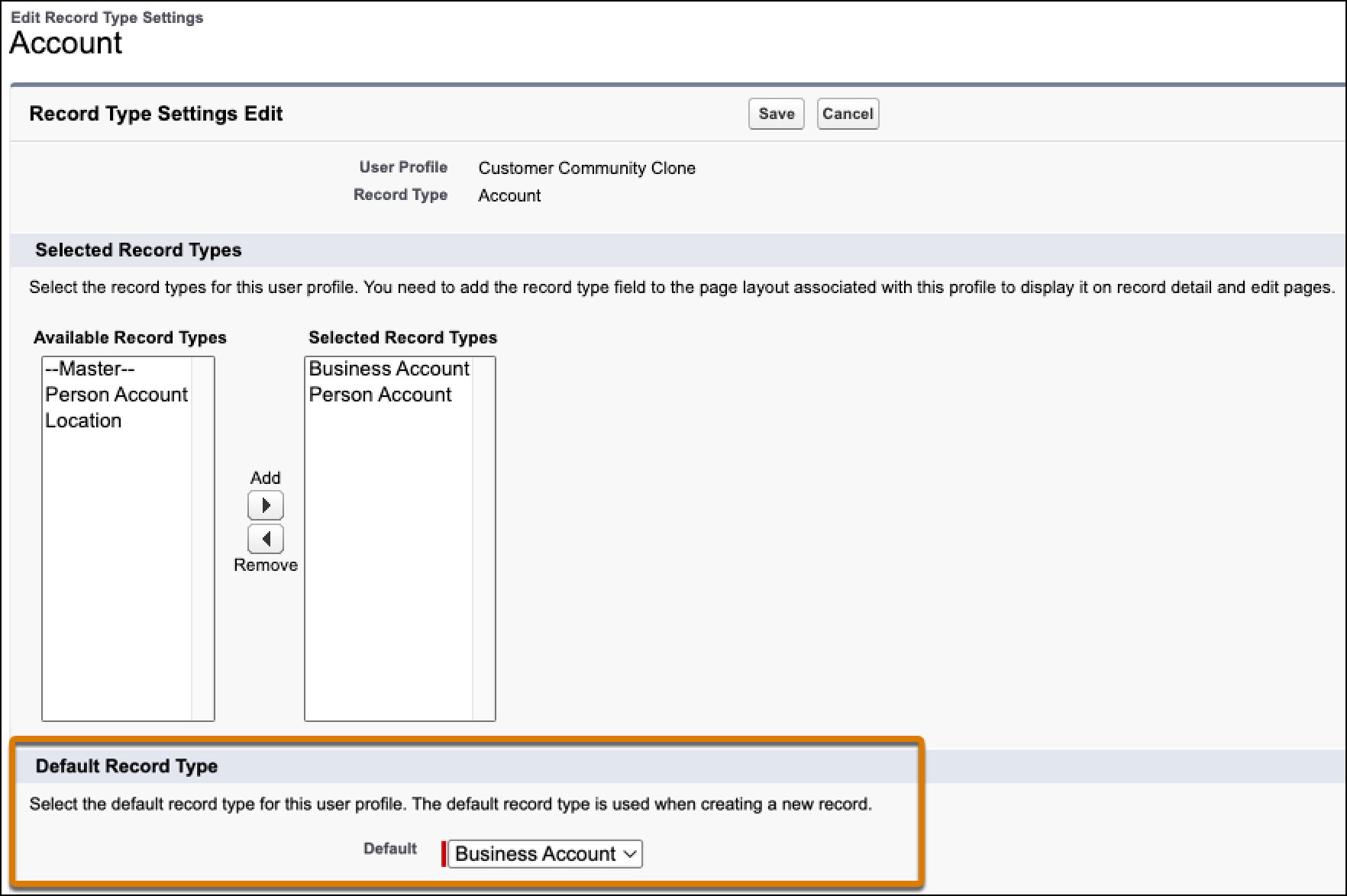
If your store doesn’t allow self-registration, you can specify which account type to create
by setting the guest buyer profile’s account record type defaults. See Assign Record Types and Page Layouts in Profiles. If
you don’t specify an account type in the guest buyer profile, the account created depends
upon whether your store supports person accounts.
Business account creation: When either the guest buyer profile has a business
account, or the store doesn’t have person accounts enabled.
Person account creation: When the guest buyer profile doesn’t have a business
account and the store has person accounts enabled.
Considerations for high-scale orders
If your store has high-scale orders enabled, you can use duplicate rules to handle any
potential duplication of accounts. A duplicate rule defines whether to create a record or
update an existing record. Salesforce provides standard duplicate rules for business and
person accounts, contacts, and leads. You can also create custom duplicate rules. Any active
duplicate rules in your org are considered during the guest checkout account creation
process.
We use three kinds of cookies on our websites: required, functional, and advertising. You can choose whether functional and advertising cookies apply. Click on the different cookie categories to find out more about each category and to change the default settings.
Privacy Statement
Required Cookies
Always Active
Required cookies are necessary for basic website functionality. Some examples include: session cookies needed to transmit the website, authentication cookies, and security cookies.
Functional Cookies
Functional cookies enhance functions, performance, and services on the website. Some examples include: cookies used to analyze site traffic, cookies used for market research, and cookies used to display advertising that is not directed to a particular individual.
Advertising Cookies
Advertising cookies track activity across websites in order to understand a viewer’s interests, and direct them specific marketing. Some examples include: cookies used for remarketing, or interest-based advertising.