
You are here:
Data 360 for B2B Commerce
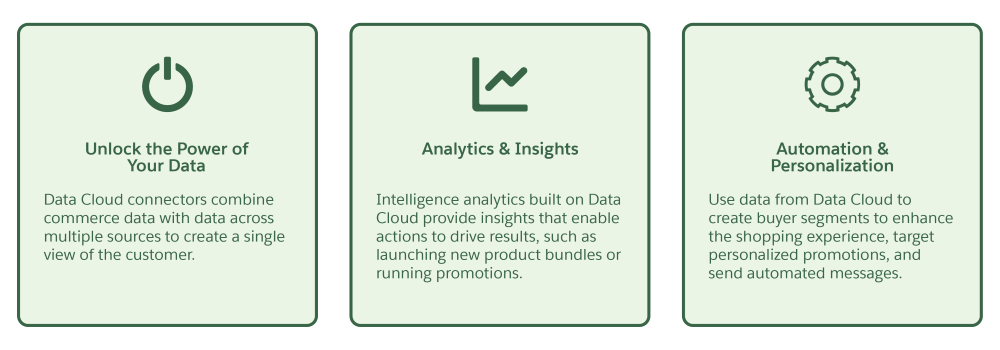
By combining the power of Data 360 with B2B Commerce, you can gain key business insights and unlock valuable analytics, personalization, and automation capabilities to provide connected, personalized experiences to your customers.
Which Salesforce Commerce Product Do I Have?
- Data 360 for B2B Commerce Considerations
When you set up Data 360 for B2B, you must have certain permissions and requirements configured. - Set Up Data 360 for B2B Commerce
Integrate B2B Commerce with Data 360 to gain key business insights and unlock valuable analytics, personalization and automation capabilities for your store. - Data 360 Connectors for B2B Commerce
When you provision Data 360, it's connected to your Salesforce org and has access to data from B2B, D2C Commerce, and Salesforce Order Management. You can use connectors to bring data into Data 360 from other sources, such as Omichannel Inventory or store customer engagement data. - Enable Data Governance Permissions for Data 360 for B2B Objects
To use Data 360 Data Governance features for Data 360 for B2B, you need to grant access to the impacted objects according to an access policy. - Intelligence Analytics Dashboards Powered by Data 360
Intelligence Analytics dashboards display key store performance metrics to help you make data-driven decisions for business agility. Get a comprehensive view of the best performing categories and products within a store, and keep on top of inventory health across your locations and location groups. Explore the Shopper Intelligence dashboard to learn about customer first-time and repeat purchase behavior to drive and retain loyalty. - Personalization Powered by Data 360
Personalize the shopper experience and enhance customer engagement by using Data 360 segments.
Did this article solve your issue?
Let us know so we can improve!
