
You are here:
Configure Meta Tags to Commerce Store Pages for SEO
To improve your products’ search engine visibility, add meta tags that describe the product. You can add product titles and descriptions individually or generate meta tags for multiple products at once using Einstein generative AI.
Required Editions
| View supported editions. |
Which Salesforce Commerce Product Do I Have?

Note Structured data isn’t supported in B2B Commerce Aura stores.
-
Generate title tag and meta description fields for multiple products at once using
Einstein generative AI. For instructions, see Enhance Product Fields with Einstein.
- From the Draft Product Text with Einstein page, select the Title Tag or Meta Description field.
- Enter an instruction like “Write a short title to display in the Search Engine for these products” or “Write a short description to display in the Search Engine for these products.”
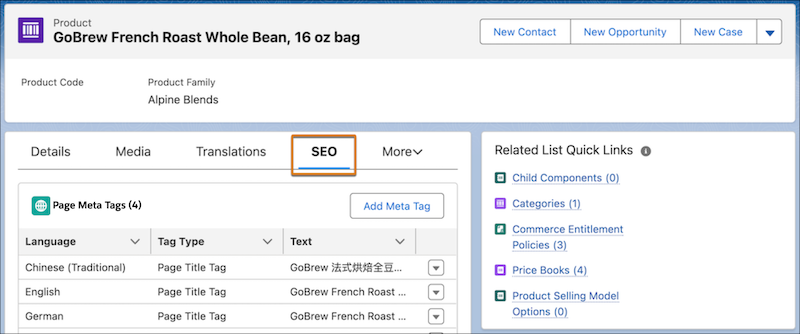
- To view and manage a product’s or category’s page meta tags, open the product or category record and go to the SEO tab.
- To manually add, edit, or delete page meta tags, use the Page Meta Tags table.
-
To add additional page meta tags to your store, use Experience Builder.
- In Experience Builder, open the page that you want to edit.
-
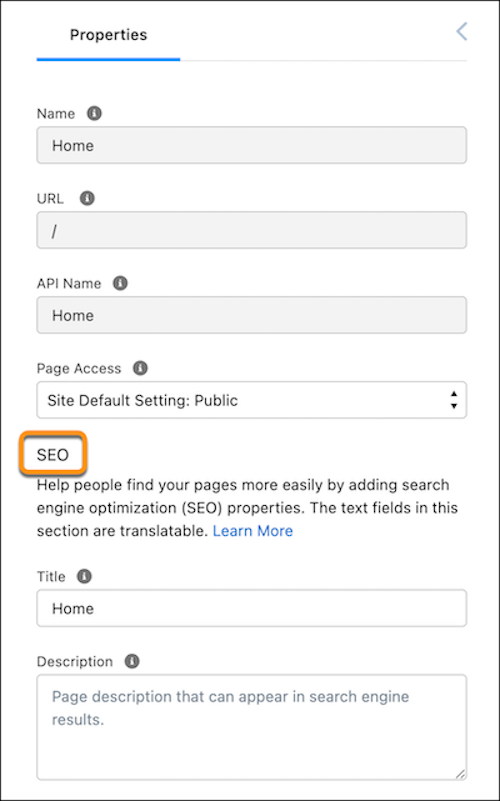
Click the Page Properties icon
 .
.
-
Enter a title. On Product pages, use the Product Name field or a custom field. On
Category pages, use the Name field or a custom field. Use expressions to populate the
head tag with values from the record. For example, show a record’s object, title, and
meta description with
{!Record._Object}:{!Record._Title}:{!Record._Description}, or a field with{!Record.Field}.For
{!Record._Title}and{!Record._Description}, theObjectMetadataTagrecords is looked up first. If they don’t exist, the object’sNameandDescriptionfields, which could be eitherProduct2orProductCategory, are then looked up. - Enter a description.
-
To use other meta tags, click Edit Head Tags, enter a meta
tag, and save your changes. For example, the Robots meta tag
<meta
                name="robots" content="noindex">
tells crawlers not to index a page so it won’t show up in search results.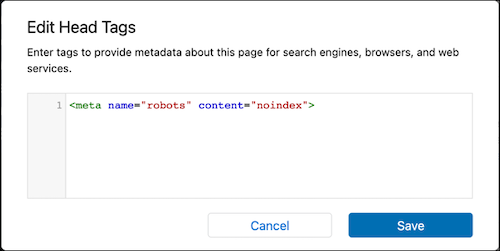
- Save your changes.
Did this article solve your issue?
Let us know so we can improve!
