
Loading
Feature degradation | Gmail Email delivery failureRead More
Salesforce Payments
Table of Contents
Select Filters

          No results
          No results
          Here are some search tips

          Check the spelling of your keywords.
          Use more general search terms.
          Select fewer filters to broaden your search.

          Search all of Salesforce Help
          View Financial Activities from Payments Reports

          View Financial Activities from Payments Reports

          To view payment activity related to your merchant account, Salesforce Payments provides reports. You can examine payment data in various combinations and share financial insights with others. You can choose which reports to display on the Payments app Home page. All reports are localized so that labels show in your org’s language. To automate payment operations, configure notifications for specific payments events.
          Required Editions

          Payment transactions can generate report entries in the millions, which can exceed report limits. To limit the number of entries, create a custom report with filters. For example, you can filter by date, payment method, or status. For more information about creating reports and optimizing report performance, see Reports and Dashboards.

          1. To choose which reports appear on the Home page, click the gear icon and select Edit Page.
            Add, remove, or replace a report component and save your changes.
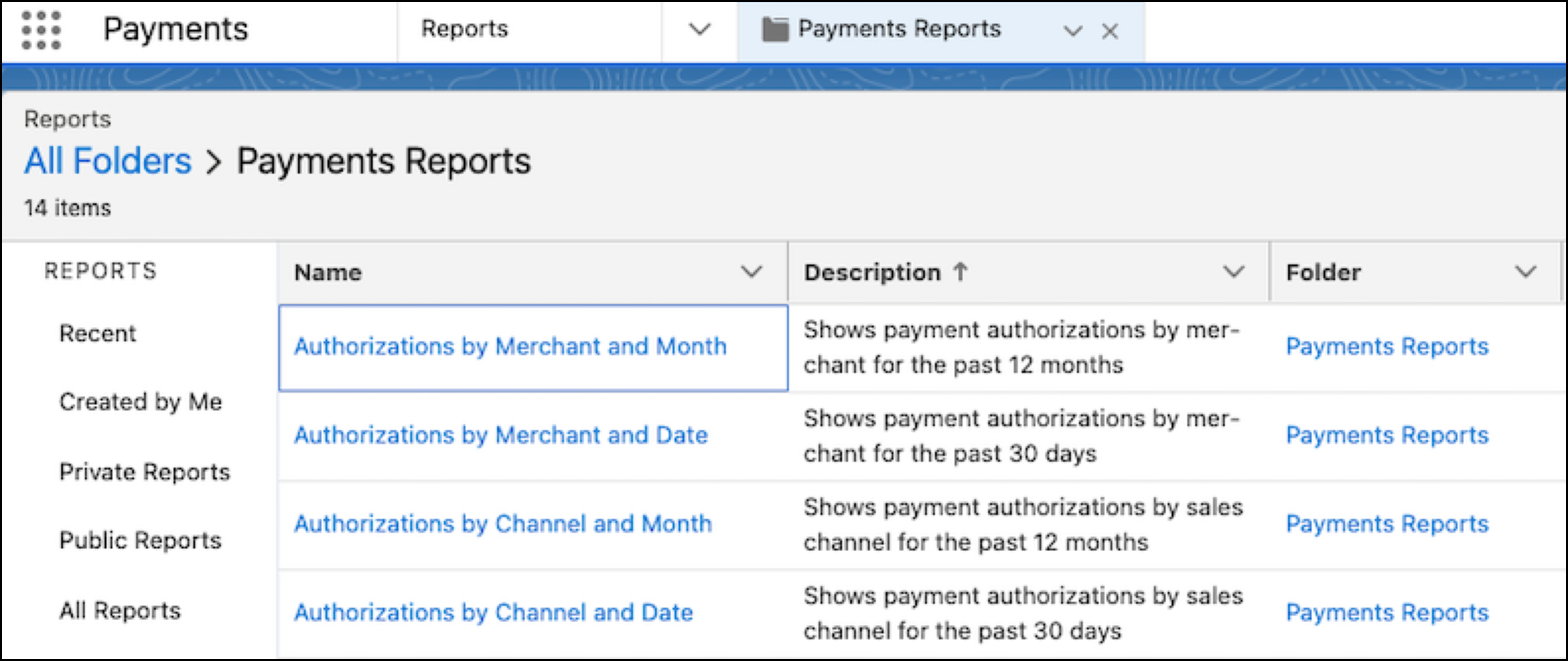
          2. To access only the Payments reports, select Reports dropdown menu from the Payments app, then open the Payments Reports folder. You can modify or copy and customize each report.
            To view reports based on sales channel activity, Order Management must be installed and configured on the same org as Payments.
            List of reports in payments reports folder
           
          Loading
          Salesforce Help | Article