
You are here:
DKIM Support for Google and Yahoo Email Spam Reduction
To ensure Google and Yahoo's announcements regarding reducing spam mails don’t disrupt your business operations, Salesforce B2C Commerce is making the following changes to our Commerce Cloud mail service:
- Offer Support for DKIM authentication
- In Business Manager customers can specify a private key to be used for DKIM
How: To use DKIM, you download a private key and configure Business Manager for DKIM.
In Business Manager, select and import the private key for the DKIM. See Private Keys and Certificates in B2C Commerce
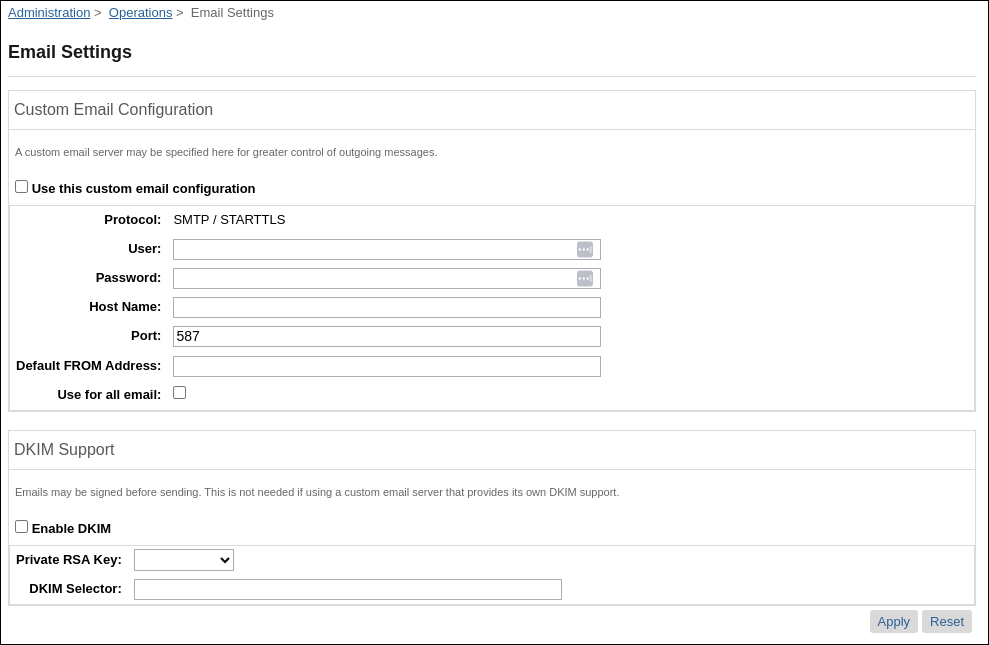
In Business Manager, select .
- Check Enable DKIM.
- To use as the private DKIM key, select the RSA key.
- Define a selector.
A selector must be set. The public key is stored as a TXT record on the relevant DNS entry.

Note The domain can’t be manually configured. The domain is the one used to send email.
For example
noreply@notifications.example.com.The default DKIM location is &selector>._domainkey.notifications.example.com.
See Also
Did this article solve your issue?
Let us know so we can improve!
