You are here:
Donations with Adyen Giving
Configure the Point of Sale (POS) app to capture information about donations made with Adyen terminals. Customize donation options, secure payment processing, fee coverage, comprehensive reporting, and integrate into existing systems.
Supported Features
By leveraging Adyen's Giving feature, you can access a range of supported features that include:
- Offer your customers the choice to donate to a preselected charity at the end of every transaction via the Adyen terminal
- Adyen makes sure that all fees are covered, guaranteeing that 100% of the donation goes directly to your chosen charity
- Adyen handles all contracts and manages payouts
- Access reports and records conveniently in Adyen's Customer Area
- Provide three configurable donation amounts for customers to select from, including one option that allows them to enter a custom donation amount
- Limit one donation per transaction
- Supported payment methods include:
- Credit and debit cards: American Express, Bancontact, Cartes Bancaires, Diners, Discover, JCB, Mastercard, UnionPay, Visa, Visa Debit
- Wallets: Apple Pay and Google Pay
- Gift Cards: Not supported
- Donations can only be accepted if online
- Ability to customize the timeout duration of the donation screen on the terminal
- Give customers the option to select "Not Now" if they select not to donate
- Adyen provides comprehensive reporting on donations directly through the customer portal
Supported Terminals
This is a list of terminals that support Adyen Giving and are certified by Point of Sale:
- AMS1
- M400
- M450 (WiFi)
- P400 Plus
- V400m
- V400c
- SFO1
Enable Donations on Adyen Console
To turn on new Giving campaigns, you can do so through the Campaign Manager. Detailed information can be found in Donations using Giving | Adyen Docs.
Adyen Terminal Flow
After a customer completes their order transactions on the Adyen terminal, they'll be
prompted with the screenshot.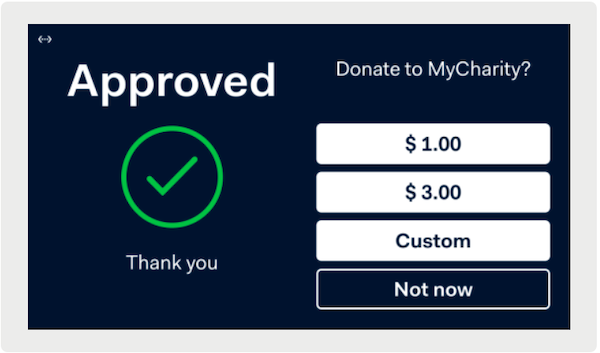
The customer can either select a preconfigured or custom amount. They also have the
option to opt out. If a customer does donate, the terminal will initiate a new transaction
and they will have to enter their form of payment to complete the transaction on the
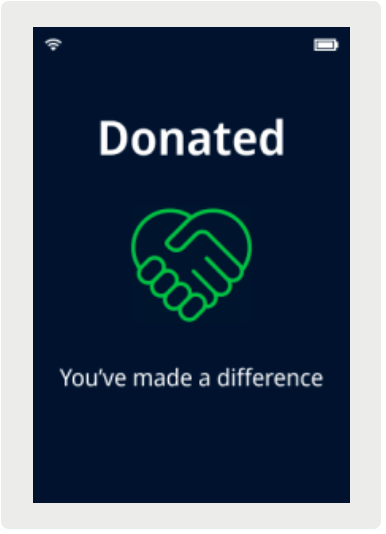
terminal. The terminal will confirm a successful transaction by displaying the Donation
Confirmation message.