
You are here:
Configure Private Sale Promotion
Create special promotional pricing for a specific segment of customers in Retail Cloud.
There are three steps to applying the private sale pricing:
-
- Identifying customers eligible for private sale
- Applying private-sale pricing
- Rendering private sale pricing in the shopping cart and checkout pages

Configure Point of Sale CMS for Private Sales
To turn on a Private Sale promotion in the CMS:
- Go to .
- Select .
- Select to configure a new Private Sale promotion or select to edit an existing one.
- Complete all required fields and select .
In this example, customers that have had an account for at least one year are eligible for a
promotion.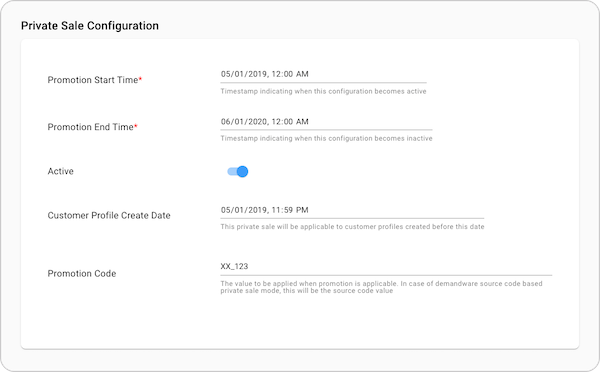
Customer Segmentation
A customer can currently be identified based on the date of joining the merchant platform.
Applying Private Sale Pricing
The Private Sale price can currently be applied by using a platform-specific mechanism like Demandware source code.
Implementation process
To use the Private Sale feature, define each of these items:
- —Set the rules to find customers who can get the Private Sale promotion. For example, customers who have an account created before the promotion can get it.
- —Define the mechanism for Point of Sale to get the data required to evaluate the eligibility criteria (for example customer profile lookup in SFCC).
- —Define the method by which the promotion is applied (for example SFCC “source code” applied using OCAPI).
Reach out to your Salesforce Customer Success Manager for any questions about this feature or to inquire about customizations.
Did this article solve your issue?
Let us know so we can improve!
