
You are here:
Perform an Offline Search in Point of Sale
Search for products in the Point of Sale (POS) app and add them to the cart even if other features aren’t online.
No configuration is needed in CMS. The app continues to support the search screen from the existing Search deep links configured in the CMS.
Prerequisites
- Modern POS App Build: 7.8.x and later
- Device Support: iPhone & iPad
POS Application Flow
The store associate can open the Search Screen from the deep links configured on the layouts or by selecting the search bar on top of the layouts.
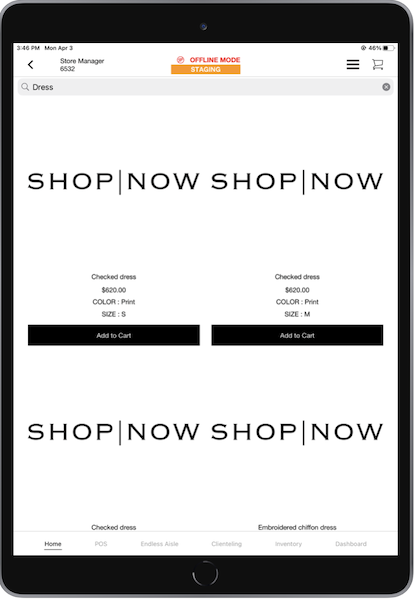
The Search Screen allows the store associate to search for products from the offline database. The POS app returns the products which have the search query in the title.
Because PDP isn't available offline, you can add the product to the cart in the POS app by having for each product listing in the search results.
Known Limitations and Restrictions
There are a few limitations of the offline Search Screen as compared to the online scenario:
- No sort or filter capability.
- No Wishlist or Review capability.
- No support for searching deep links based on a facet query. All search deep links are directed to a text-based search only.
- No ability to go to the PDP by tapping on the products.
- No support for an empty search results layout.
- Offline search is based on the product title alone and won't use the search configuration from the CMS.
