
You are here:
Checkout Flow & Error Handling
Get details of the Modern POS checkout workflow and the interaction between different systems including the app, the Point of Sale, the customer cloud, and the payment service. Errors can occur during different steps of the checkout workflow. This article provides information on different types of errors that can occur, and how each type of error is handled.
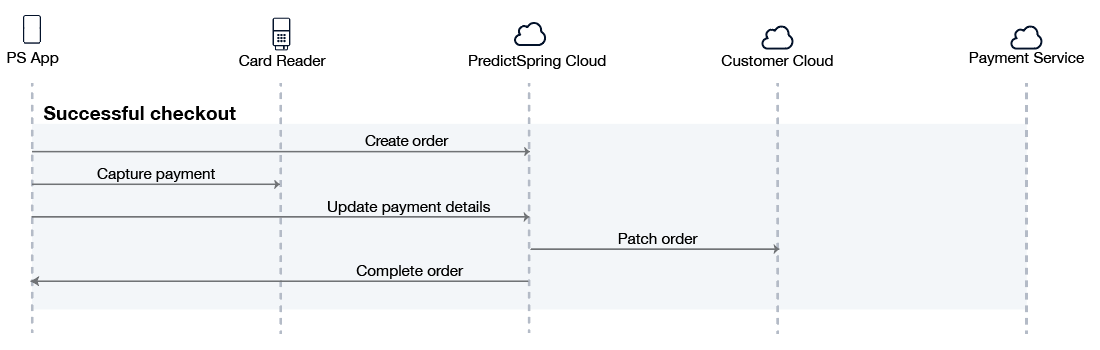
Successful Checkout
The app starts by creating an order in the Point of Sale with an initial status of pending. Next, the app captures payment via a connected card reader device. After payment is captured, the app sends the payment details to the Point of Sale. Point of Sale then forwards the order information to the customer cloud and reports back to the app that the status of the order is completed.
Errors During Checkout
Errors can occur at different stages of the checkout process.
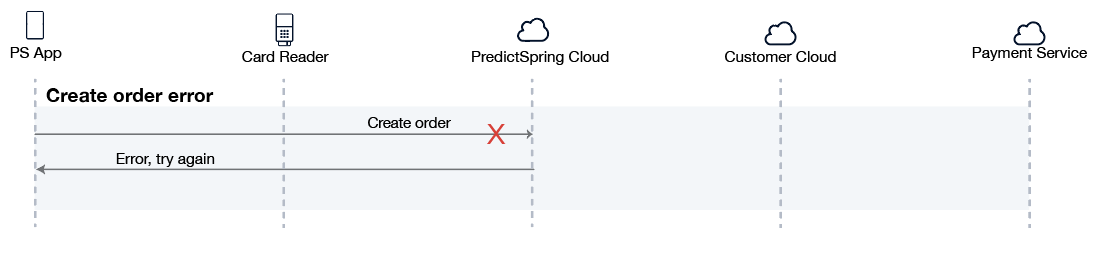
Error Creating Order in Point of Sale
If the app is not able to create the order in the Point of Sale then payment is not captured. This could occur if there is a network outage on the app or a service outage in the Point of Sale. The user is shown an error message and can try again.
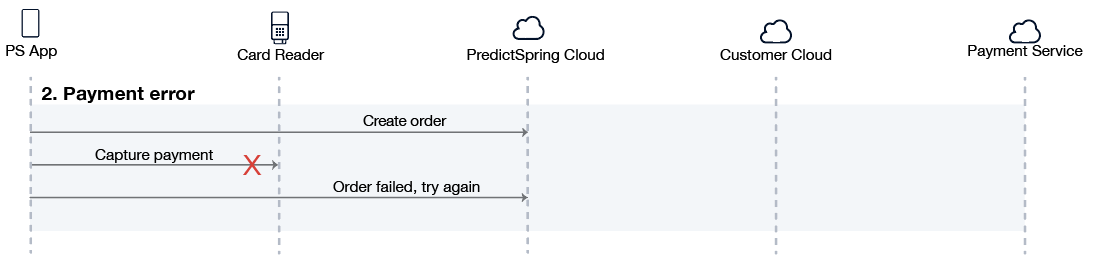
Error Processing Payment
If there is an error processing the payment, then the app reports the payment error to the Point of Sale. The order status changes from pending to failed with one of several possible reasons (payment declined, payment canceled, or payment reader error). The user can try again. If the payment goes through, then the normal flow can proceed and the order status is updated accordingly.
Cash Payment with Physical Cash Drawer
If cash payment is made with a connected physical cash drawer, POS requires the cash drawer to successfully open to proceed processing. If there is an issue connecting to the printer or opening the cash drawer during either accepting payment or resetting cash tender, POS will display the error to be addressed. Any displayed error (failure to connect to printer, open printer cover, no paper) MUST be addressed before processing will continue.
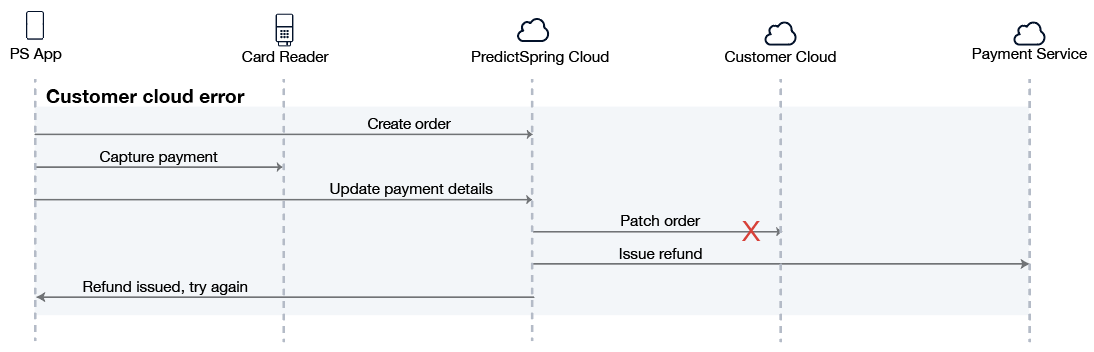
Error Patching Order to Customer Cloud
An error might occur in the customer cloud in the event of a service outage or some other unexpected error. If the Point of Sale is not able to successfully patch the order to the customer cloud, then a refund is issued automatically with the payment service. A report can be generated in the CMS to view orders where a refund was issued automatically. In the CMS, go to Orders > Payment Reversals.
Error Updating Payment Details
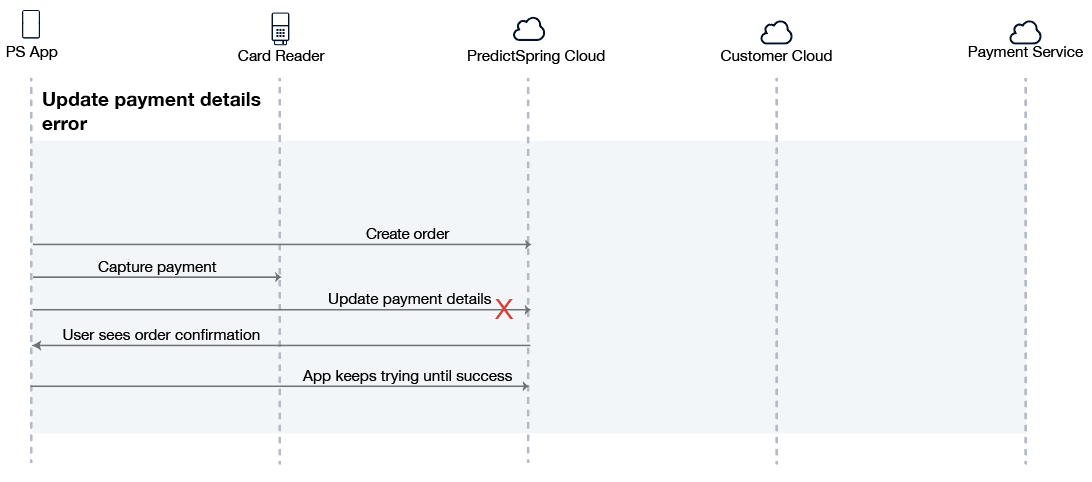
It is possible that the app is unable to send the payment details to the Point of Sale after the order is created. For example, there could be a network outage. In this case, the order remains in a pending state in the Point of Sale. The app stores the order until the information has been transmitted successfully to the Point of Sale. The app periodically attempts to communicate with the Point of Sale and on each app relaunch. The retry interval is configurable in the CMS as an App Config setting under the POS module, called Pending Order Sync Frequency. The store associate can go to the dedicated Pending Orders screen to view orders that still need to be updated in the Point of Sale. This screen is accessed with the “Pending Orders” deep link.
CMS Reports
Reports are available from CMS on process successes and failures.
Successful Orders Report
Refer to Successful Orders in Point of Sale CMS.
Failed Orders Report
Refer to View Failed Orders Report
