
You are here:
View Advanced Shipping Notice Report in Point of Sale
Access a list of inventory received at the store from warehouses or other stores. Store Use the report to view details of received inventory or to start the receiving process.
Prerequisites
- Modern POS App Build: 5.5.2 or greater
- Platform Support: iPhone & iPad
- Offline Support: no
Point of Sale's Advanced Shipping Notice (ASN) Report is a list of inventory received at the store from warehouses or other stores. Store associates can use this report to view details of received inventory or to start the receiving process. The report can be viewed in both the CMS and on the Point of Sale (POS) app by setting up a deep link.
ASN Reports in Point of Sale CMS
Any user who has the "INVENTORY" permission or higher access rights can access this report. For more information about roles and permissions, read CMS User Management.
- Go to .
- In the search field, configure the search query based on shipment ID, ASN ID, ASN status, shipping locations, dates, pallet, carton, or product ID.
-
(Optionally) A CSV file of the report can be downloaded by seleting in the upper right.
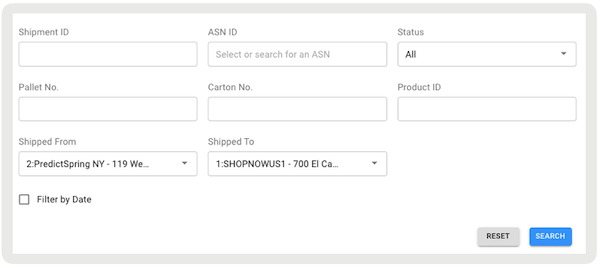
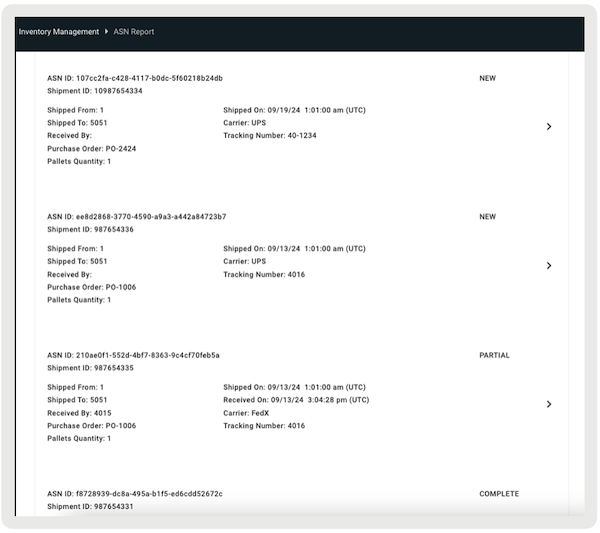
List of ASNs
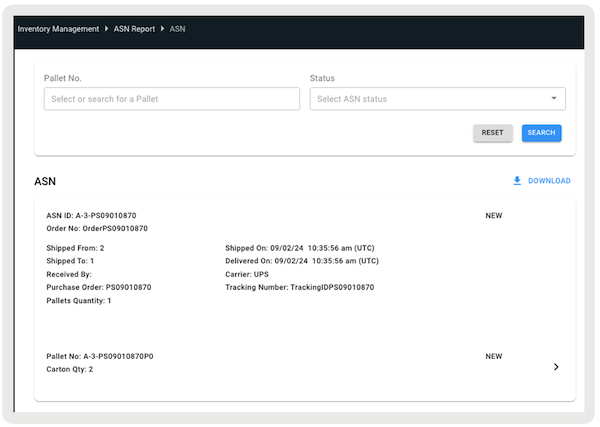
List of pallets of a specific ASN.
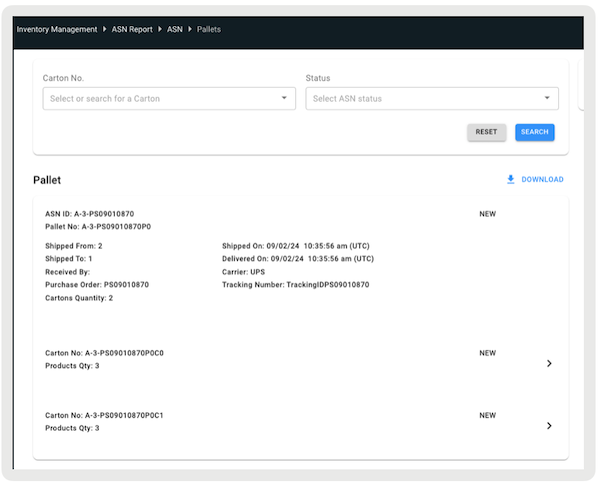
List of cartons of a specific pallet
List of products of a specific carton
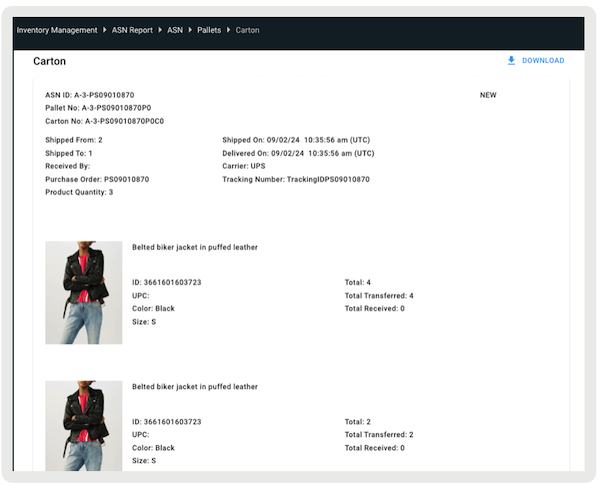
Accessing ASN Report in the POS App
The inventory-receiving functionality and workflow are exposed in the POS app with a deep link that you configure in Point of Sale CMS. The deep link can be launched from a layout or from the Hamburger Menu.
- Create a layout or use the existing one.
- Select a cell.
-
Select .
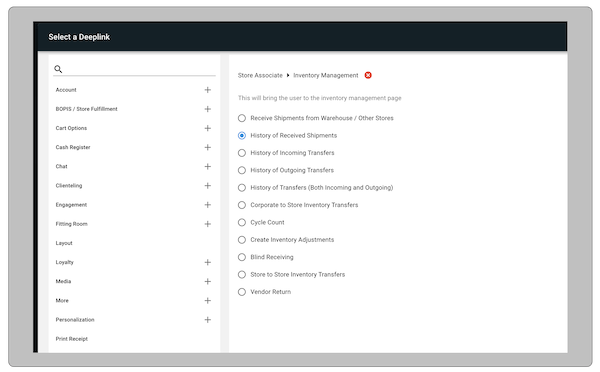
POS App Flow
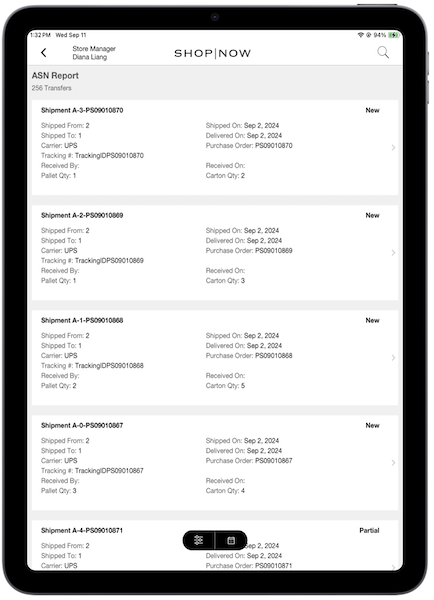
If the associate accesses the ASN report via the deep link, they'll be presented with a comprehensive list of all shipments received in-store. The report includes details on the number of transfers. Associates can scroll down to view the complete list.

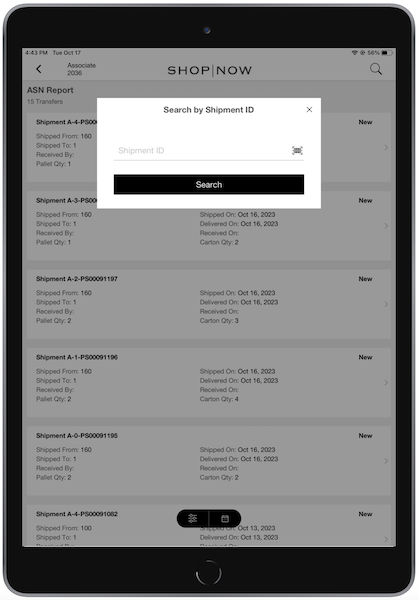
The list can be filtered by shipment ID by selecting the magnifying glass icon in the upper right corner of the screen. The associate can manually scan the ID.
The associate can select any shipment to view details of it. The ASN Details screen will have pallet details along with other information such as Pallet Number, ASN Number, Shipped from location, and so on
The various statuses can be "", "", and "".
- - Pallet or Carton delivered at the store
- - Pallet or Carton received by the associate
- - Pallet partially received, but few cartons are yet to be received.

More details about ASN receiving flow can be found in this article.
