
You are here:
Create a Model from Scratch
Create a model that uses historical data to predict future outcomes. Select and structure your data source and define the desired outcome. Then train the model to reveal predictive inferences and insights by using AI, machine learning, and statistical analysis.
To train a model, here are some data requirements to consider.
| Requirement | Minimum | Maximum |
|---|---|---|
| Number of rows | 400 | 20 million 5 million for the XGBoost algorithm |
| Number of variables (fields or columns) | 3 (1 outcome variable plus 2 other fields) | 50 with manual selection 350 with automatic selection. From these fields, Autopilot considers only the 50 most relevant ones. |
-
Choose Type
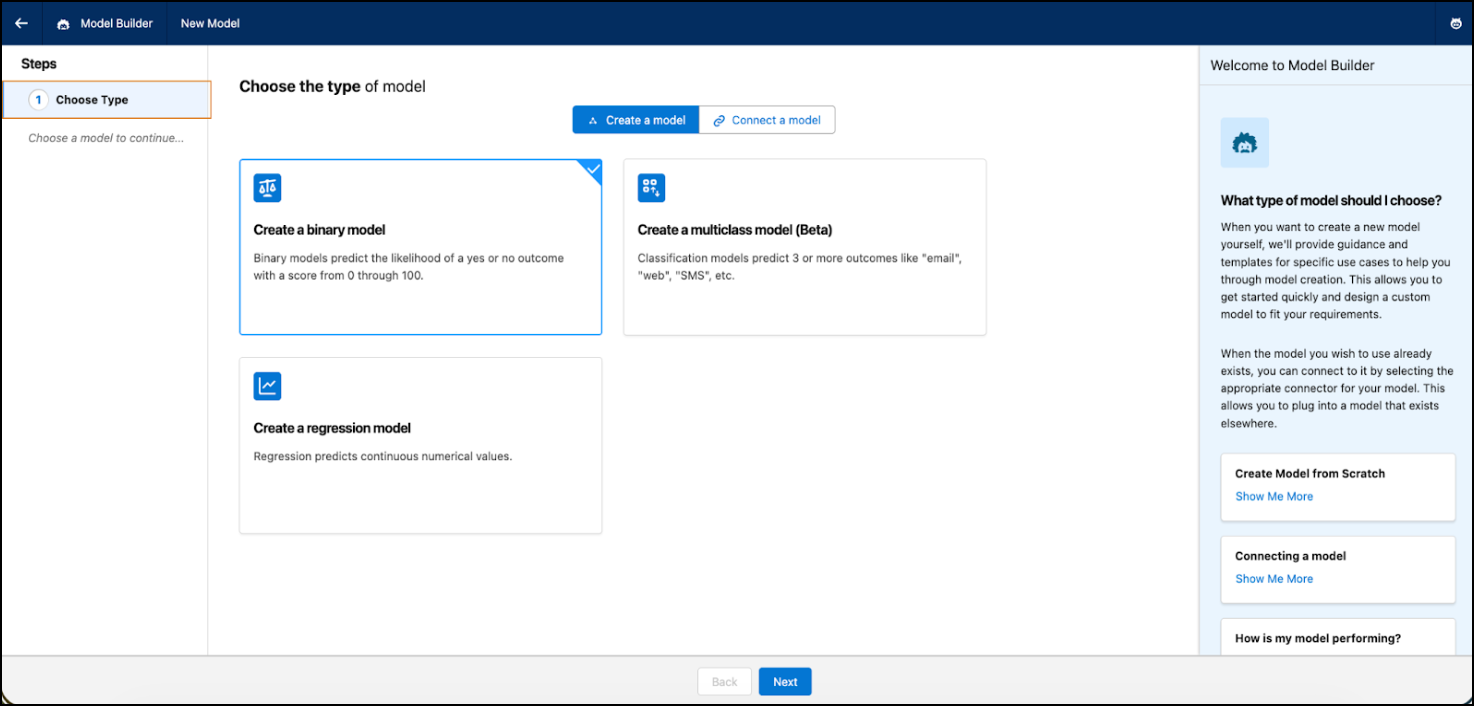
Based on your use case, select a binary, regression, or multiclass (beta) model.
 Note
NoteClassification models are a pilot or beta service that is subject to the Beta Services Terms at Agreements - Salesforce.com or a written Unified Pilot Agreement if executed by Customer, and applicable terms in the Product Terms Directory. Use of this pilot or beta service is at the Customer's sole discretion.
-
Select Data
Select the source of data to train your model with. Einstein uses the data to train and test the model.When selecting a data source, consider some guiding questions.
Question Guidance What outcome (such as a KPI) do you want to predict? Predictive modeling detects patterns related to three types of use cases: regression (continuous numbers), binary classification (two-value text outcomes), or multiclassification (from 3 through 10 possible outcomes). Ideal data candidates for predictive modeling often involve KPIs associated with large volumes of data and many business decisions. Which variables do you want to include? Deciding which variables to include impacts the quality and interpretability of a predictive model. When variables are meaningful and relevant, it becomes simpler for stakeholders and business users to understand the relationships between factors and trust the predicted outcomes. Where can you find this information? Understanding where the data comes from is valuable in assessing quality, identifying bias, and adhering to data governance and compliance. -
Select Training Data
Use all records in the data source to train the model. Or, specify conditions to restrict the records used to train the model.
- To select a specific subset of data to train the model, click Filtered Set of Records.
-
Define your filter condition.
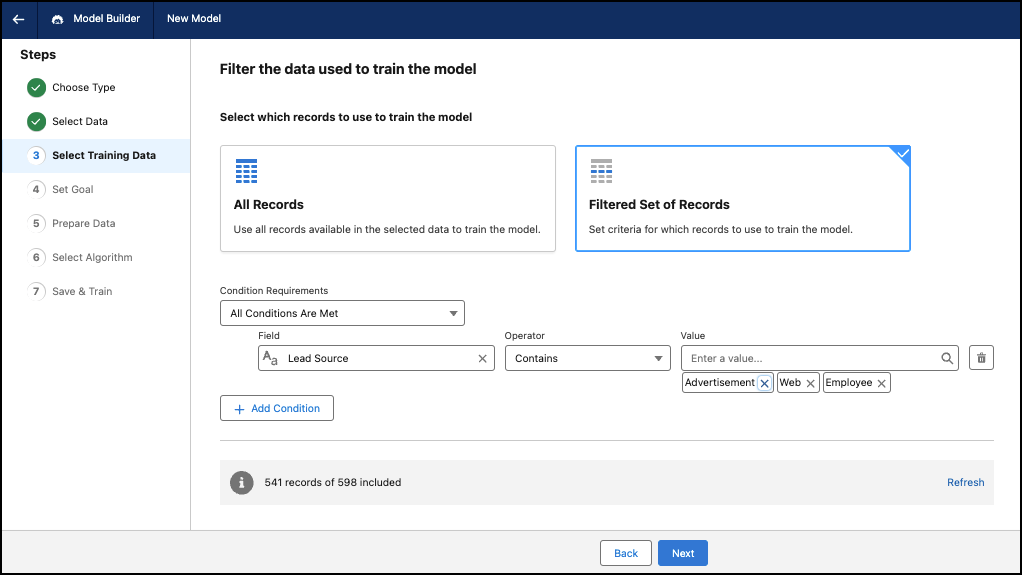
Logic Description Condition Requirements All Conditions Are Met—if all conditions are true, the filter is applied. If one of the conditions is false, the filter isn’t applied.
Any Condition Is Met—if one condition is true, the filter is applied.
Field Based on the data source. The data attribute or variable to use when applying the filter. Operator Defines the relationship between the field and condition. The available operators depend on the field type. Value Specific value to assess the field. For text fields, select one or multiple values. For numeric fields, enter a value. For date fields, use the calendar to select a date.
-
Set Goal
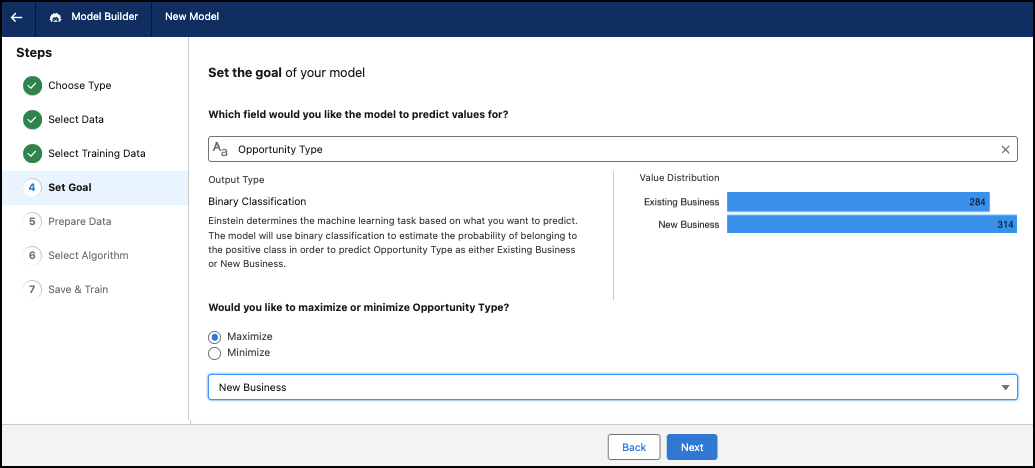
Select a business problem that you want to solve. Examine the key performance indicators (KPIs) you want to improve. Explore which candidate KPIs can benefit the most from deploying an AI-powered solution.
- Select the field that you want to predict values for. Decide which outcome variable you want to explore, and at what granularity. The outcome variable could be a KPI value (such as revenue, discount, cost measure, or duration) or other quantifiable outcome. You can also use categories (text fields) with two values (binary) as an outcome variable.
- Choose to maximize or minimize your goal. Einstein builds and trains a model focused on maximizing or minimizing the outcome variable. For example, your goal can be to maximize net margin or minimize customer churn. Einstein builds a model focused on achieving higher net margin or reducing customer churn.
-
Prepare Data
Select which fields to include as variables in the model. Make sure that the variables are relevant to the business outcome you want to predict. Refine the data to provide better results by using variables that are accurate, complete, and representative of real-world business operations in terms of quantity (volume) and variation (diversity). Don’t use fields that contain sensitive data or personally identifiable information (PII).
-
Select Algorithm
The algorithm is the approach, or the computational procedure, the model uses to learn from the data and make predictions. You can also turn on Automatic Selection, so Einstein can automatically select an algorithm with the highest impact on your prediction and use case.
-
Choose the algorithm for your model.
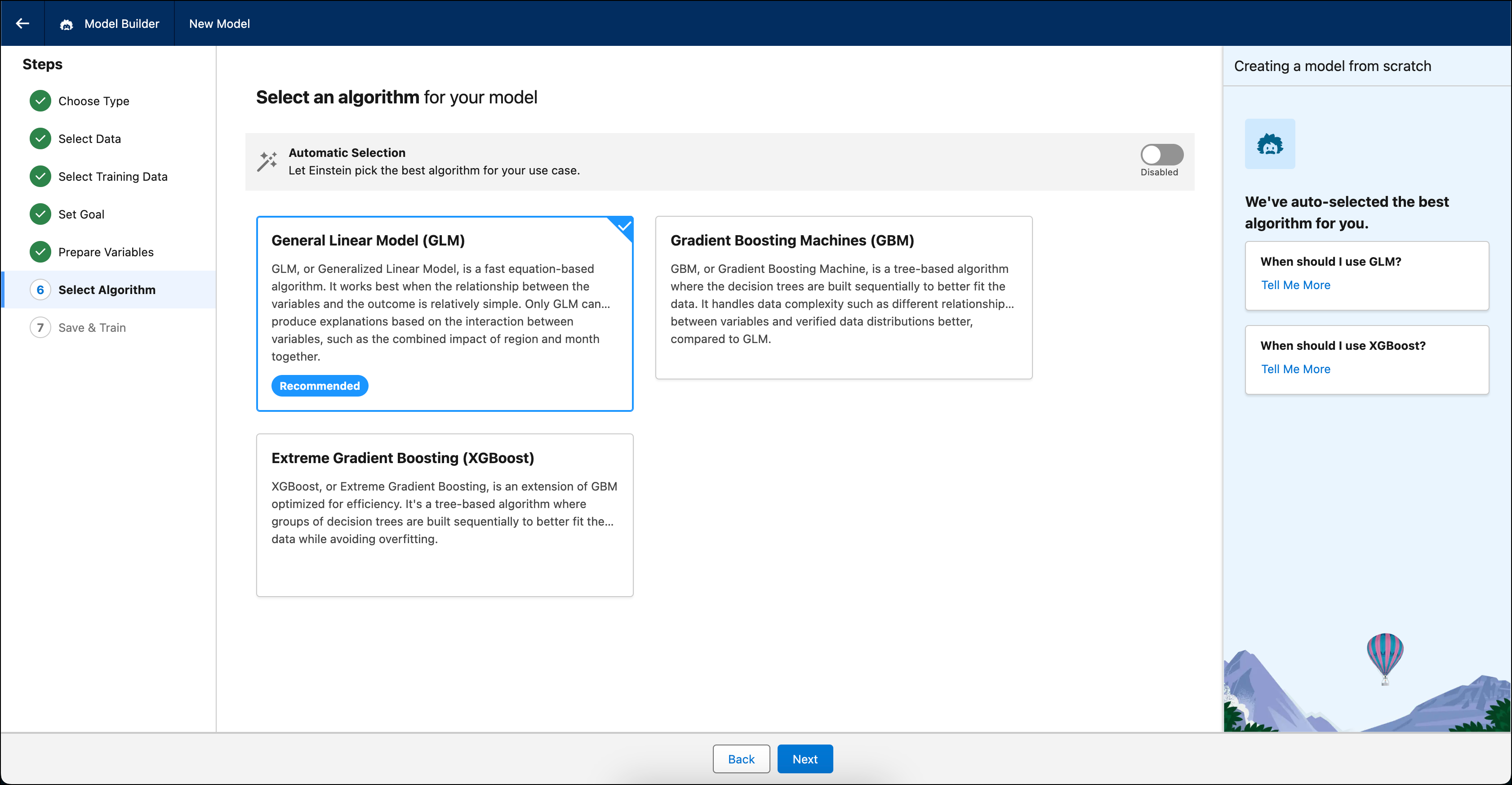
Algorithm Description GLM Default. Generalized Linear Model (GLM) is an equation-based algorithm that typically completes quickly. It works best when the relationship between the variables and the outcome is relatively simple. Only GLM can produce explanations based on the interaction between variables, such as the combined impact of region and month together. GBM Gradient Boosting Machine (GBM), is a tree-based algorithm where the decision trees are built sequentially to better fit the data. It handles data complexity such as different relationships between variables and varied data distributions better, compared to GLM. XGBoost Extreme Gradient Boosting (XGBoost), is an extension of GBM that’s optimized for efficiency. It's a tree-based algorithm where groups of decision trees are built sequentially to better fit the data, while avoiding overfitting.
-
Choose the algorithm for your model.
-
Review and Train
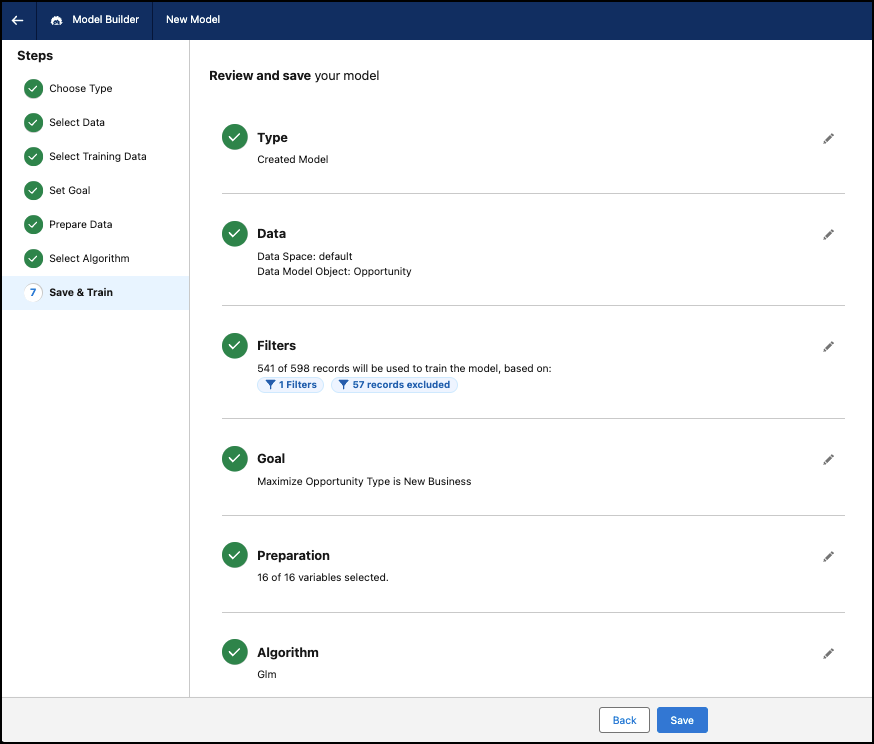
Train your model after reviewing the details.
-
Review the details of the model. Optionally, click the pencil icon to edit a
step.
Note
You can edit all steps when creating a model. After you create the model, you can't edit steps such as: Choose Type, Select Data, and Set Goal.
-
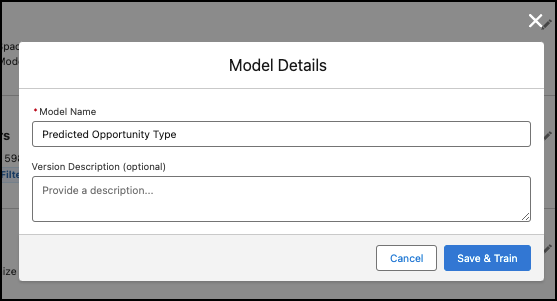
Click Save to enter a name and an optional description for
your model, and click Save & Train to create the
model.
-
Review the details of the model. Optionally, click the pencil icon to edit a
step.

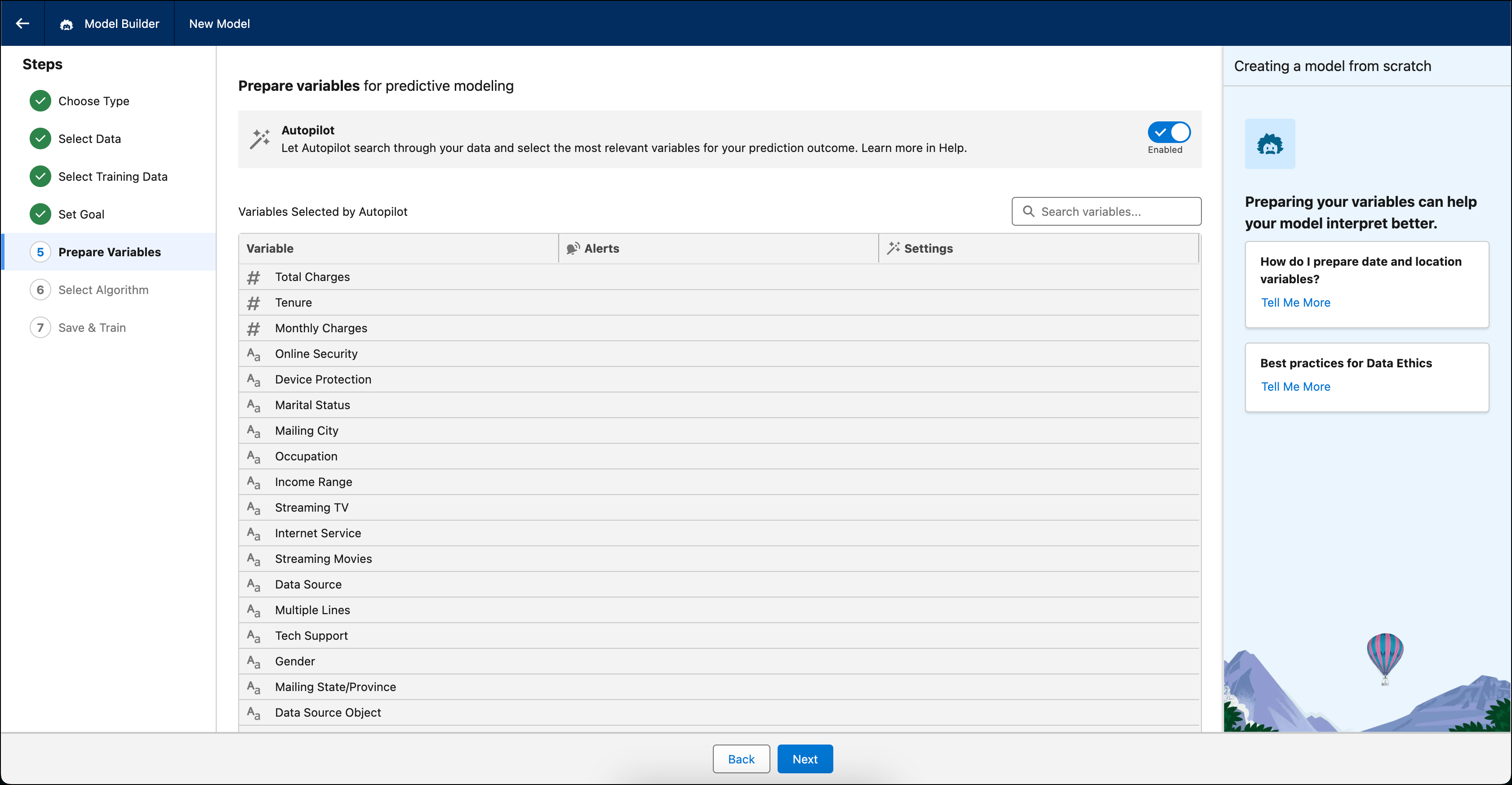
Einstein analyzes the data and trains the model based on your settings. Model creation takes time, and Einstein shows its progress along the way so you know how many minutes remain.
After the model is created, you can find it in the Predictive Models tab in AI Models. See AI Models Home.
- Address Data Issues
Handle common issues that you can encounter when you prepare data for model building and after you train a model. - Apply Transformations to Your Data
Transform modeling data to improve the reliability, accuracy, and explainability of predictions. For models created from scratch, Model Builder automatically transforms unstructured text and replaces missing data. You can also manually transform variables in binary or regression models.
