
You are here:
Edit Attributes Transformation: Change the Column Names and Value Formats
Use the Edit Attributes transformation to make column names more descriptive and apply consistent formats to column values. You can set the labels and API names of all columns. You can also set the precision and scale for numeric columns, character length for text columns, and date formats for date columns.
- In the Transform node, select the column in the Preview tab.
- In the Transform toolbar, click the Edit Attributes button (
 ).
).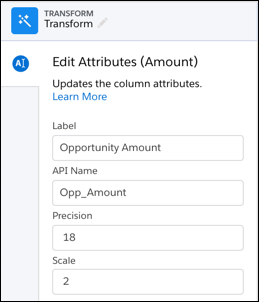
- Change the column attributes. Based on the column datatype, you can set these
attributes.
For more guidelines, see the “Field Name Restrictions” section in this help topic.
- Click Apply to add the transformation to the Transform node. If applicable, Preview shows the new column label.
- To view the canvas, click the
Collapse
button (
 ).
). - Click Save.

Did this article solve your issue?
Let us know so we can improve!
