
You are here:
Write the Batch Data Transform Results to a Data Lake Object Output Node
To use your batch data transform as input to identity resolution, calculated insights, or segmentation, you write the results to a new or existing data lake object (DLO) in an output node. The object that holds the output is called a target data lake object. You can’t save a batch data transform without an output node.
-
At the end of your batch data transform, click the Add Node button (
 ) and select Output.
- To use an existing DLO, select Use Existing. Select the object to write the results to, and then click Apply.
- To create a new DLO, select Create New.
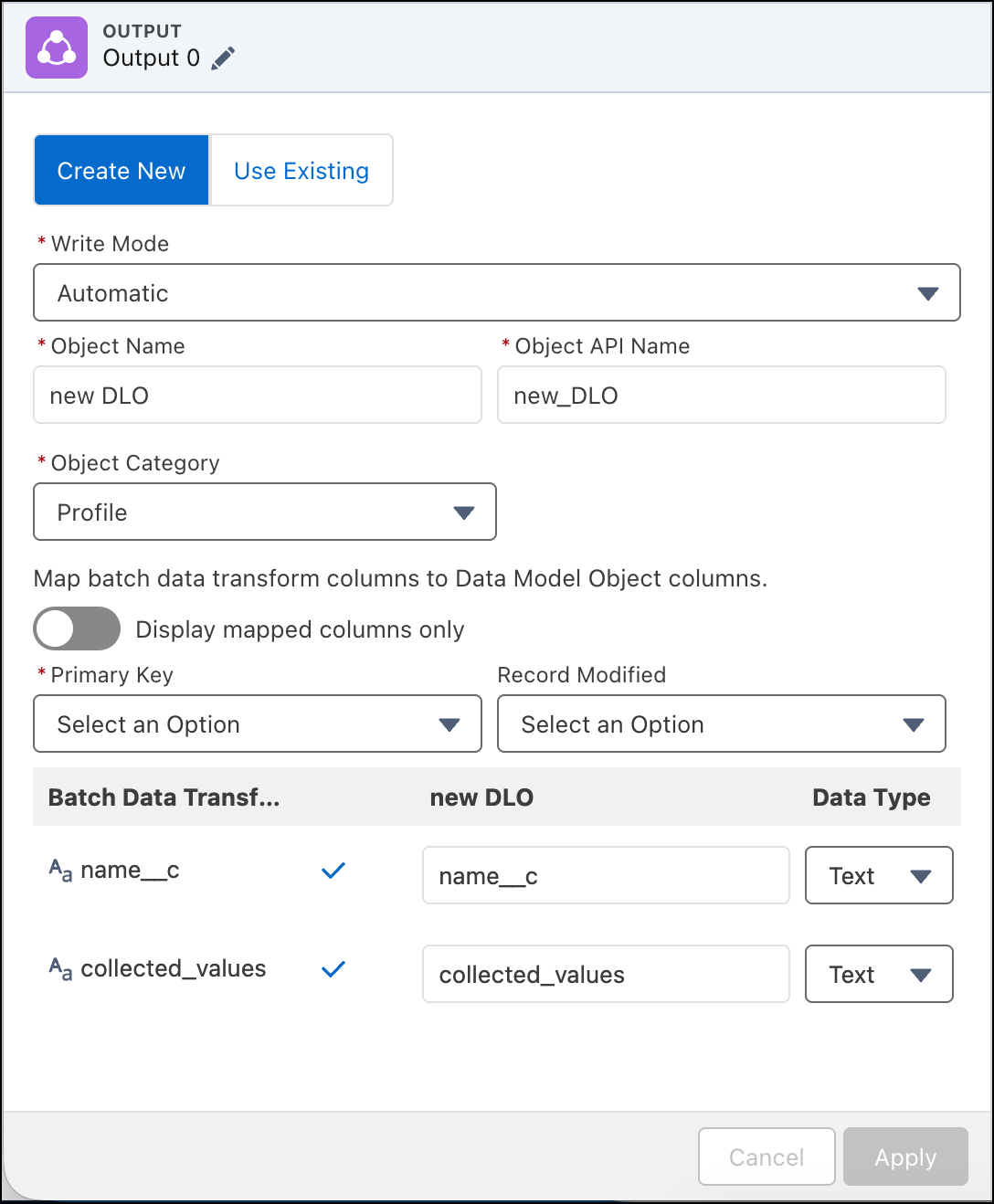
-
For the output Write Mode, select either Replace or
Upsert.
- Replace mode:
- Upsert mode:
-
Choose which data lake object fields to map to the batch data transform’s fields. You
can only map fields that have the same data type. Fields that share the same name are
automatically selected.
 Note You can't map the system fields, Data Source and Data Source Object. If you edit a transform that has these fields manually mapped, remove them from the output node and save your changes.
- When you map transform results to an output node, the transform’s currency (ex. USD, INR, GBP) is written to the output’s currency field. The currency field can't be used as a primary key.
Did this article solve your issue?
Let us know so we can improve!
