
You are here:
Customer 360 Data Model
The Customer 360 Data Model reduces the complexities of integrating data across cloud applications by providing standardized data guidelines. Extend the data model to create data lakes, generate analytics, train machine-learning models, build a single view of the customer, and more.
The Customer 360 Data Model is organized into subject areas. Each area represents a major business activity, such as customer information, product, or engagement data. A subject area consists of data model objects (DMO).
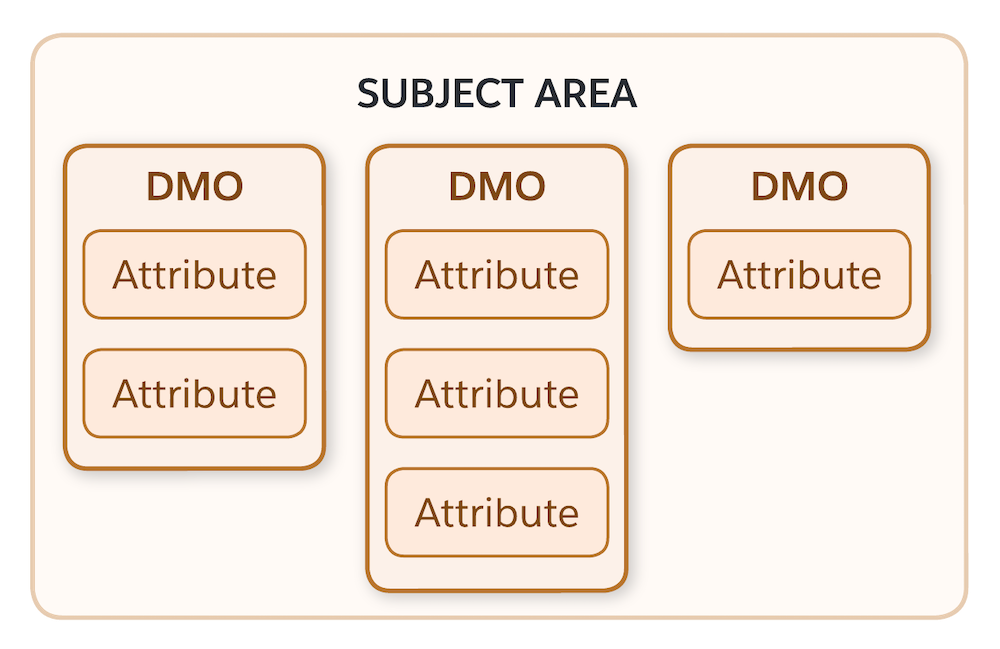
A DMO is a view of your data imported into Data 360 from data streams, insights, and other sources. A DMO uses attributes, or fields, to organize the data in specific and meaningful ways. The term “DMO” can refer to the Salesforce created and managed schema for a DMO or an instance of a DMO in an org based on the schema.
Multiple types of DMOs can be created and used in an org. A standard DMO is created based on the pattern of a schema DMO and inherits the name, shape, and semantics of the referent. You can also create and define custom DMOs directly in an org. Additional subtypes of custom DMOs are created and used for specific features in Data 360.
Data imported into Data 360 must be mapped to a DMO before it can be used for segmentation, activation, analytics, or any other operation. To get started with data mapping, add a connected data source to Data 360. After you connect a source, Data 360 accesses the source so that you can create mapping sets between objects and fields within it and the Customer 360 Data Model.
For more information about DMOs and other object types used in Data 360, see Data Objects in Data 360.
The Customer 360 Data Model connects disparate data together by linking DMOs together through relationships. Here’s the full data relationship diagram for the Customer 360 Data Model.
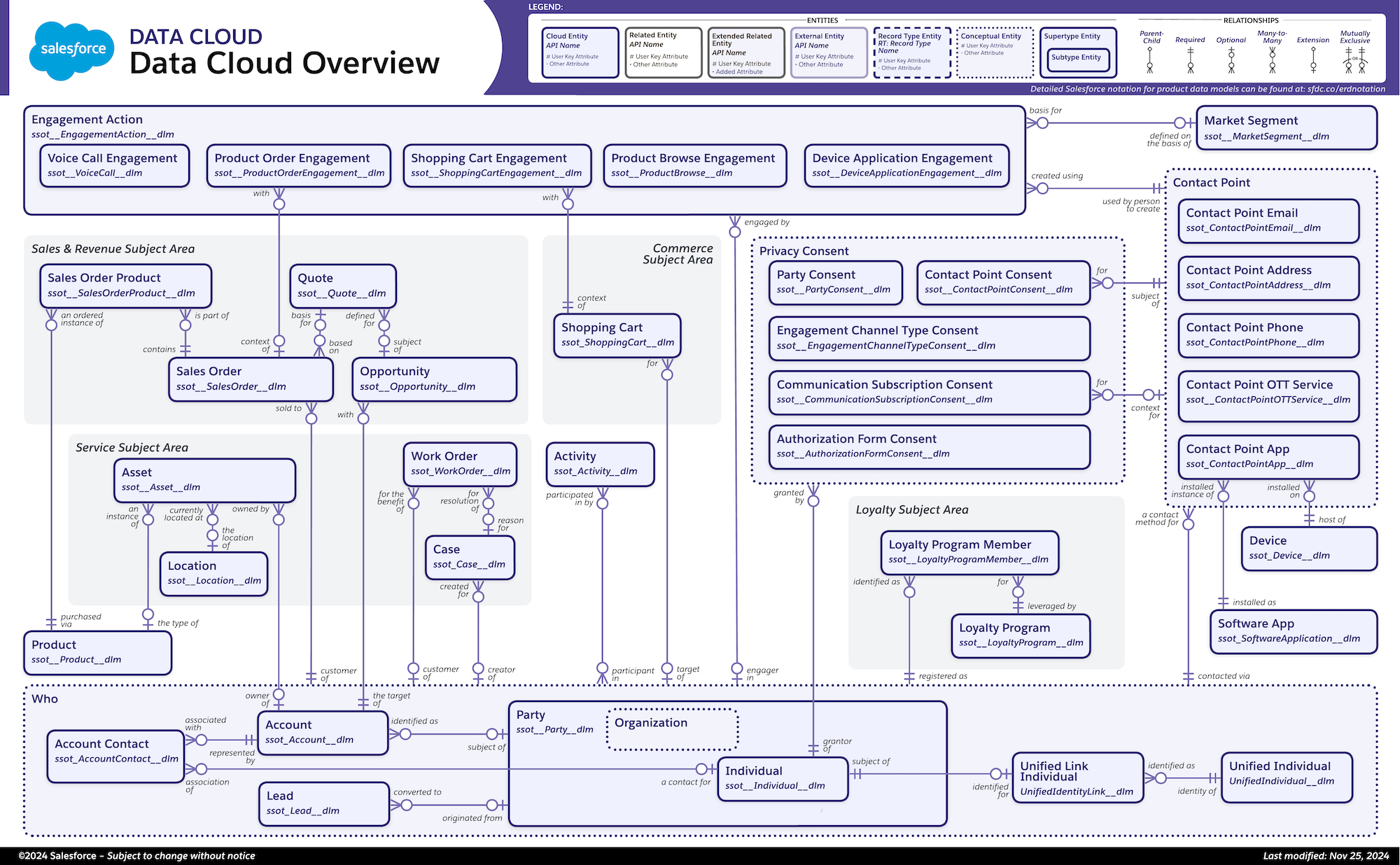
For more details and a larger image, visit the Data Model Gallery.
To learn more about this topic, review the Customer 360 Data Model for Data 360 Trailhead module.
- Case Data Model
The Customer 360 Data Model case subject area groups and defines recorded issues, such as laptop connectivity problems or support tickets. - Engagement Data Model
The Customer 360 Data Model engagement subject defines interactions with a party. Example interactions could be speaking to a customer over the phone or receiving a customer email. - Loyalty Data Model
The Customer 360 Data Model loyalty subject area tracks and manages reward and recognition programs. - Party Data Model
The Customer 360 Data Model party subject groups data model objects (DMO) that reflects contact information (personal or business) for a specific customer or account. - Privacy Data Model
The Customer 360 Data Model privacy subject tracks and stores certain data privacy preferences. Keep in mind that deciding how to honor customer privacy preferences is up to you. - Product Subject Area
The Customer 360 Data Model product subject area defines anything you plan to sell or any part of a product to track for service purposes. - Sales Order Data Object
The Customer 360 Data Model sales order subject defines the future revenue or quantity for an opportunity by product family and rolls it up by territory, management (role), or hierarchy. - Additional Standard Data Model Objects
The Customer 360 Data Model includes other standard data model objects that can help organize data in Data 360. - Customer 360 Data Model: Individual and Contact Points
When using the Customer 360 Data Model, Data 360 prepares a list of Salesforce-published objects, fields, metadata, and relationships to ensure consistency across applications and business processes. Individual and contact point objects are important concepts for successful and complete data streams.
