
Loading
About Salesforce Data 360
Table of Contents
Select Filters

          No results
          No results
          Here are some search tips

          Check the spelling of your keywords.
          Use more general search terms.
          Select fewer filters to broaden your search.

          Search all of Salesforce Help
          Category

          Category

          When creating a data stream, you must select a category or type of data found in that data stream.

          The three data categories are: Profile, Engagement, and Other.
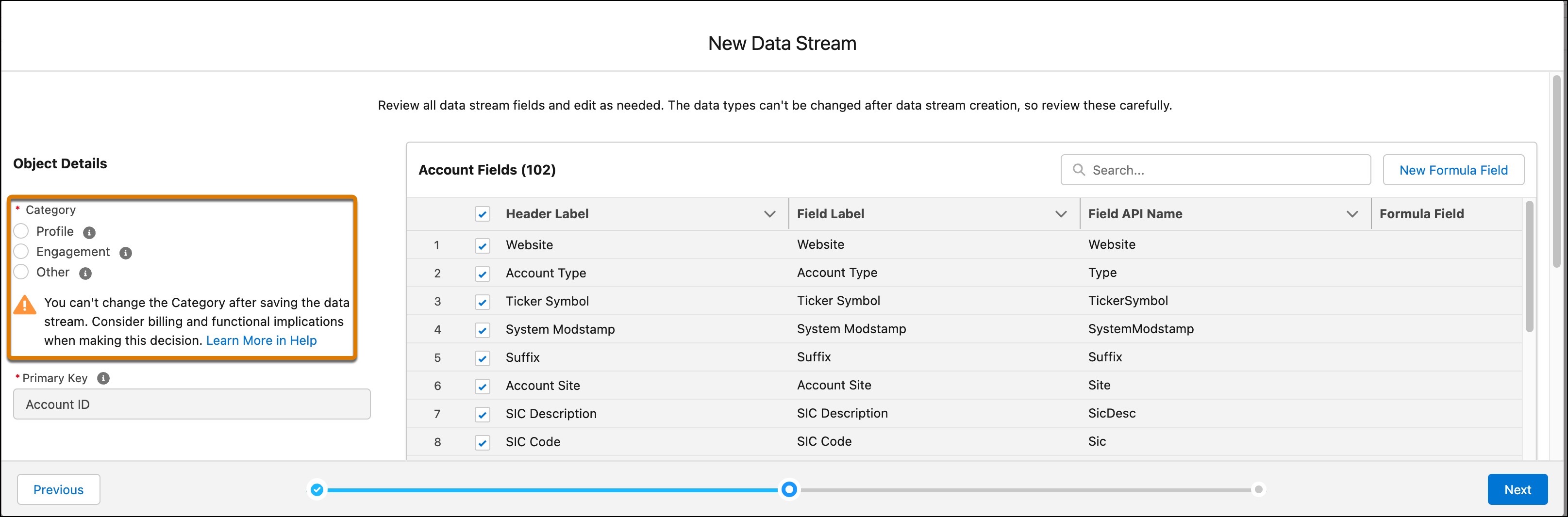
          The Category selection within a data stream.
          Warning
          Warning You can’t change the category after saving the data stream, so review the types carefully before making a selection.

          Profile

          Select Profile if your dataset corresponds to:

          • A list of individuals with identifiers such as consumer IDs, email addresses, or phone numbers
          • A list of businesses or accounts with account IDs
          • A list of employees or any other population that you want to segment on, or use as a segment’s starting population

          Use Profile data streams for data about an entity you want to segment, unify, or enrich. Entities include people (consumers and employees) and non-human things (vehicles, devices, and loyalty cards) when they are the primary object of interest.

          Engagement

          Select the Engagement category if your dataset is time-series oriented. When you set the data stream category to Engagement, you must define the event time using a Date or DateTime typed field from your source schema. When you select the Engagement category, the Event Time Field dropdown appears in the UI.
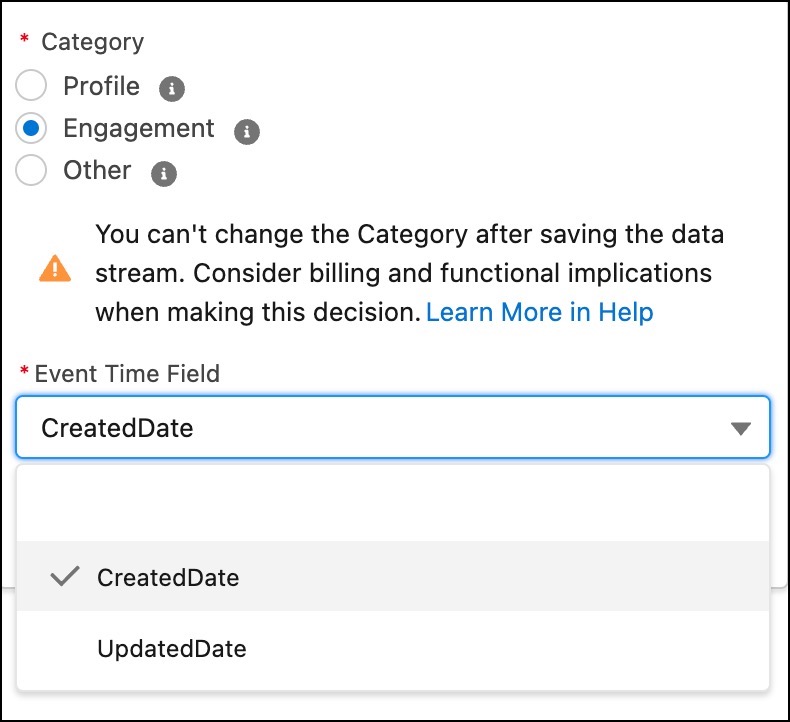
          Image shows the Engagement category is selected and the UI displays the Event Time Field option.
          Important
          Important The Event Time Field isn’t editable after initial setup. Choose a Date or DateTime typed field that won’t change after it’s defined for a data record. Using a mutable date field causes duplication of records where multiple records with the same primary key get added to the data lake object (DLO). For example, selecting a field such as Updated Date that changes frequently is likely to cause the creation of duplicate records. Other types of dates could also cause record duplication, such as a file extract date, because all records in the same file have the same file extract date.
          Example
          Example You’re ingesting insurance claim data with two dates: the date the insurance claim was created, and the date the insurance claim’s status changed. For the Event Time Field, use the date the claim was created, not the date the claim was modified. The date that the claim was created doesn’t change after a claim is created. But the date that the claim was modified changes as the claim steps through the review process.

          Other

          Select the Other category if your dataset is related to Profile and Engagement but isn’t intended to be the primary entity for segmentation or unification. This category is typically used for reference data that provides descriptive attributes for Profile or Engagement records.

          Tip
          Tip If you have a time-series dataset and you don’t have an immutable date field, choose the Other category.
          Example
          Example A car dealership uses an Other data stream for reference data, such as product catalogs (description, color, and price), store locations (address and hours), or static vehicle models (manufacturer, year, and engine type). A Profile data stream contains individual customer records. And an Engagement data stream contains the time-series record of the sales transaction.

          Data Model Object Categories

          View the categories of data model objects (DMOs) on the Data Model tab in Data Cloud.

          DMOs don’t have a first-class concept of category. Instead, a DMO inherits its category from the first data lake object (DLO) mapped to it. You can create subsequent mappings between these categories.

          • Profile DLOs can map to Profile DMOs or Other DMOs but not to Engagement DMOs.
          • Engagement DLOs can map only to Engagement DMOs.
          • Other DLOs can map to Profile DMOs or Other DMOs but not to Engagement DMOs.
          Example
          Example The Sales Order DMO is first mapped to a DLO called Order-Headers in the Engagement category. Because of this DLO, Sales Order gets assigned to the Engagement Category. Subsequently, only Engagement category DLOs can be mapped to the Sales Order DMO.

          In the field-mapping canvas, only the DMOs that are compatible with the DLO category are available for selection.

           
          Loading
          Salesforce Help | Article