
You are here:
Composite Key
Use a composite key to uniquely identify a record.
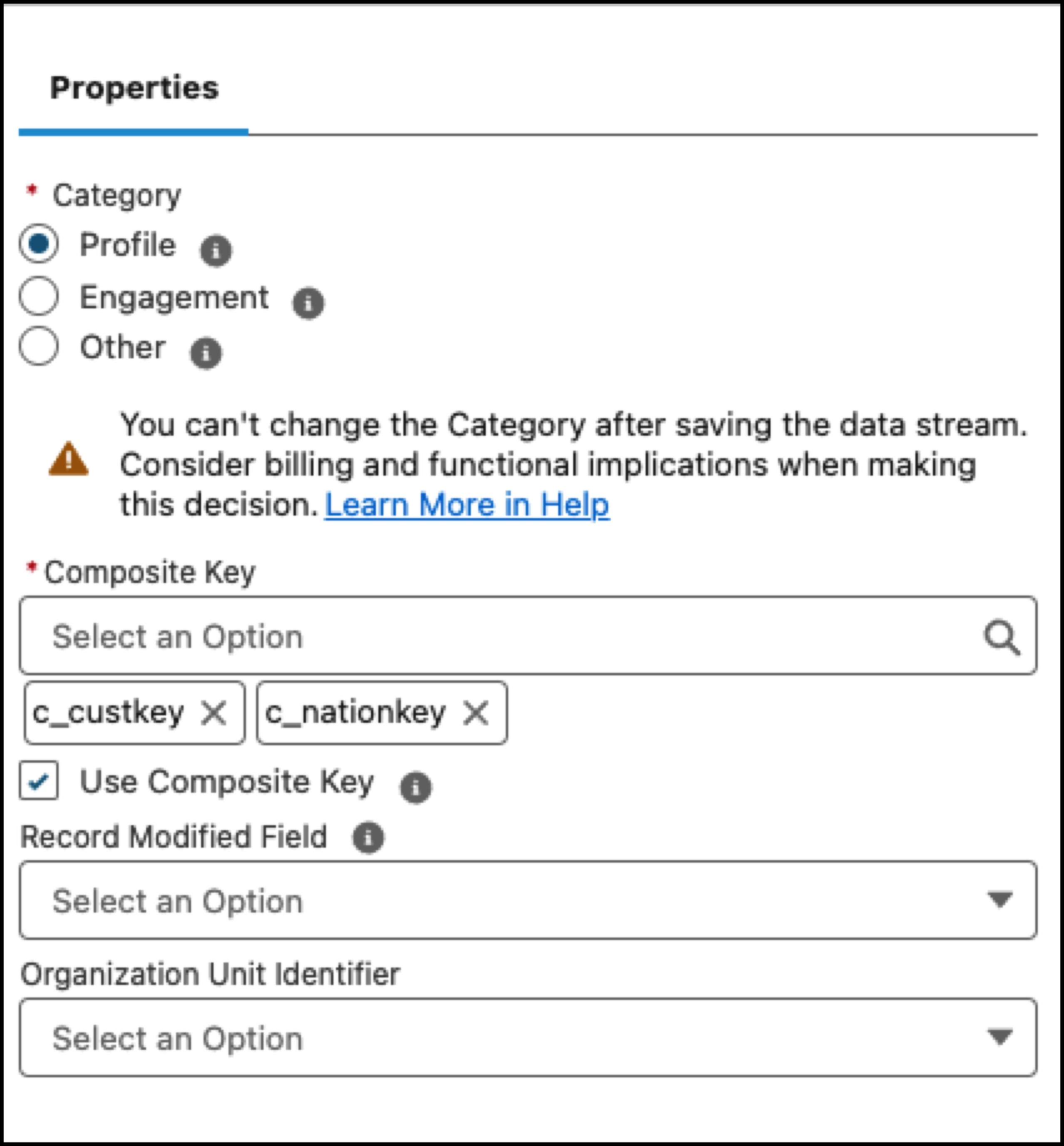
In Data Cloud, you can assign composite keys only for Bring Your Own Lake (BYOL) data shares. To assign a composite key, use one of these options.
- Search for and select the appropriate fields in the data source table to designate as a
composite key.
- In cases where the data source table has an existing primary key or not all rows have
unique values, use the formula field to define a formula that can combine two or
more source fields to generate a composite key. For example, in this Sales Order Detail database, not all rows have unique values. By combining the Order ID and SKU fields, you can use a formula to generate a composite key and configure it as the primary key for your data source.
 Note A formula is ideal for file-based data sources such as Amazon S3, Google Cloud Storage, Microsoft Azure, and Secure File Transfer (STFP).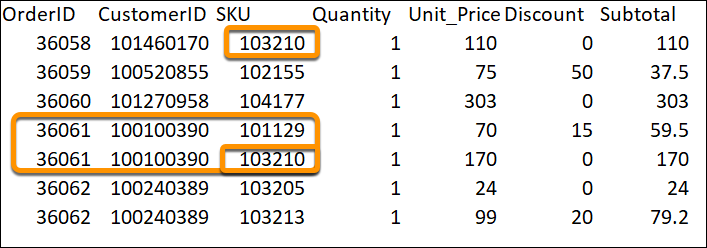
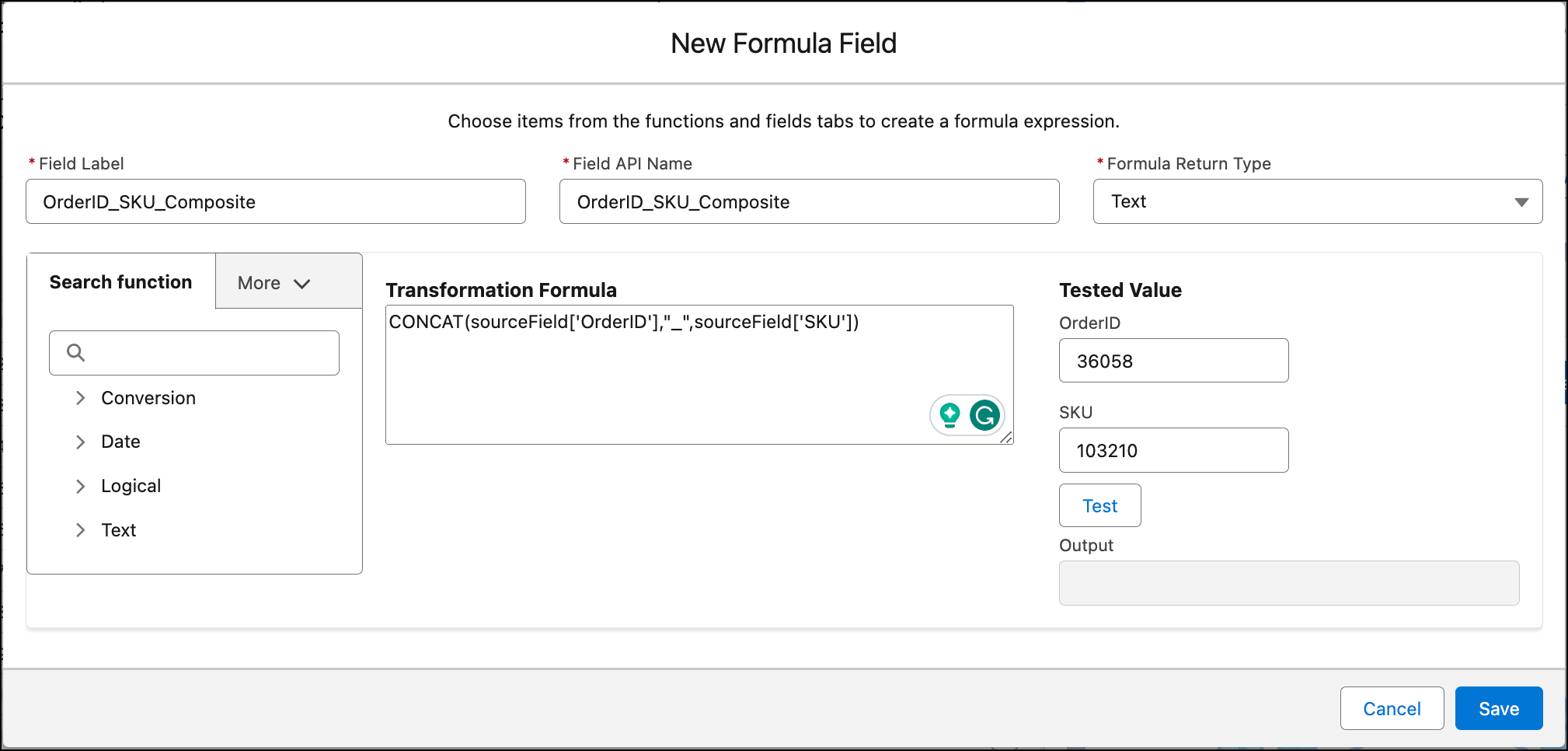
Use the formula field functionality to define a formula that can transform your fields to provide a composite key.
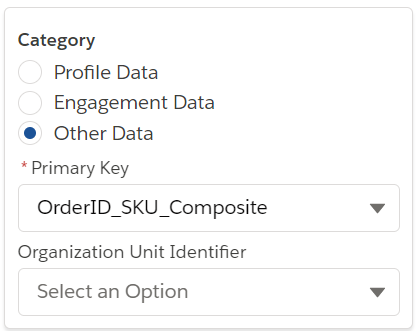
After you create the formula field “OrderID_SKU_Composite”, it can be configured as the primary key for your data source.
Did this article solve your issue?
Let us know so we can improve!
