You are here:
Copy Field Enrichment Matching
Copy Field enrichments enhance the records in your org by adding data from other data sources. To avoid returning data that isn’t relevant to the records in your org, the enrichment matches data from your org to data in Data Cloud. How the data is matched determines what data is returned.
Linking Fields
To match records in your org to data in Data Cloud, enrichments use associations to other objects. To create the associations used by copy field enrichments, create a Unified Individual or Unified Account object.
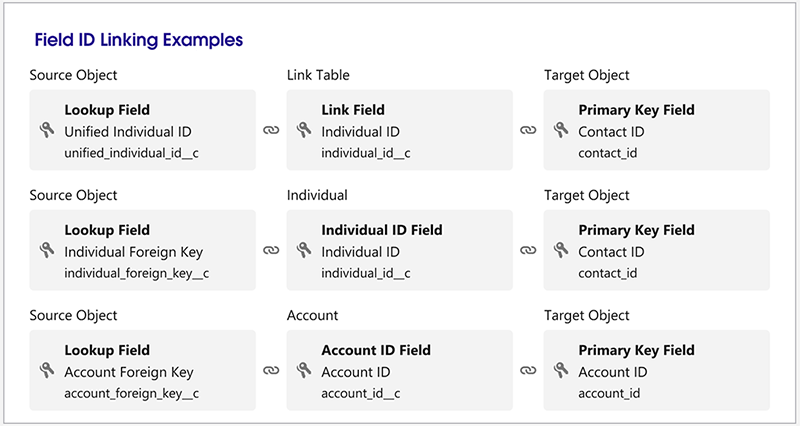
Copy Field Matching
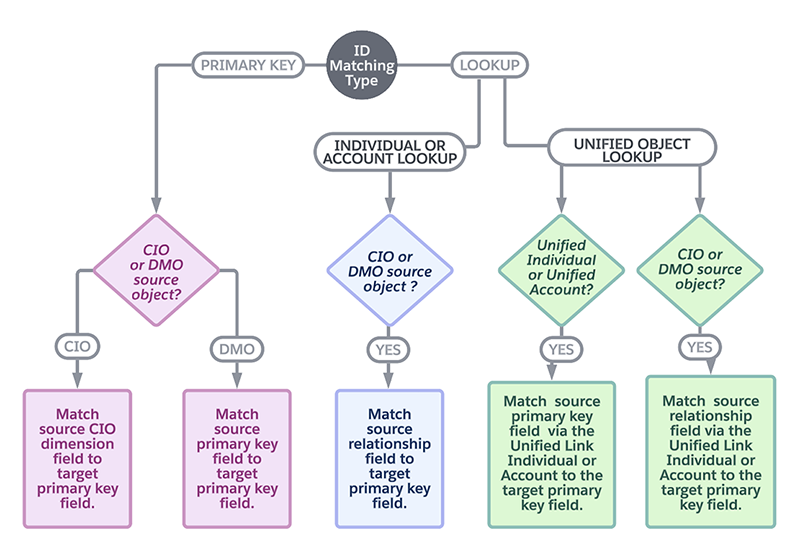
Copy field enrichments match records differently, depending on which ID matching type and object you select.
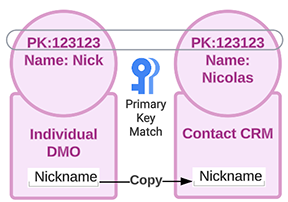
Example: Copying a Nickname field via the Primary Key
If Data Cloud has a Nickname field on the Individual DMO, you can copy data for any individuals that match the primary key values for the Contact object in your org
Example: Copying a Mileage field from a Calculated Insight Object via an Individual DMO or Account DMO Lookup
If you have a calculated insight object that has a relationship with an Individual DMO or Account DMO on its dimension, you can use that relationship to match records for individuals that have the same primary key as a Contact object in your org.
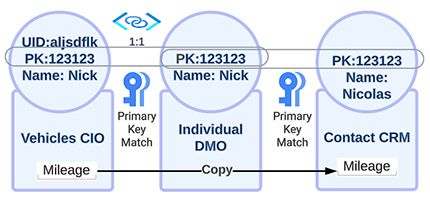
Example: Copying a Mileage Field from a Calculated Insight Object via a Unified Individual DMO or Unified Account DMO Lookup
If you have a calculated insight object that has a relationship with a Unified Individual DMO or a Unified Account DMO on its dimension, you can use that relationship to match records for individuals that have the same primary key as a Contact object in your org.
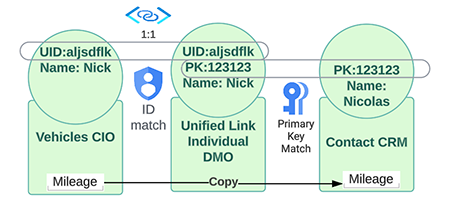
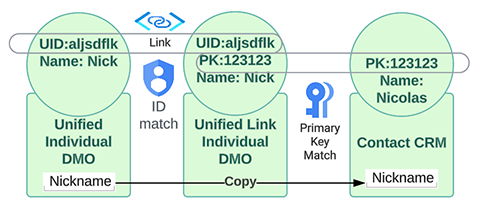
Example: Copying a Nickname from a Unified DMO
If you have a Unified Individual DMO, you can use the Unified Link Individual DMO to match the UID for the Data Cloud object and the primary key for the Contact object.