
You are here:
Data Flow
Use the power of Data 360 data in and out of Data 360. Data can be ingested and stored in Data 360 or can be connected via metadata and queried without storage.
Data Sources
Data sources are ingested into or connected to Data 360 in various ways. Ingested data sources include:
- Salesforce Connectors
- Connector Services
- Connectors and Integrations
Data from those sources is ingested as either streaming or batch data. Near-real time web engagement data is an example of streaming data.
Data Targets and Data Shares
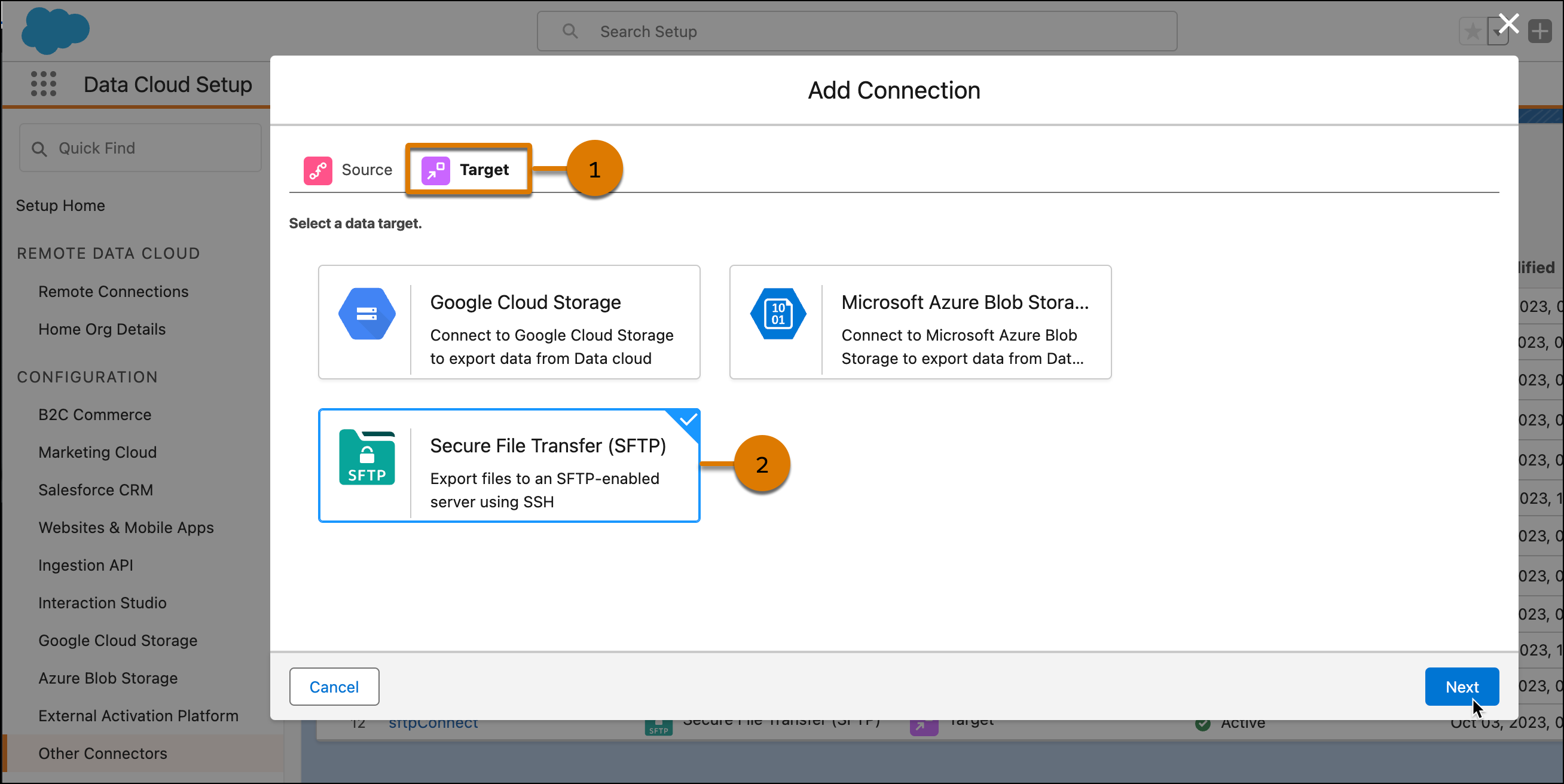
After data is manipulated, harmonized, or segmented in Data 360, data can be sent to targets (1) such as an SFTP (2) or shared with integrations, such as Snowflake.
Targets are used to:
- Activate segments to Marketing Cloud Engagement, Amazon S3, SFTP, Google Cloud Storage (GCS), and Microsoft Azure Blob Storage.
- Activate segments to advertising platforms, such as Meta
- Perform tasks in Sales or Service Cloud using data actions
- Analyze data within tools like Tableau or CRM Analytics
Specific functions are associated with targets. Activation targets are created to share audience segments and data action targets are created to initiate an action based on data.
Data Shares allows you to share Data 360 data with external platforms outside of Salesforce, for example, with Snowflake.
