
You are here:
Data Graph Data Structures
Understand the underlying components of a data graph so that you can create and use data graphs effectively.
In Data 360, a data graph is built within a data space and must have one primary data model object (DMO). You select a DMO in the data space to use as the foundation for the data graph. The foundation DMO is the primary DMO. You can also add data from DMOs that are related to the primary DMO, which are called related objects, and from related calculated insights. You can include calculated insights and streaming insights in a data graph if they’re based on a DMO that’s also included in the data graph.
A primary DMO can belong to any category except Engagement, with the Profile category being the most common. Related object DMOs can belong to the Profile, Other, or Engagement category. You select fields from the primary DMO and its related objects to include in the data graph.
When you create the data graph, the selected objects and fields are transformed from their original hierarchical relationships into a single, flattened, read-only data graph record. The data graph record contains metadata, such as the data space and data graph names. It also includes data from the primary DMO and the related objects as a queryable JSON blob.

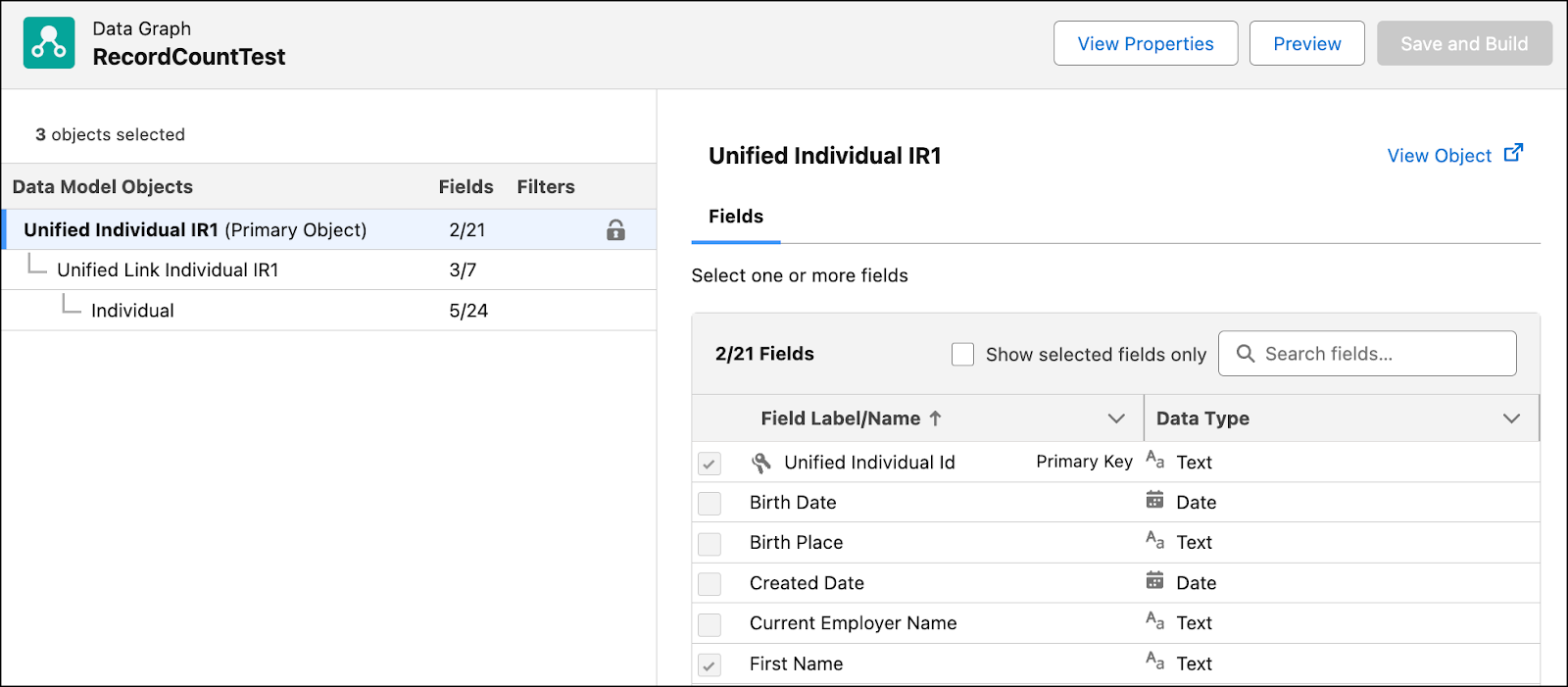
Example: How a Data Graph Is Constructed
This data graph has three DMOs. The primary DMO is Unified Individual. The Unified Link Individual DMO is a related object and a child of the Unified Individual DMO. The Individual DMO, which is a child of the Unified Link Individual DMO, is also selected as a related object. Each DMO has one or more fields selected. Taken together, the selected fields from these DMOs define the data graph’s JSON schema.
After the data graph is created, the schema determines which data is available in the JSON blob. The JSON of a typical data graph looks like this example.
{
  "id__c":"4e5a4e98240a46ec891a6425429318bd",
  "name__c":"Evrim",
  "age__c":30.000000000000000000,
  "ContactPointEmail__dlm":[
    {
      "id__c":"aaaa4e98240a46ec891a6425429318ba",
      "emailid__c":"evrim@example.com"
    },{
      "id__c":"bbb4e98240a46ec891a6425429318bb",
      "emailid__c":"evrim.doctorow@example.com"
    }
  ],
  "orders__dlm":[{
      "order_id__c":1,
      "order_date__c":"01-01-2023",
      "order_price__c":1500.000000000000000000,
      "items__dlm":[
        {
          "item_id__c":2.000000000000000000,
          "item_name__c":"Mobile S20",
          "item_price__c":900.000000000000000000
        },{
          "item_id__c":3.000000000000000000,
          "item_name__c":"Mobile Samsung",
          "item_price__c":600.000000000000000000
        }
      ]
    }
  ]}
