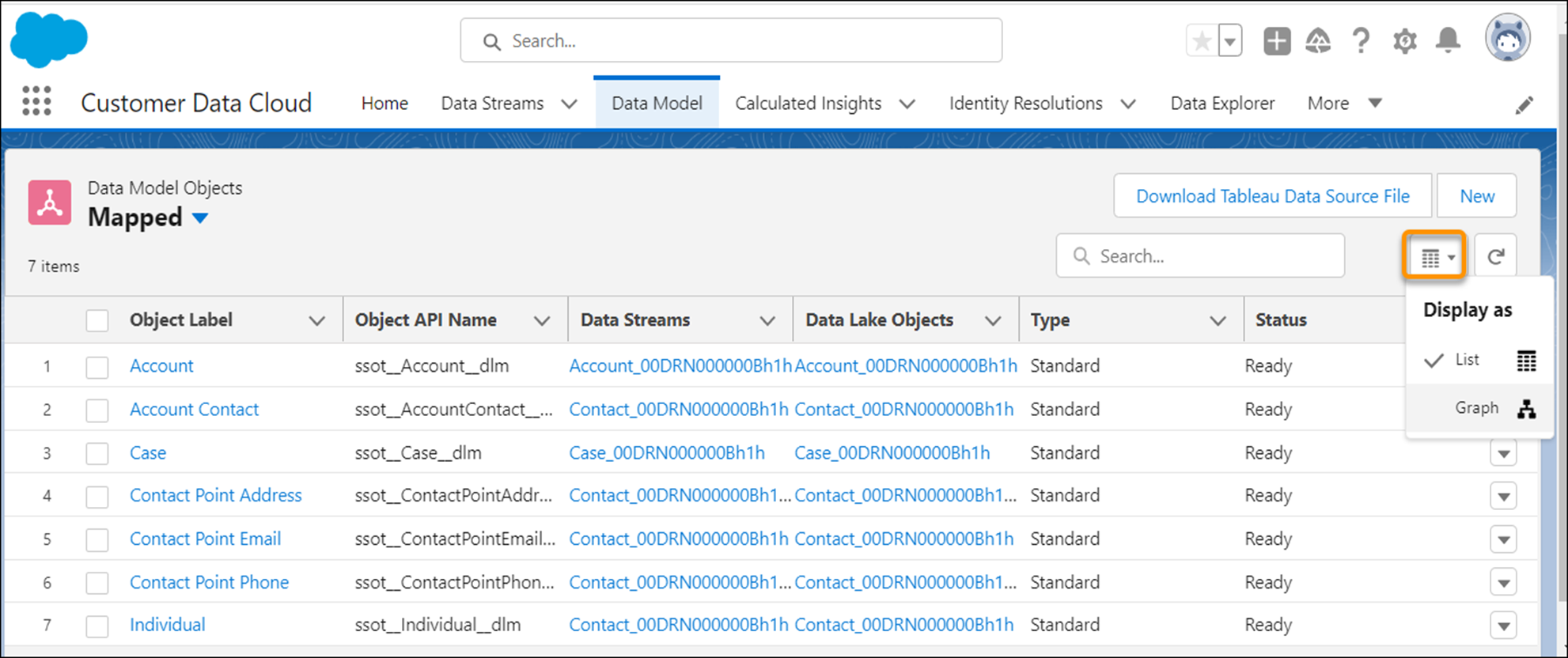
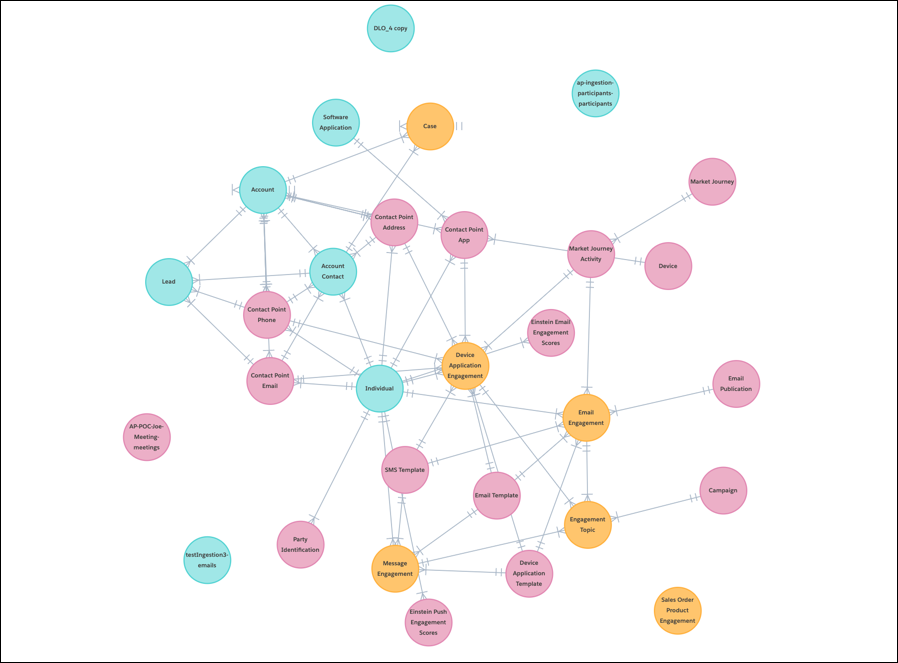
You can alternate between a list view and a graph view in the Data Model tab. The graph view
shows an Entity Relationship Diagram of the mapped data model objects within Data 360 and their relationships.
List view allows you to view your data model objects (DMOs) and any related details in a list.
You can see object label, object API name, which data streams that object is mapped to, the type,
and status all in one view. There are two list views: All and Mapped. All shows all DMOs, and
Mapped shows only the DMOs that have mappings.
Graph view lets you view your data in image form to easily visualize how all data in your
instance is connected. The color of each data model object node represents the category Profile,
Engagement, or Other. You can click each node to view details and make edits, just like in the
list view. You can drag and zoom in and out using either the canvas or mini-map. Only mapped DMOs
show in this view.
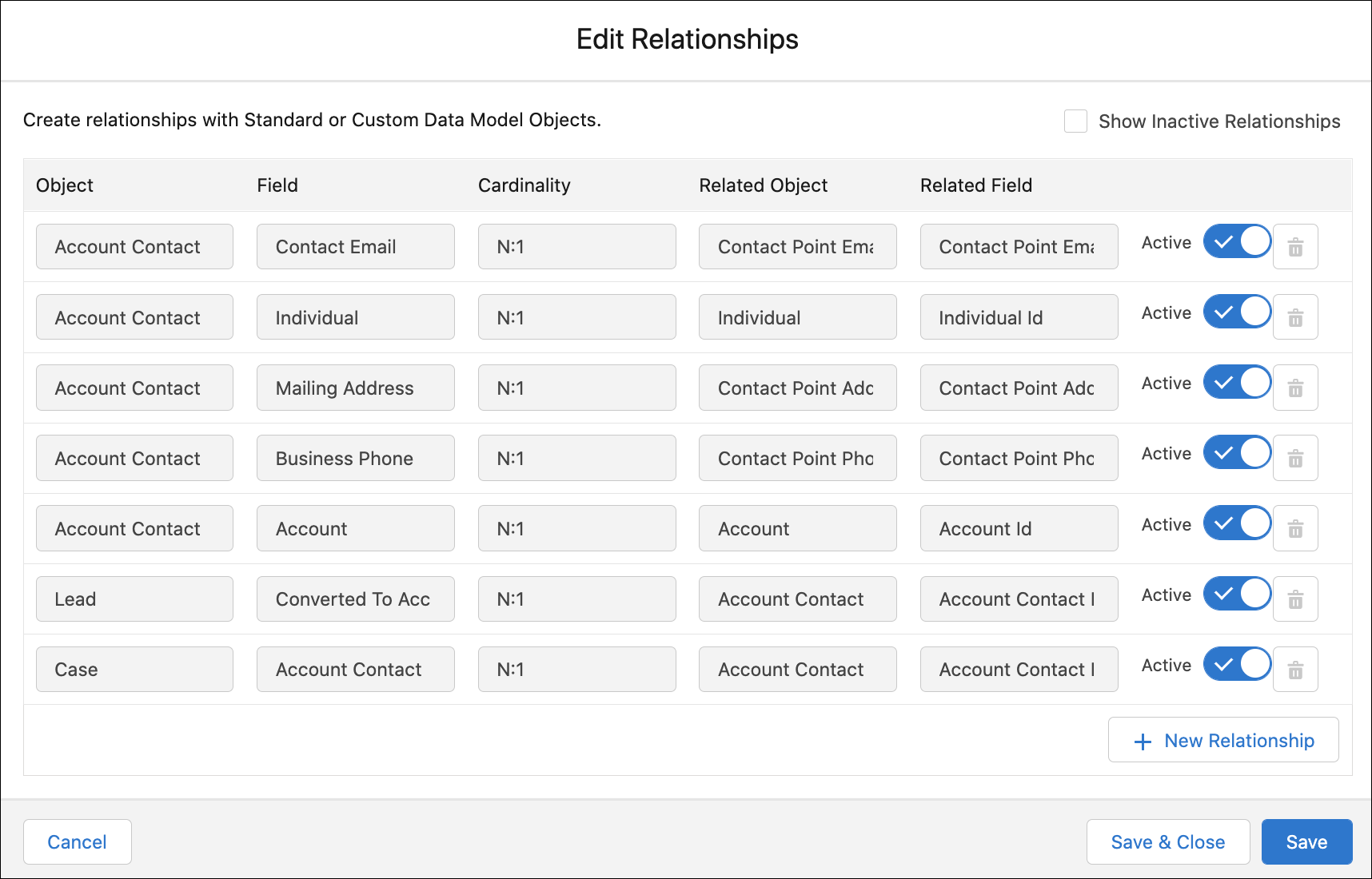
To view, edit, or deactivate relationships, select a DMO from either the list view or graph
view. Navigate to Relationships and click Edit or
New. Create relationships between objects and fields.
We use three kinds of cookies on our websites: required, functional, and advertising. You can choose whether functional and advertising cookies apply. Click on the different cookie categories to find out more about each category and to change the default settings.
Privacy Statement
Required Cookies
Always Active
Required cookies are necessary for basic website functionality. Some examples include: session cookies needed to transmit the website, authentication cookies, and security cookies.
Functional Cookies
Functional cookies enhance functions, performance, and services on the website. Some examples include: cookies used to analyze site traffic, cookies used for market research, and cookies used to display advertising that is not directed to a particular individual.
Advertising Cookies
Advertising cookies track activity across websites in order to understand a viewer’s interests, and direct them specific marketing. Some examples include: cookies used for remarketing, or interest-based advertising.