You are here:
Data 360 Lifecycle Management
To manage your Data 360 lifecycle you can renew your license or delete your Data 360 instance to reset the org. To keep your Data 360 instance, renew your license within the 120-day grace period. To set up a new Data 360 instance with an active license, use the Data 360 cleanup process to delete its associated data, metadata, and configurations. You can also use the cleanup process to connect your org as a Data Cloud One companion to an existing Data 360 instance.
After you clean up the org, you can reset it in two ways:
- Set up a new Data 360 instance that requires an active license.
- Connect the org as a Data Cloud One companion to an existing Data 360 instance.
Renew an Existing Data 360 Instance
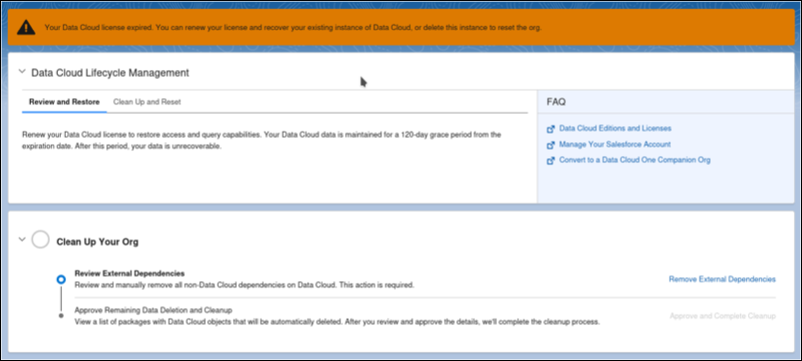
When a Data 360 license expires, it enters a 120-day grace period during which the Data 360 service is deactivated but the data remains. Under this scenario, you can renew your license and restore your current org. You also have the option to delete all Data 360 data.
Data 360 Cleanup and Reset
After the grace period ends and the license expires, the Data 360 tenant is deleted, but its data, metadata, and configurations remain. To create a new Data 360 instance or to use it as a Data Cloud One companion org, remove its data.
These are other scenarios for deleting all associated Data 360 data from an org.
- To create a new Data 360 home org instance in the same or different region.
- To convert an existing home org into a Data Cloud One companion org.
- To connect your org as a Data Cloud One companion org to an existing Data 360 home org.
- To set up an existing sandbox as a companion org for connected sandboxes.
Cleaning up Data 360 data and metadata affects only the orgs directly connected to that Data 360 instance. When you clean up a Data 360home org on a sandbox to convert it into a companion org, this action doesn’t impact any Data 360 features, data, metadata, or packages on the parent production org, as the parent is connected to a different Data 360 instance.
Data 360 Data Deletion Process
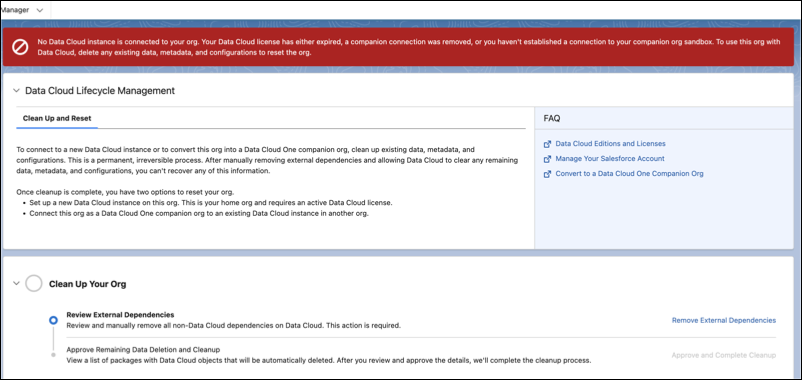
The admin for the org follows the on-screen instructions in Data Cloud Setup to ensure all Data 360 data and metadata are permanently removed from your org. If the org has expired or it contains Data 360 metadata and no Data 360 tenant, the Lifecycle Management screen displays.
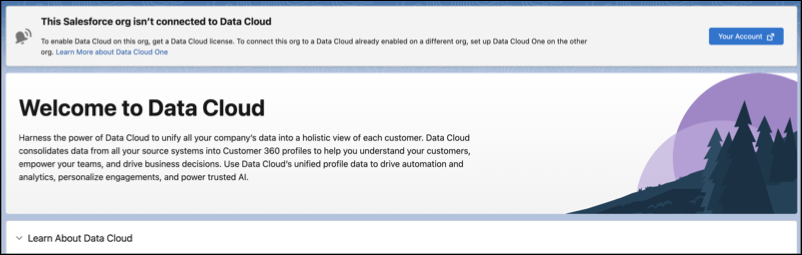
Data Cloud Setup screen with a notification for expired licenses and orgs that have a disconnected Data 360 tenant and leftover metadata.
Data Cloud Setup screen with a notification for expired licenses within the 120-day grace period.
External Dependency Removal
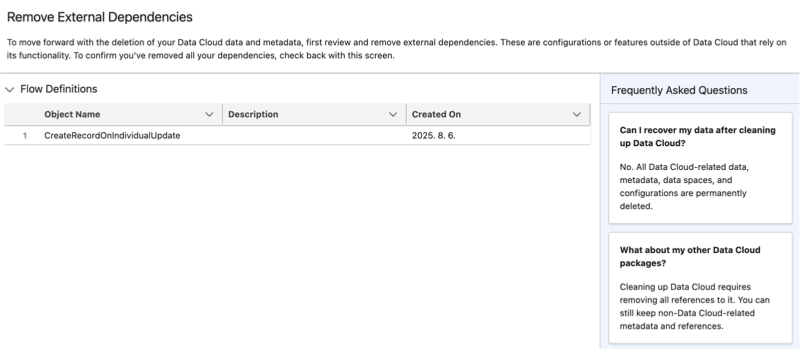
External dependencies are configurations or features outside of Data 360 that rely on its functionality. These include Data 360-triggered flows, copy field enrichments, and Agentforce Data Library. To continue the data deletion process, first remove external dependencies. Navigate to each dependency to remove it. After you remove all external dependencies, continue to approve the removal of unmanaged package dependencies and any remaining data.
Remove External Dependencies screen with a Flow Definition to remove.
Unmanaged Package Dependencies Review
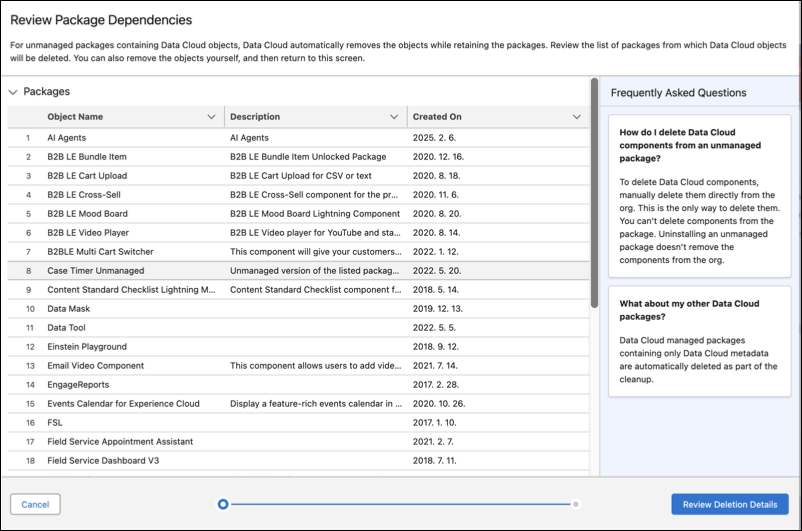
Unmanaged packages can contain both Data 360 and non-Data 360 objects. Allowing Salesforce to remove the Data 360 objects doesn't affect unmanaged packages and any non-Data 360 objects they contain. Review how your objects are used to ensure there's no impact on your business needs and processes. Data 360 managed packages are automatically removed as part of Data 360 cleanup.
Review Packaged Dependencies screen that displays a list of Data 360 objects to review before approving deletion.
Data Deletion
After you review the list of unmanaged packages, grant approval for Data 360 to delete the remaining data. Deleting all Data 360 data is a permanent process. After completion, you can no longer access the following.
- Data 360 features, data, metadata, data spaces, and packages
- Data 360 functionality from any connected companion orgs
Salesforce can't provide a backup of customer data or restore your Data 360 instance.
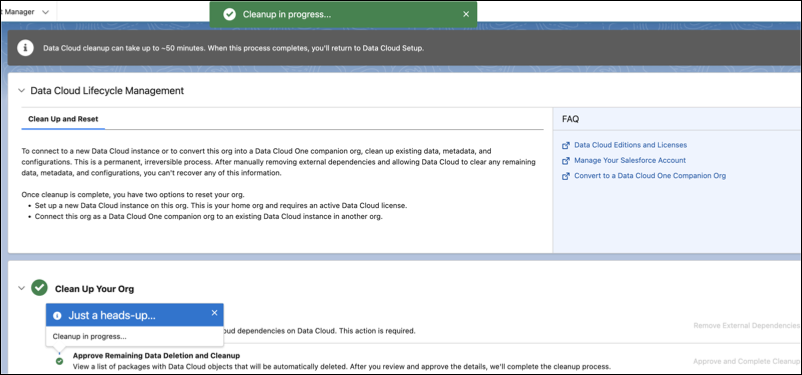
After you approve, data deletion begins. This process can take up 50 minutes. After it’s finished, the Data Cloud Setup screen refreshes.
Screen that displays the Data 360 cleanup process in progress.
Org Reset
The Data Cloud Setup screen displays options for how to reset your cleaned up org, based on your license.
- To create a home org, you need a home org license.
- To create a Data Cloud One companion org, you need both home org and companion org licenses. Initiate the companion org connection from a different, existing home org.
Users with an expired license or who no longer have a Data 360 tenant see this screen with information about connecting to Data 360 upon completion of the cleanup process.