
You are here:
Platform Encryption for Data 360
Some customers require tenant-specific encryption keys, control over key material, or improved key visibility for auditing and compliance reporting. Platform Encryption for Data 360 extends Data 360’s robust security services by adding options for encryption key control and visibility.
Required Editions
| Available in: All Editions supported by Data 360. See Data 360 edition availability. |
| Available with add-on license: Enterprise, Performance, Unlimited, and Developer Editions. Requires purchasing Salesforce Shield or Shield Platform Encryption, and Platform Encryption for Data Cloud. Also, to use the optional External Key Management, requires purchasing the Platform Encryption for Consumption license. |
Encryption Options in Data 360
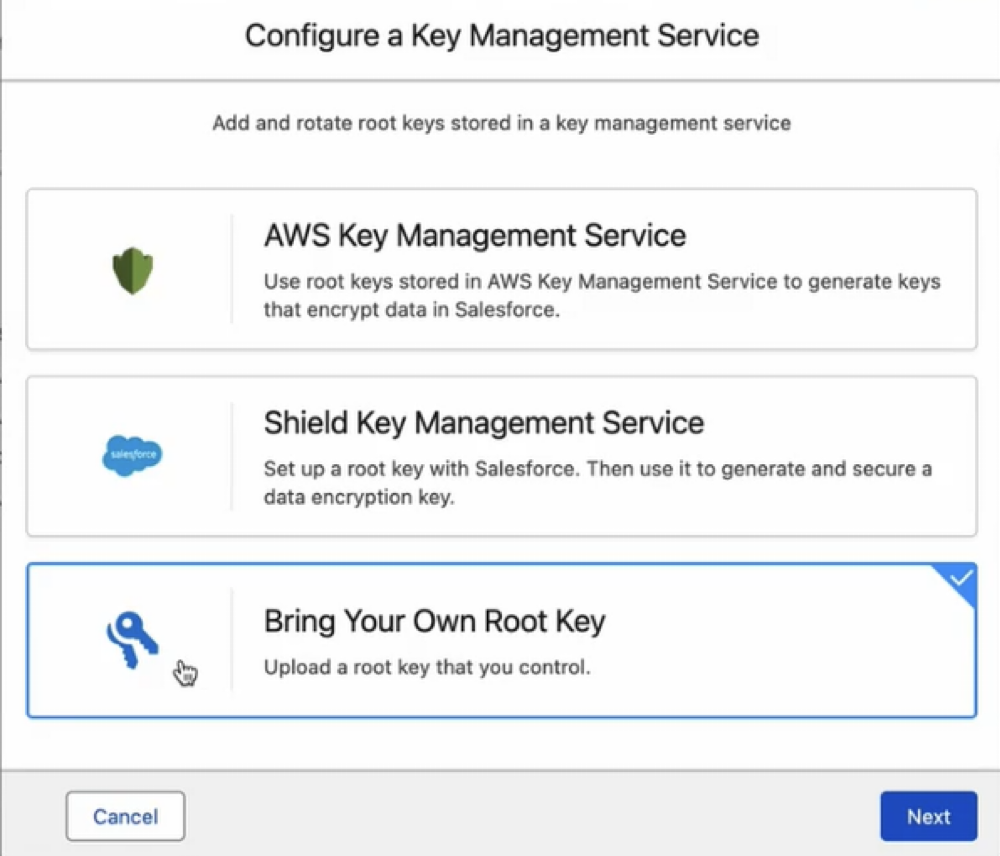
Salesforce offers three key management options for encrypting data in Data 360.
These options give customers flexibility in how they manage encryption keys and comply with their internal security policies.
| Encryption Option | Description |
|---|---|
| Customer Managed Keys (CMK) | Salesforce generates and manages tenant-specific keys in the Salesforce UI. |
| EKM | Customers manage encryption keys externally using an AWS KMS account. |
| Bring Your Own Key (BYOK) | Customers can bring their own key material directly into the Salesforce UI without needing an AWS KMS account. This option benefits customers who prefer not to access AWS KMS or use other key storage providers such as Azure or on-premise vaults. |
All data in Data 360 is encrypted at rest in AWS by Salesforce-managed data encryption keys (DEKs). This is the Customer Managed Keys option. With Platform Encryption for Data 360, you create a Data 360 root key in Salesforce. You can also use EKM to create the key in an external Key Management System (KMS) or BYOK. Your Data 360 root keys are specific to your org, and control the DEKs that encrypt and decrypt your data, giving you ownership of the key chain that secures your information.
Platform Encryption for Data 360 encrypts data only in your production environment. Sandbox environments are not automatically encrypted when you enable encryption in production. To encrypt data in a sandbox, you need to turn on Manage Data 360 Keys feature separately in each sandbox.
Root keys are compatible with Sub-Second Real-Time feature. However, when you enable Sub-Second Real-Time in an org with an active Salesforce root key for Data 360, the root key becomes usable within 24 hours. Search Index and Intelligent Context features aren't supported when platform encryption is turned on.
Default Data 360 Encryption without Platform Encryption
By default, Data 360 uses end-to-end encryption to secure data as it transits into Data Cloud and between products within the trust boundary. Hyperforce’s infrastructure-level encryption provides cloud-native disk encryption for data stored at rest. While infrastructure-level keys aren’t tenant-specific, Salesforce stores these keys securely and rotates them regularly.
To learn more about how Data 360 and Hyperforce secure your data, see Salesforce Security and Compliance page
- Set Up Platform Encryption for Data 360
When you enable Platform Encryption, your first Data 360 root key generates automatically. This key encrypts all previously ingested data in Data 360. After the initial setup, you can continue to use the generated root key or configure an external key using External Key Management (EKM), or leverage your own key material using Bring Your Own Key (BYOK) in the Salesforce UI to encrypt data in Data 360. You can rotate root keys periodically and view key metadata, such as creation time and creator, in Setup. - Root Key Lifecycle
Root key statuses in Platform Encryption define the usage of each key for data encryption and decryption.
See Also
- Salesforce Help: Encrypt Data Cloud with Customer-Managed Root Keys
- Salesforce: Security and Compliance
- Salesforce Help: Strengthen Your Data’s Security with Shield Platform Encryption
- Salesforce Help: Differences Between Classic Encryption and Shield Platform Encryption
- Salesforce: Shield Platform Encryption Architecture
- Salesforce Help: Encrypt Data 360 with Customer-Managed Root Keys
