
You are here:
Retrieving Content with Vector Search
With vector search and AI agent queries, you can capture queries, search across structured and unstructured data sources, and receive summarized responses that improve efficiency and accuracy.
In these example workflows, a data aware specialist has knowledge articles stored in Salesforce and other PDF files stored externally in an Azure blob store. The data aware specialist wants Salesforce users to get summarized answers from the available content in AI agents using natural language search. The content has been chunked and vectorized in the Data Cloud search index.
Workflow 1
This example demonstrates how an AI agent and vector search streamline the process of retrieving and summarizing relevant content based on a user query.
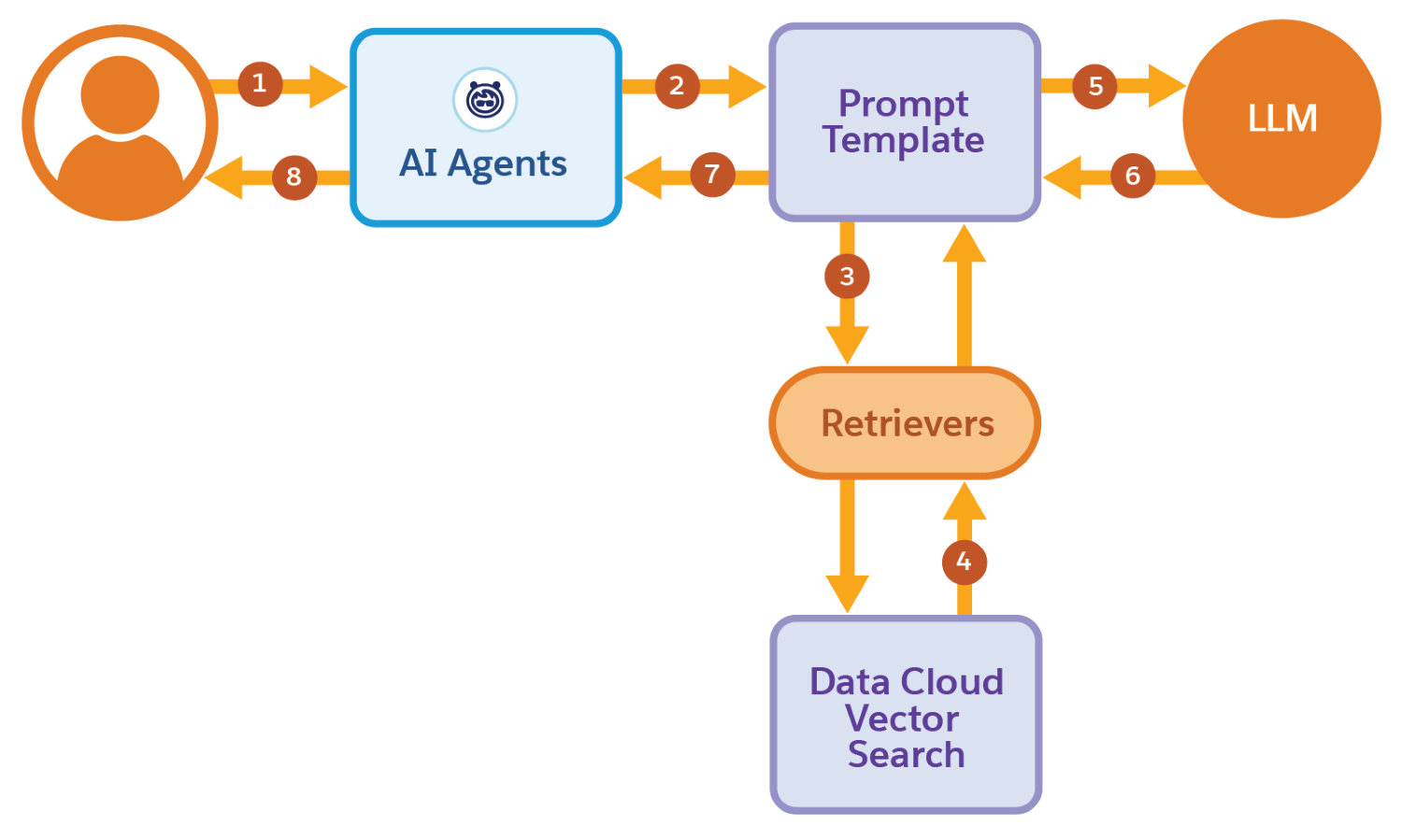
- The user initiates a request through an AI agent.
- The agent triggers a prompt template.
- The prompt initiates a retriever, which is sent to Data 360 vector search.
- Data 360 vector search retrieves matching excerpts from relevant documents sourced from Salesforce knowledge articles and PDFs stored in an Azure blob store.
- The prompt template is populated and sent to a large language model (LLM) for summarization.
- The LLM processes and returns a summarized response to the prompt template.
- This response is then relayed back to the agent.
- The response is displayed to the user.
Workflow 2
This example demonstrates how AI agents, Apex invocable actions, Flows, and vector search streamline the process of retrieving and summarizing relevant content based on a user query.
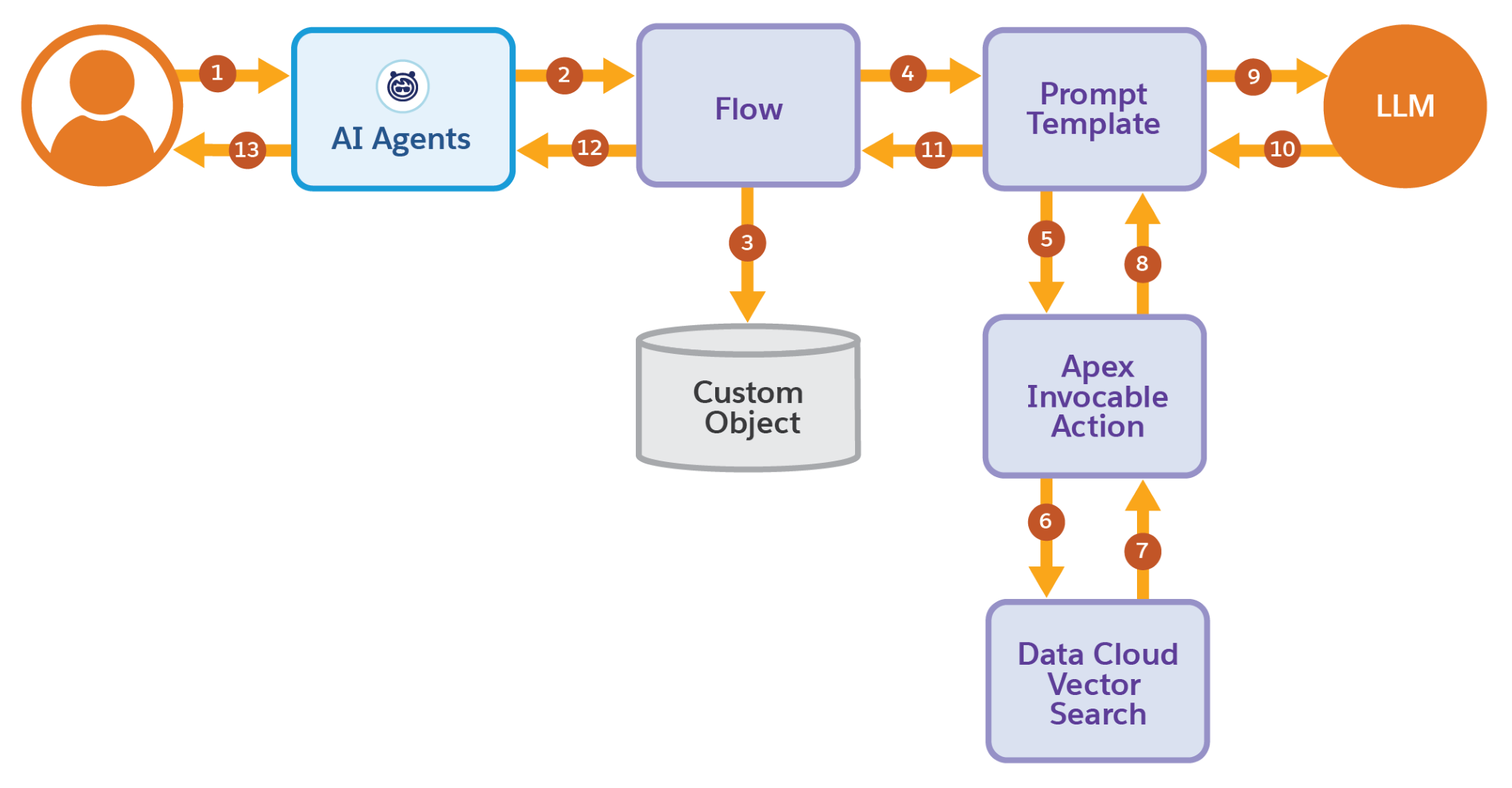
- The user initiates a request through an AI agent.
- The agent activates a flow.
- Flow captures and stores the user’s input in a custom object.
- Flow triggers a prompt template.
- Prompt Builder retrieves data from the custom object and executes an Apex invocable action.
- The Apex invocable action engages the Data 360 vector search.
- Data 360 vector search retrieves matching excerpts from relevant documents sourced from Salesforce knowledge articles and PDFs stored in an Azure blob store.
- The Apex invocable action receives the matching excerpts from Data 360 and populates the prompt template.
- The prompt template is sent to a large language model (LLM) for summarization.
- The LLM processes and returns a summarized response to the prompt template.
- This response is then relayed back through Flow.
- Flow sends the response back to the agent.
- The response is displayed to the user.
