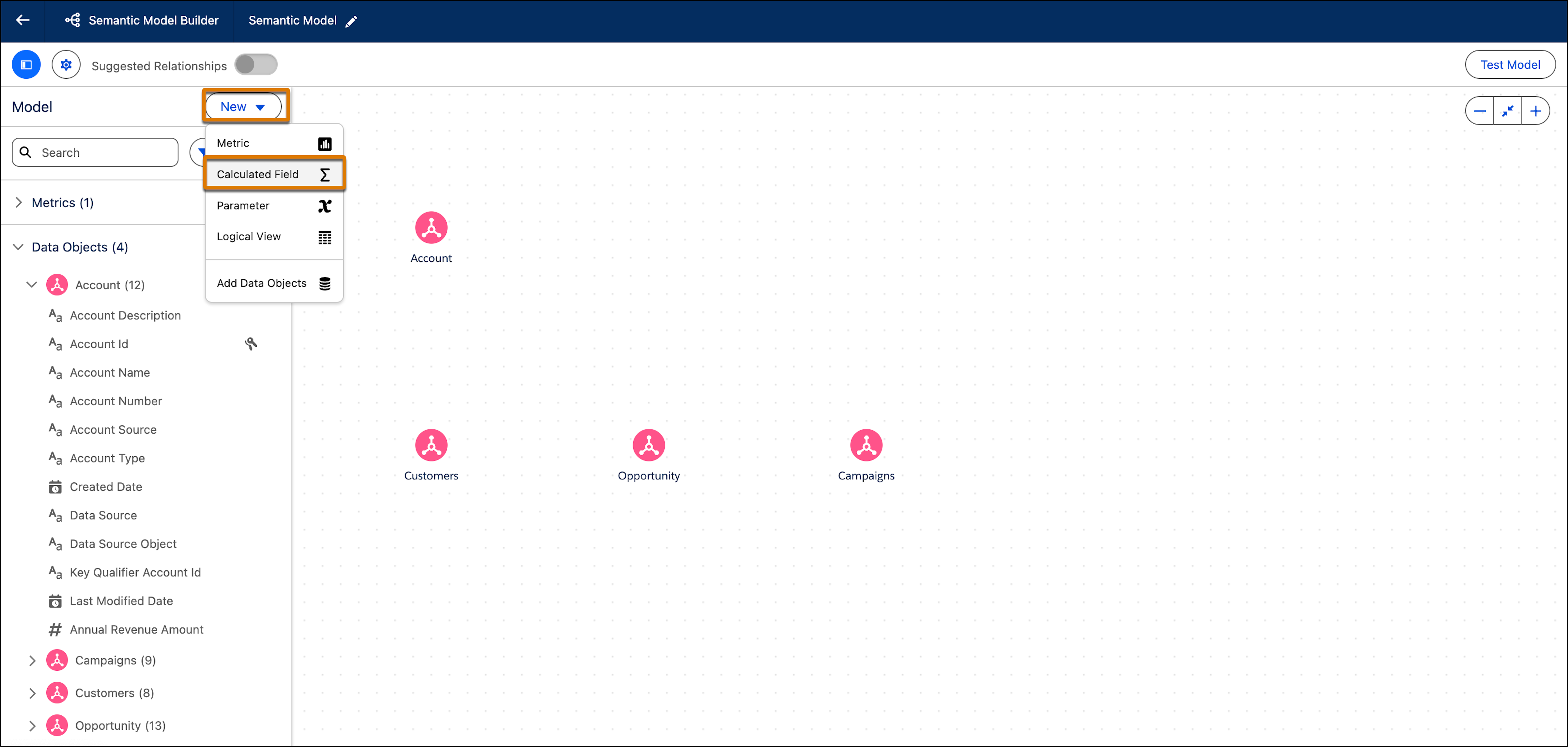
Calculated fields are fields that don't exist in the underlying data and are defined
with a formula. Calculated dimensions are qualitative, categorical fields used to group,
classify, and segment data. Calculated measures are quantitative, numerical fields that are
aggregated.
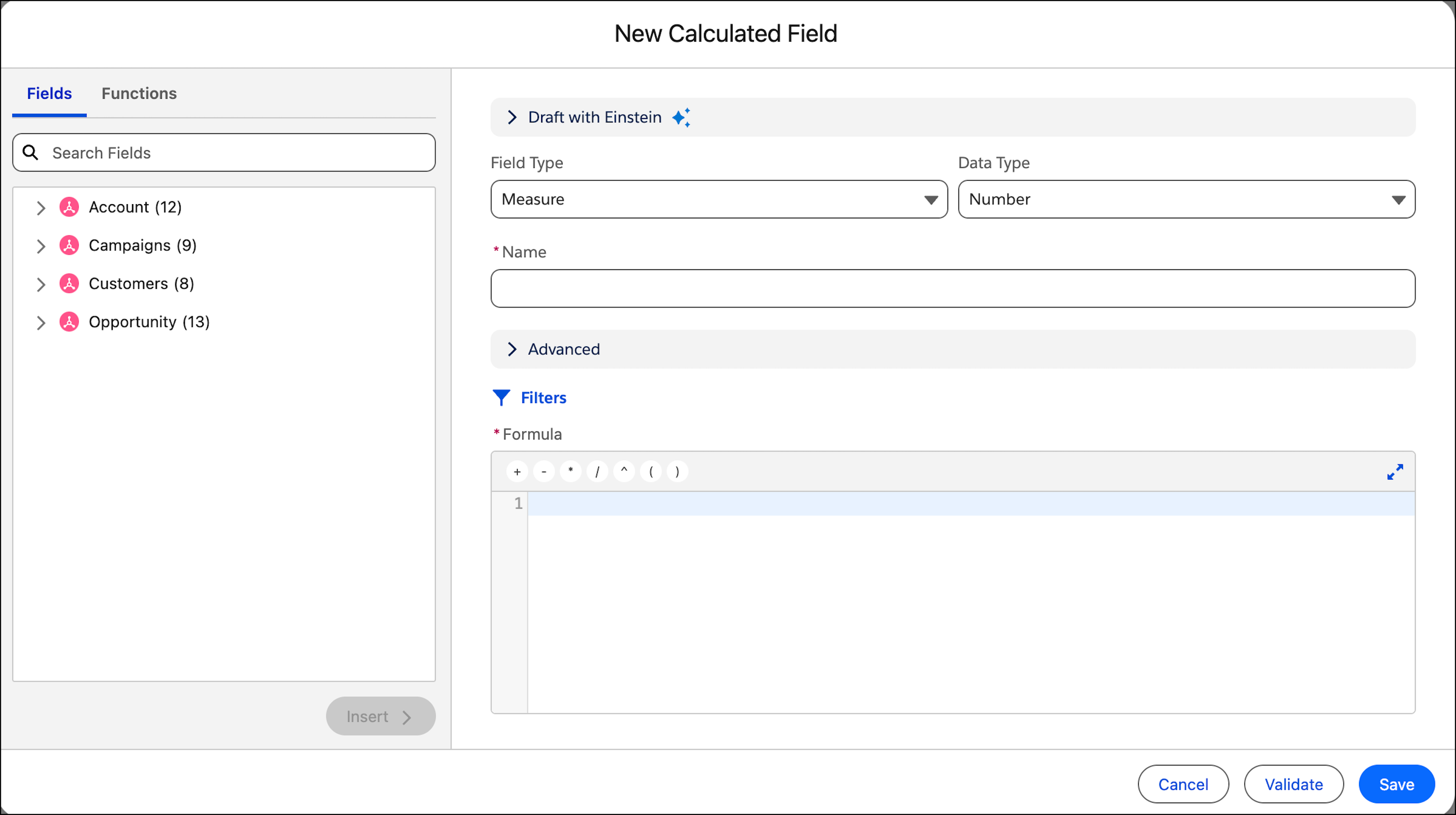
Click Validate to test the formula. Resolve any errors as
needed.
When the calculated field is properly defined, click Save.
Note If the formula refers to multiple data objects, the calculated field appears under
Calculated Fields in the left pane. If the formula refers to a
single data object, the calculated field appears as in that data object—expand the data
object to view it.
Configure Calculated Field Settings Like all fields, calculated fields have a field type of dimension or measure. Depending on the field type, calculated fields have additional field settings or metadata to be configured, such as data role, aggregation type, or sentiment.
Add Filters to a Calculated Field Filters let you choose which data can be in the formula expression. Filters help you increase the accuracy of your measures.
We use three kinds of cookies on our websites: required, functional, and advertising. You can choose whether functional and advertising cookies apply. Click on the different cookie categories to find out more about each category and to change the default settings.
Privacy Statement
Required Cookies
Always Active
Required cookies are necessary for basic website functionality. Some examples include: session cookies needed to transmit the website, authentication cookies, and security cookies.
Functional Cookies
Functional cookies enhance functions, performance, and services on the website. Some examples include: cookies used to analyze site traffic, cookies used for market research, and cookies used to display advertising that is not directed to a particular individual.
Advertising Cookies
Advertising cookies track activity across websites in order to understand a viewer’s interests, and direct them specific marketing. Some examples include: cookies used for remarketing, or interest-based advertising.