Loading
About Salesforce Data 360
Table of Contents
Select Filters

          No results
          No results
          Here are some search tips

          Check the spelling of your keywords.
          Use more general search terms.
          Select fewer filters to broaden your search.

          Search all of Salesforce Help
          Create a Semantic Model Based on an Existing Model

          Create a Semantic Model Based on an Existing Model

          Use an existing model and extend it, otherwise known as composability or extensibility, by adding data objects and semantic definitions. When you base a model on an existing model, the new model stays connected to the original model, and the original model remains the single source of truth. Changes made to the original model are automatically added to the extended model, but changes made to the extended model aren’t pushed to the original model.
          Required Editions

          Available in: All Editions supported by Data 360. See Data 360 edition availability.
          User Permissions Needed
          To create a semantic model:

          Permission set:

          • Data Cloud Architect

          AND

          Semantic Models object

          1. In Data Cloud, on the Semantic Layer tab, click New Model.
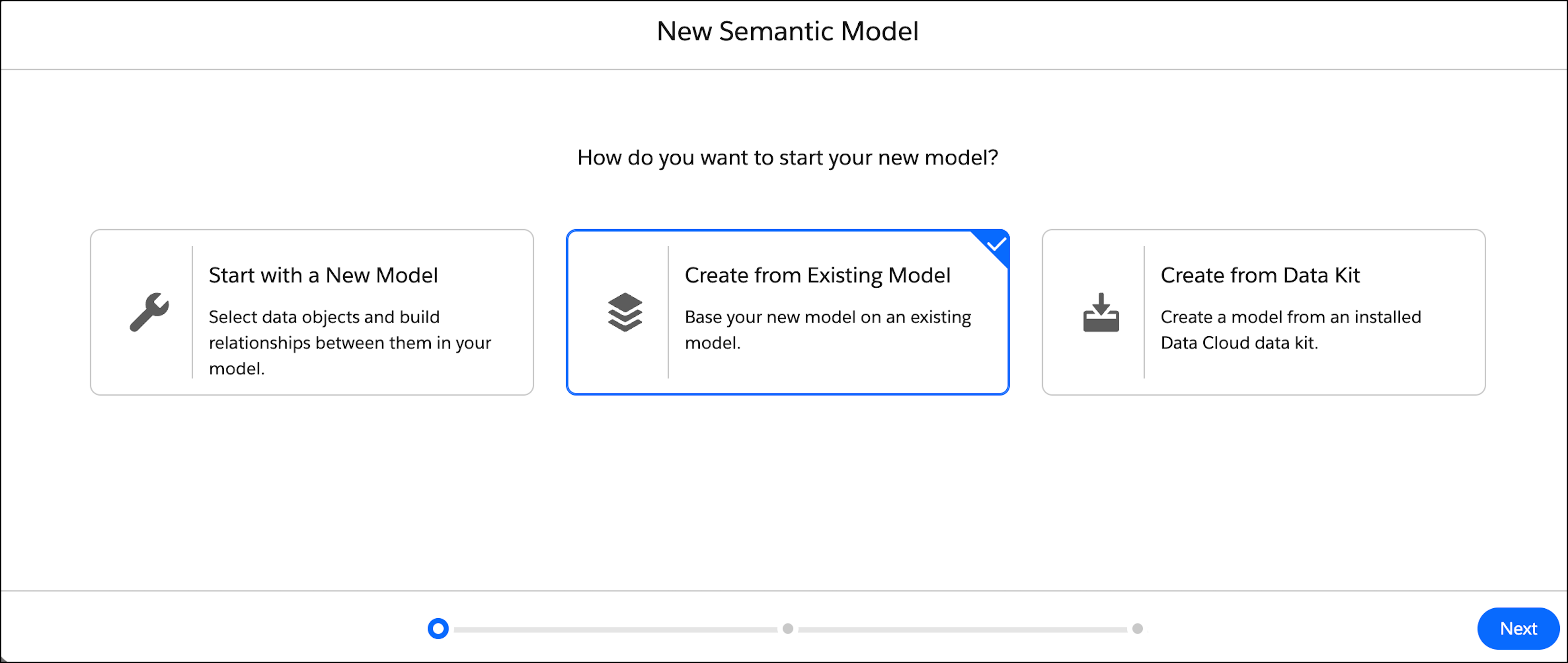
          2. Select Create from Existing Model and then click Next.

            A list of semantic models that you have access to appears.

            Create from Existing Model in the New Semantic Model screen

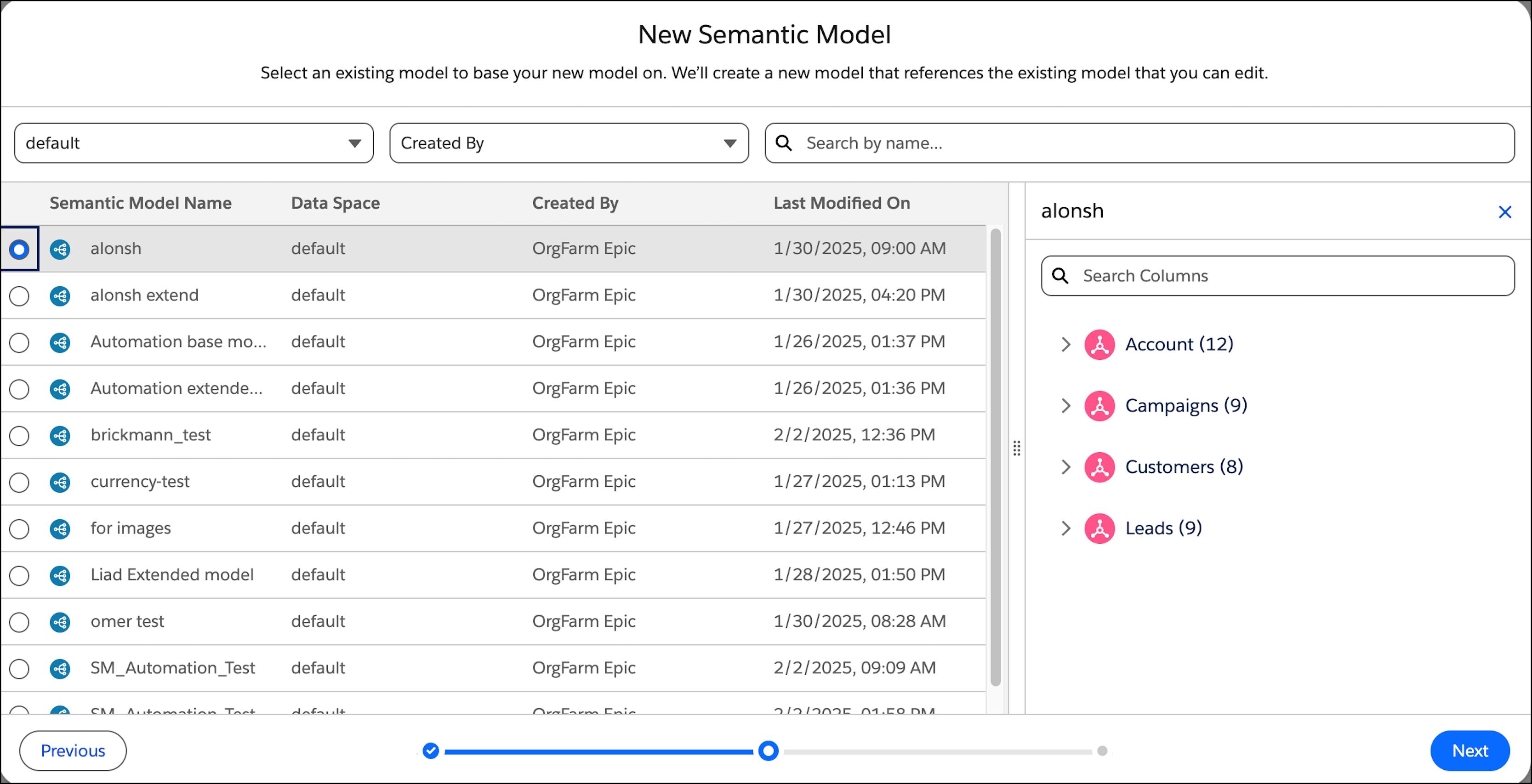
          3. Select the semantic model you’re using to base the semantic model on, and then click Next.

            Selecting the needed Semantic Model in the New Semantic Model screen

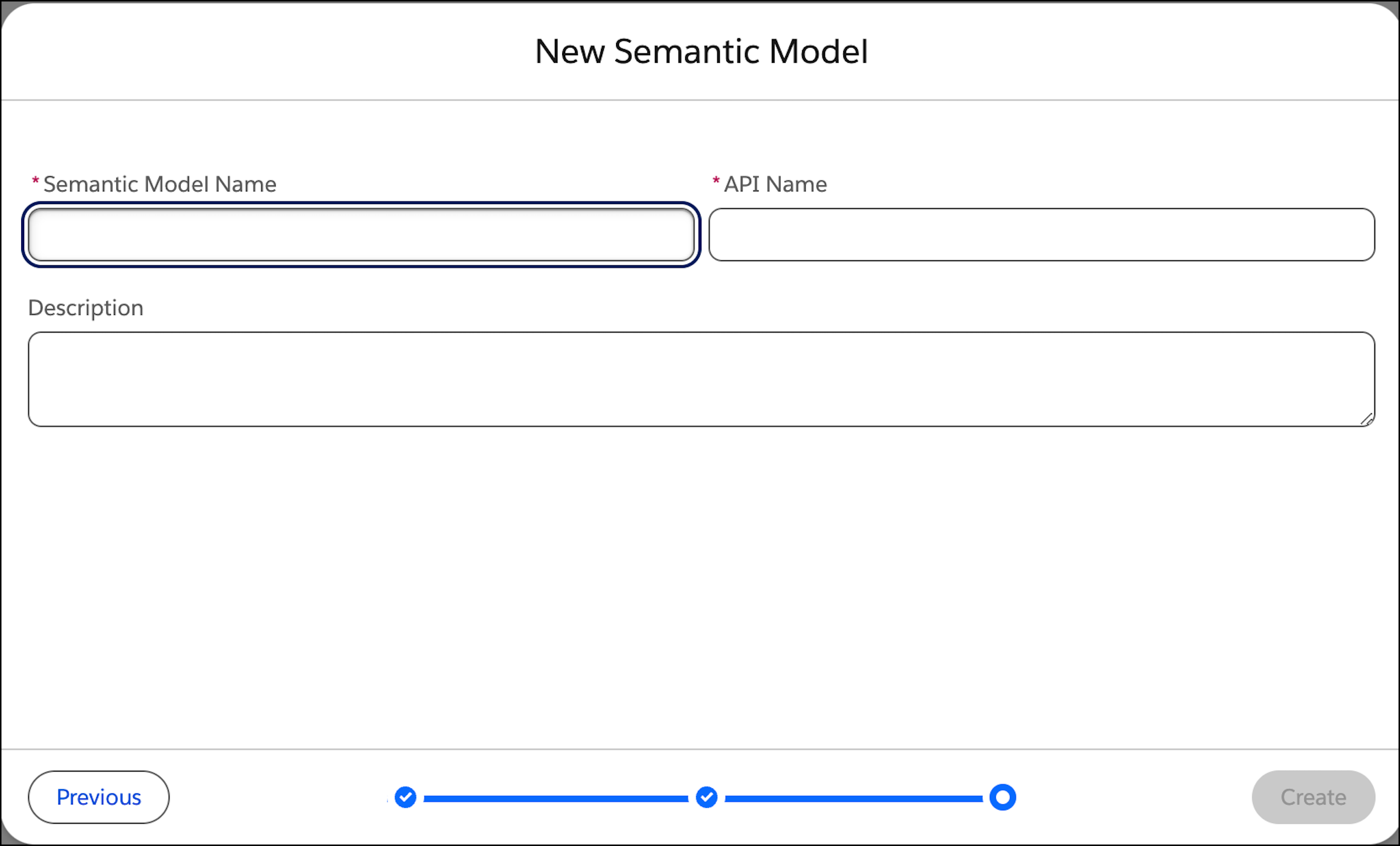
          4. Enter the model information.

            The information fields on the New Semantic Model screen

          5. Give the model a descriptive name and an API name, and enter an optional description. You can’t change the API name after the model is created.
          6. Click Create.

            After your model is created, you can now add data objects and change the definitions.

           
          Loading
          Salesforce Help | Article