
You are here:
Use Data 360 Data in Tableau
Tableau enables metadata and data discovery of all objects in your Data 360 instance with Salesforce security mode.
Required Editions
| Available in: Lightning Experience |
The Data 360 Tableau connector provides two modes for interacting between products: live and extract. You can select your mode in Tableau when setting up your connection by choosing the Live or Extract radio buttons available for selection after a table has been dragged into the “Need More data?” section. It’s suggested that you determine your desired connection and don’t change your mode after you have begun initial execution of your queries.
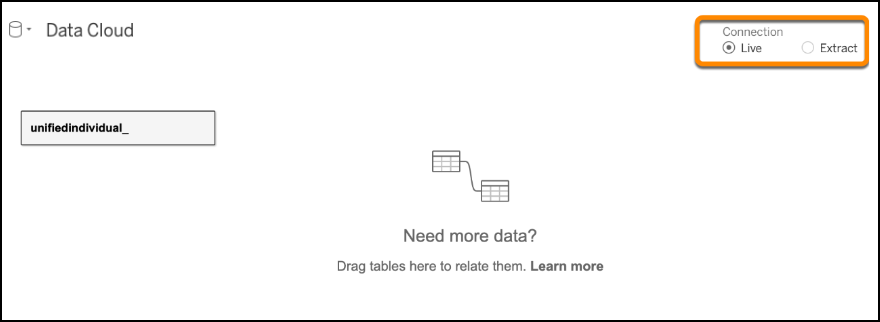
Live mode is the default, but each mode and we strongly recommend using a live connection when querying data from Tableau.
Data 360 Objects in Tableau
All Data 360 objects are accessible in Tableau by querying the authorized tenant and exposing the objects to Tableau after authentication is complete. Data from Data 360 includes data model objects (DMO), data lake objects (DLO), and calculated insights (CIO). All end-user modeled data is suffixed with dlm. System-created data like calculated insights objects are suffixed with a cio. Match and merge tables are suffixed with __dlm. Tables that include identity link in the name are exposed to Tableau.
To build Tableau visualizations from unified data, identity link files are required to be included in the mapping in Tableau. Drag your objects from the sidebar to the Tableau canvas to map them.
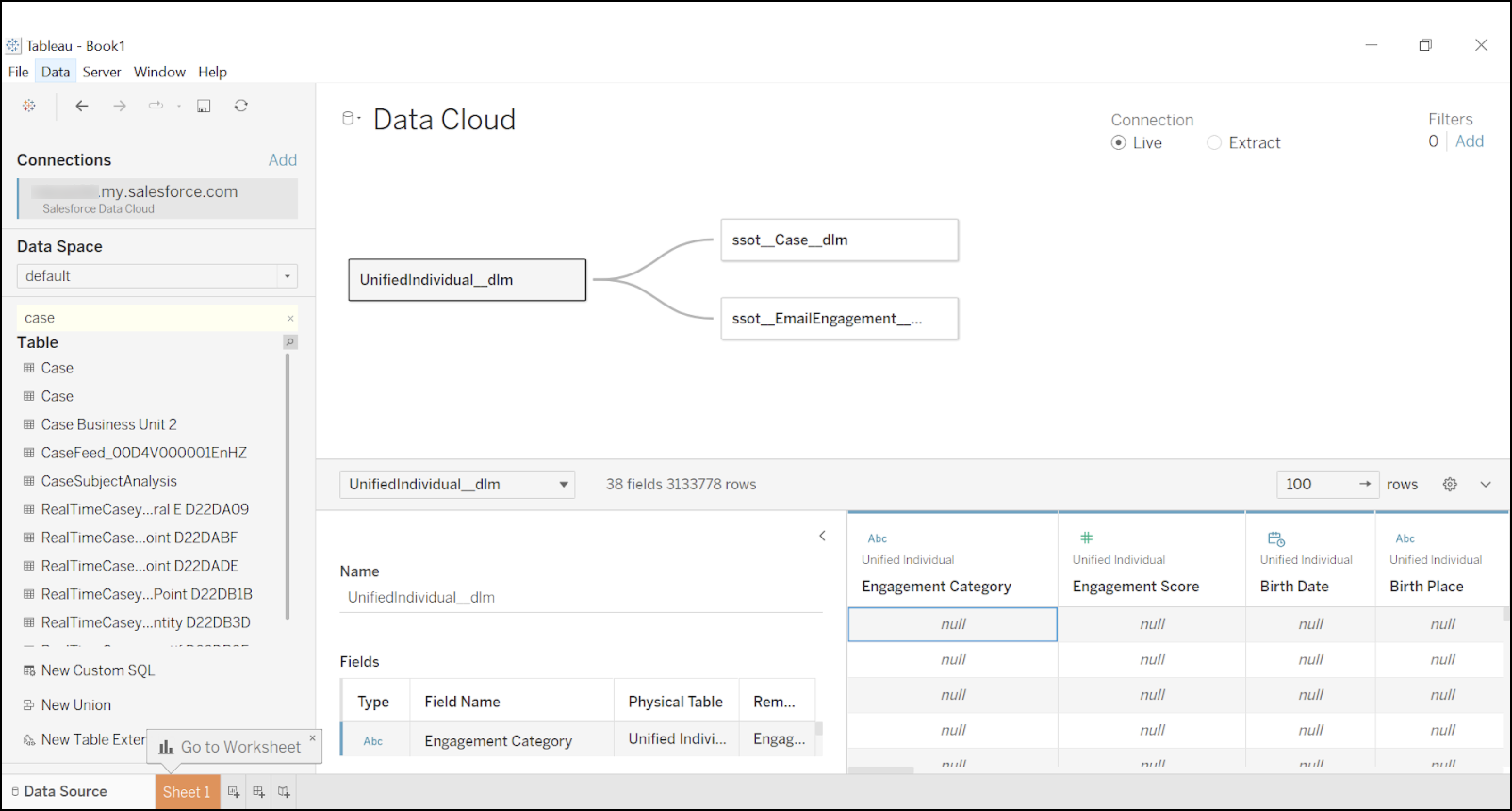
In the above image, numerous tables are being joined to visualize several data points in Data 360, starting with the Unified Individual Table. In order to understand the Calculated Insights called purchase insights that were defined on the unified individual, it’s mapped to the unified individual table. However, Tableau must traverse the graph to get to a place where it can handle the relationships across all the tables. For cases where you have a unified individual and you want to map it to an individual, you must map the individual identity link, which is a system-created bridge table that comes from the match and merge process and maps the individual ids to the unified individual ids. After the individual table has been mapped, all tables that map to it can be mapped. In this case, contactpointaddress, deviceapplication, SalesOrder__dlm, segment_membership, and websiteengagement. These are all _dlms that can be mapped to the individual__dlm.
Finally, salesorderproduct can be mapped to SalesOrder__dlm. These joins are all loosely defined as joins, not unions. However, Tableau doesn’t determine how the joins occur under the defined visualization. Tableau sends a query to Data 360 to get the data in a defined fashion relative to the mapped tables.

Mapping Unified Individual Data Model Objects
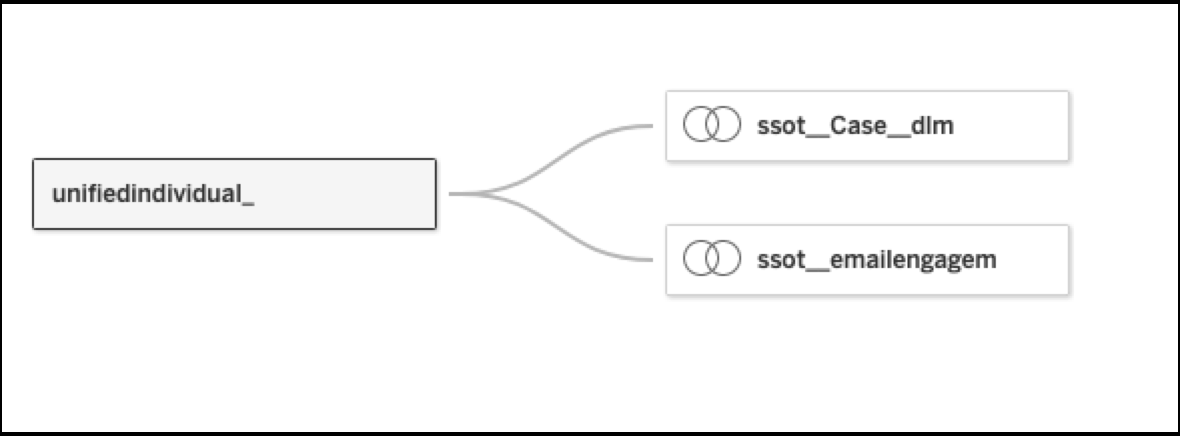
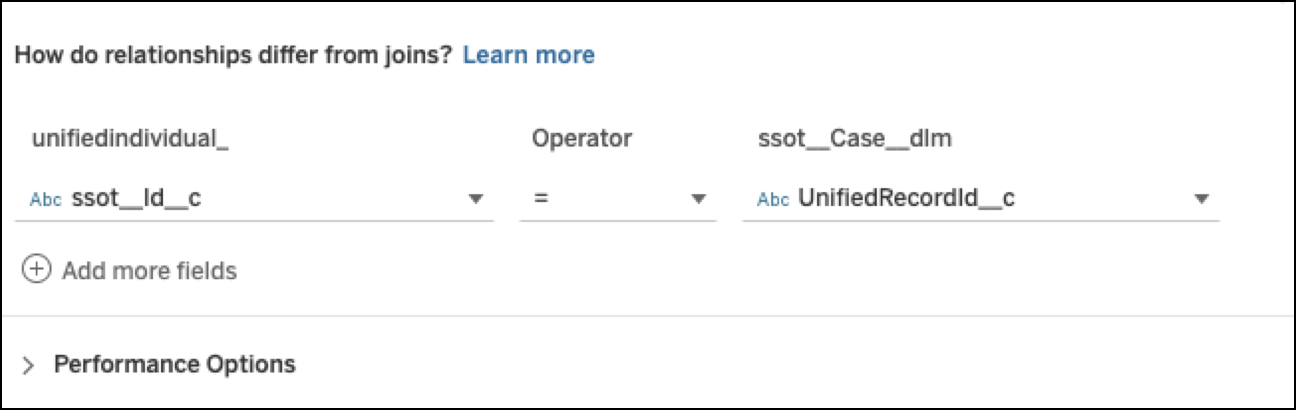
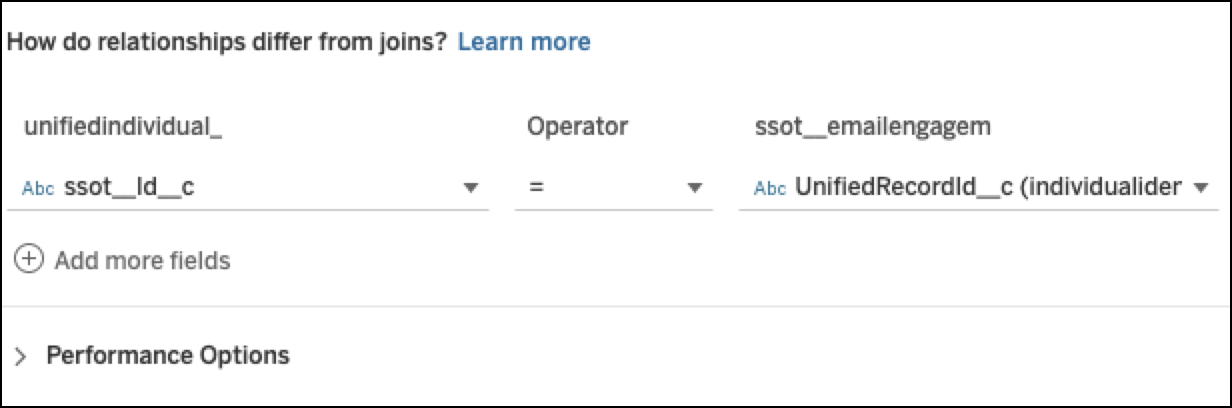
Use a Tableau relationship when you define a relationship between a Unified Individual Data Model Object (DMO) and DMOs that represent performance and interaction data from Marketing Cloud Engagement or cases from Service Cloud. You must also map the individual identity link using Tableau join for every engagement entity as shown in the screenshots here. It makes sure your queries fetch data from all objects that are mapped to the Unified Individual. For more information, see Tableau Relationships vs Joins.


Downloading Tableau Data Source File
You can download already modeled relationships for your selected data object from Data 360. You can download the data models in the form of a Tableau data source file and import it for data exploration.
Fully Qualified Keys in Tableau
Fully Qualified Keys (FQKs) are composite keys that are used as the primary keys in Data 360. FQKs help resolve key conflicts that arise when data from different source systems is brought into Data 360. Keys can conflict when data is harmonized into one data model object.
All keys include two components.
- The primary key provided by the data source.
- The key qualifier that’s configured within Data 360.
When you build your own data model in Tableau using data from Data 360 check if the data has key qualifiers enabled. For adhoc
table joins, you must include the key qualifier field to use a composite key. Add
IFNULL() function in joins if the key
qualifiers aren’t configured in Data 360.
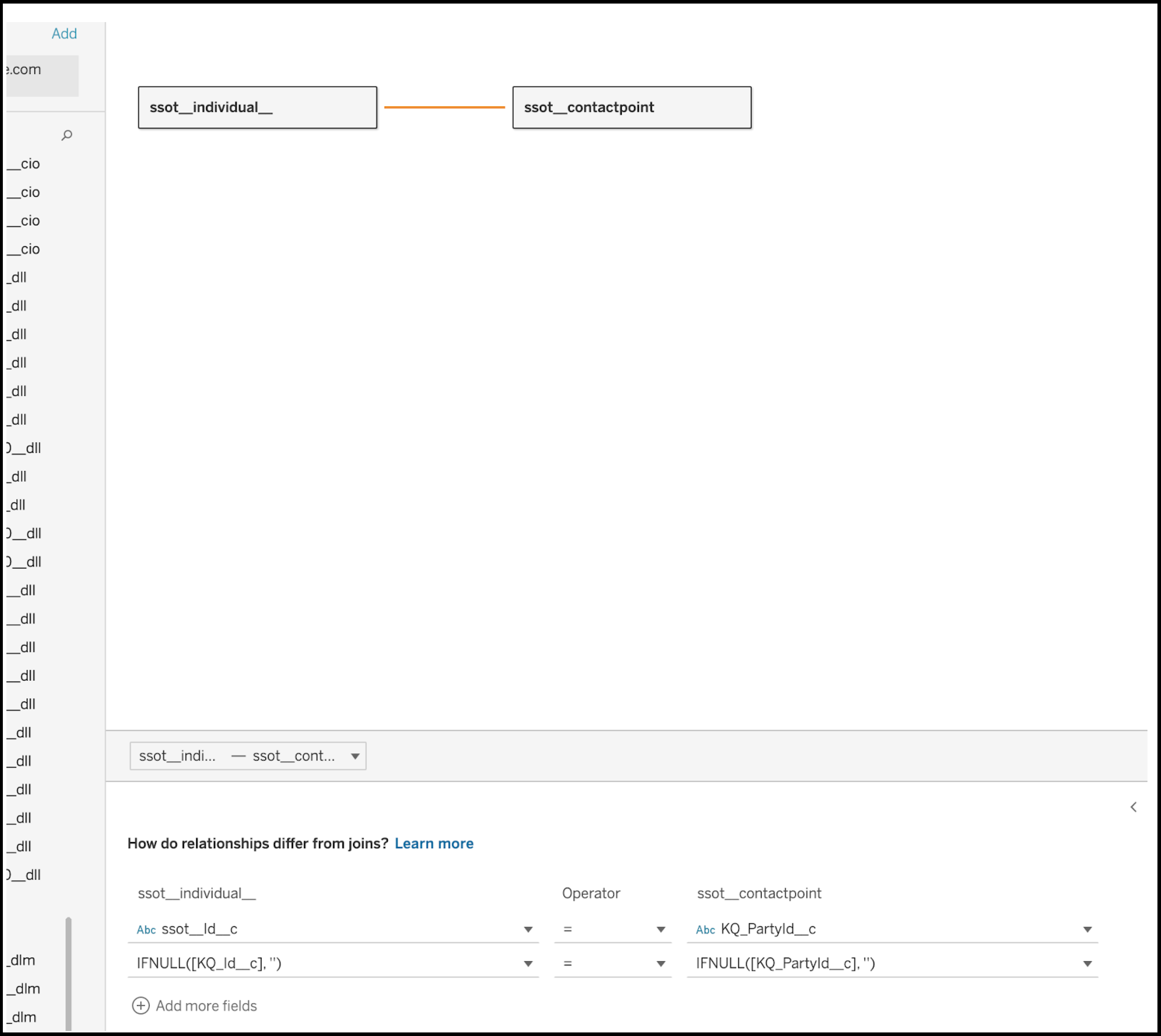
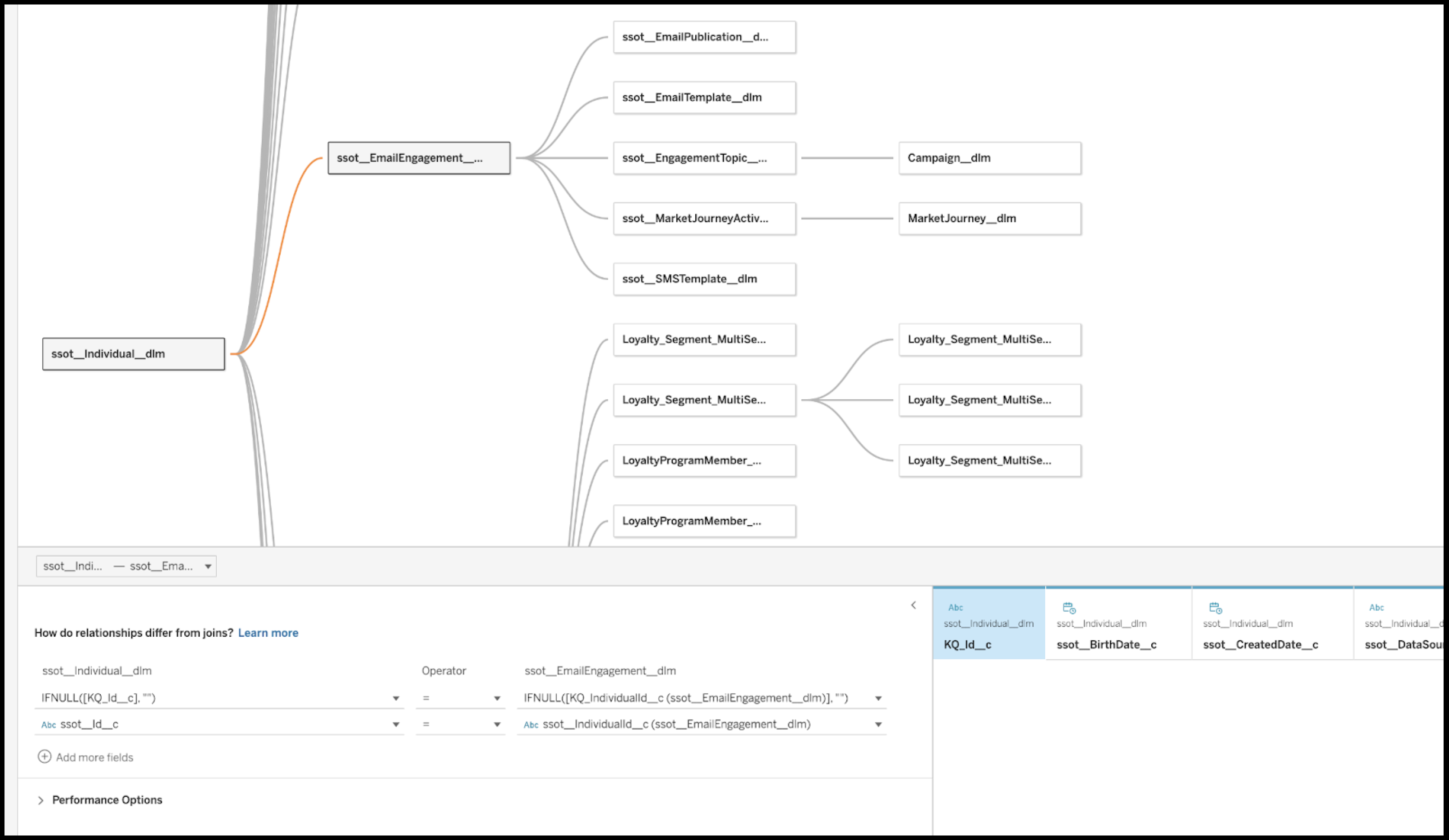
The Tableau Data Source file contains all the relationships that are defined in Data 360 data model. If key qualifiers are enabled in your
Salesforce org then they're automatically included in the relationships for the data
model. Null values in key qualifiers are also handled with IFNULL() function.
For more information, see Fully Qualified Keys
