
You are here:
Add Data Providers to Get Data on Enhanced LWR Site Pages (Beta)
Configure data providers on enhanced LWR site pages in Experience Builder and get access to data from different sources. You can bind data from Apex or Record data providers to individual builder components on to these pages.
Required Editions
| Available in: Lightning Experience |
| Available in: Professional, Enterprise, Unlimited, and Developer Editions |
| Applies to: LWR sites |
| User Permissions Needed | |
|---|---|
| To customize or publish an Experience Cloud site: |
|

Note Data Provider Configuration is a pilot or beta service that is
subject to the Beta Services Terms at Agreements - Salesforce.com or a written Unified Pilot Agreement if executed by
Customer, and applicable terms in the Product Terms Directory. Use of this pilot or beta
service is at the Customer's sole discretion.
-
From the Pages menu in Experience Builder, click
 to access the Page Action menu, then
select Page Settings.
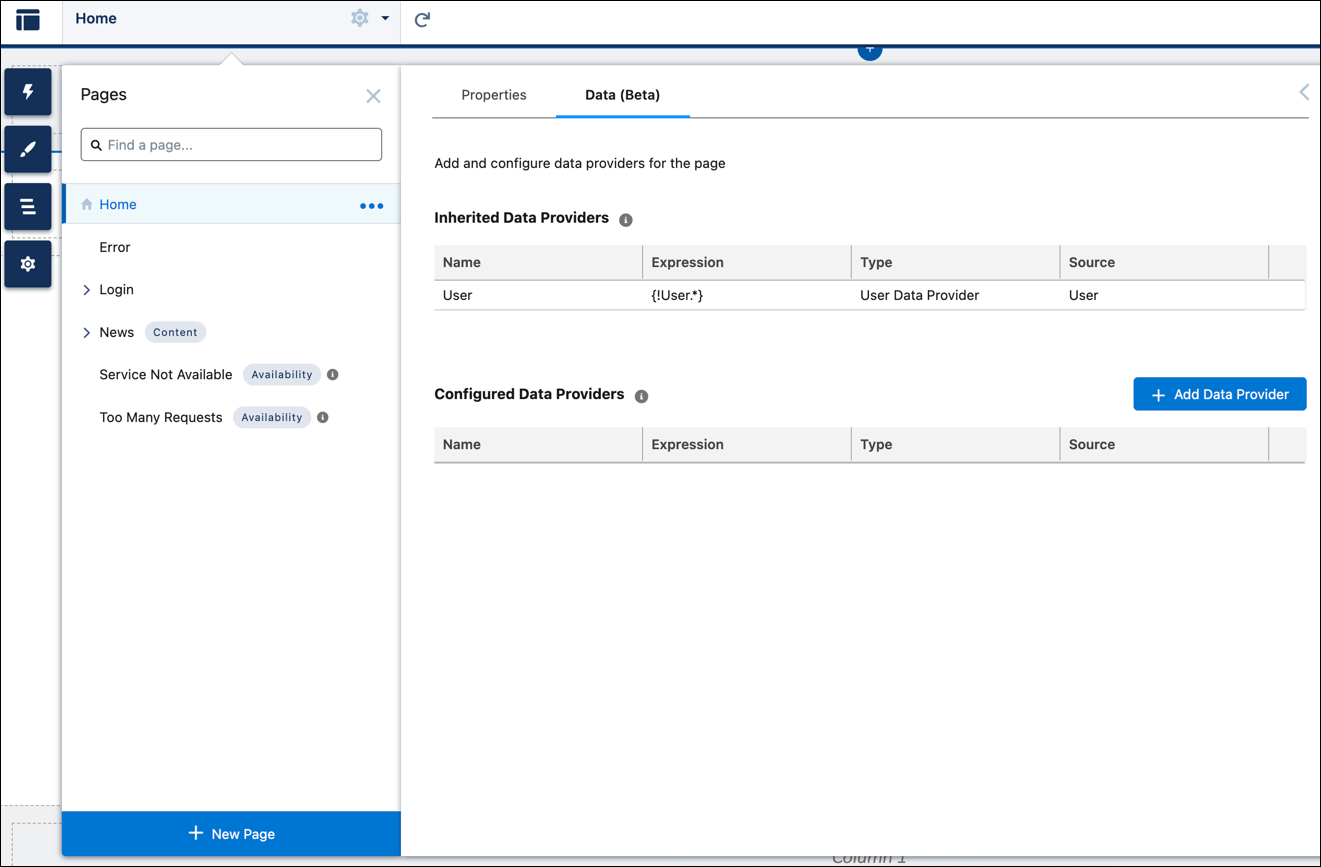
The Data (Beta) tab is available for each page next to the Properties tab.
to access the Page Action menu, then
select Page Settings.
The Data (Beta) tab is available for each page next to the Properties tab. - To view or configure data providers for the page, click the Data (Beta) tab.
- To add a data provider for the page, click Add Data Provider.
- In the Add Data Provider window, enter a unique name.
-
From the Type dropdown, select the type of the data provider that you want to
add.
- If you select the Salesforce Record data provider type, then select an object and provide the record ID.
- If you select the Apex data provider type, then provide the Apex class name, Apex method name, and Apex method parameters (if any).
-
Save your changes.
The new data provider appears in the Configured Data Providers table.
-
To bind this data provider to a component, click

- Select any component and drag it to the canvas. For example, select a Text Block component.
- In the component property panel, in the Text or Expression field, enter a data binding expression in this format: {!<DataProviderName>.<FieldName>}.

Example To show an Account name of an object in the Text Block component of a page, enter
Account Name : {!Item.Name} The expression is evaluated and replaced
with a value when the component is rendered.
- Configuring Apex Data Providers in Experience Builder (Beta)
A data provider is a reference to a source of data. An Apex data provider is implemented as a function within an Apex class. A Salesforce Apex controller is an Apex class that stores information and logic related to a group of UI components. You can perform actions such as querying data, updating records, or invoking another Apex code using this logic. - Data Provider Considerations (Beta)
When configuring data providers on an LWR site page, keep these considerations in mind.
Did this article solve your issue?
Let us know so we can improve!
