Broadcast groups are a special type of public, private, or unlisted Chatter group where
only group owners and managers can post to the group. Group members can read posts and comment
on them.
Required Editions
Available in: Salesforce Classic and Lightning Experience
Available in: Group, Essentials, Professional,
Enterprise, Performance, Unlimited, Developer, and
Contact Manager Editions
By restricting the ability to post, group owners and managers
can keep group discussions focused and relevant by cutting down noise. You can configure
public, private, and unlisted groups to be broadcast groups.
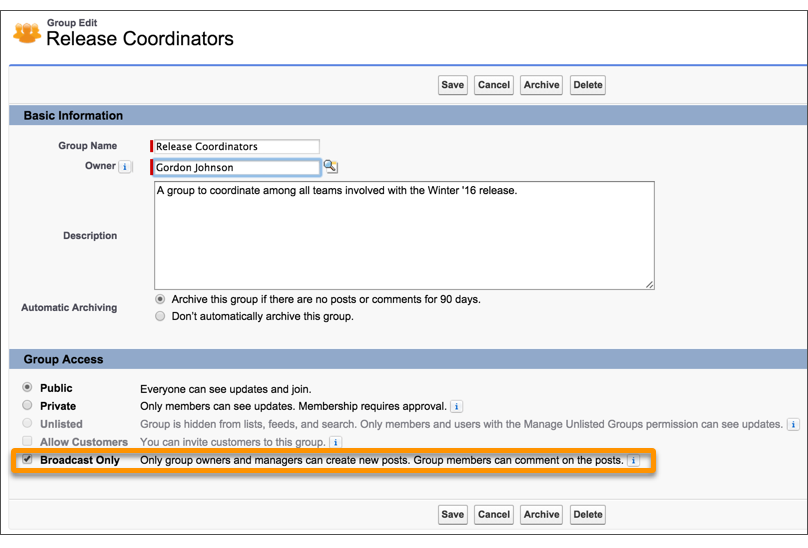
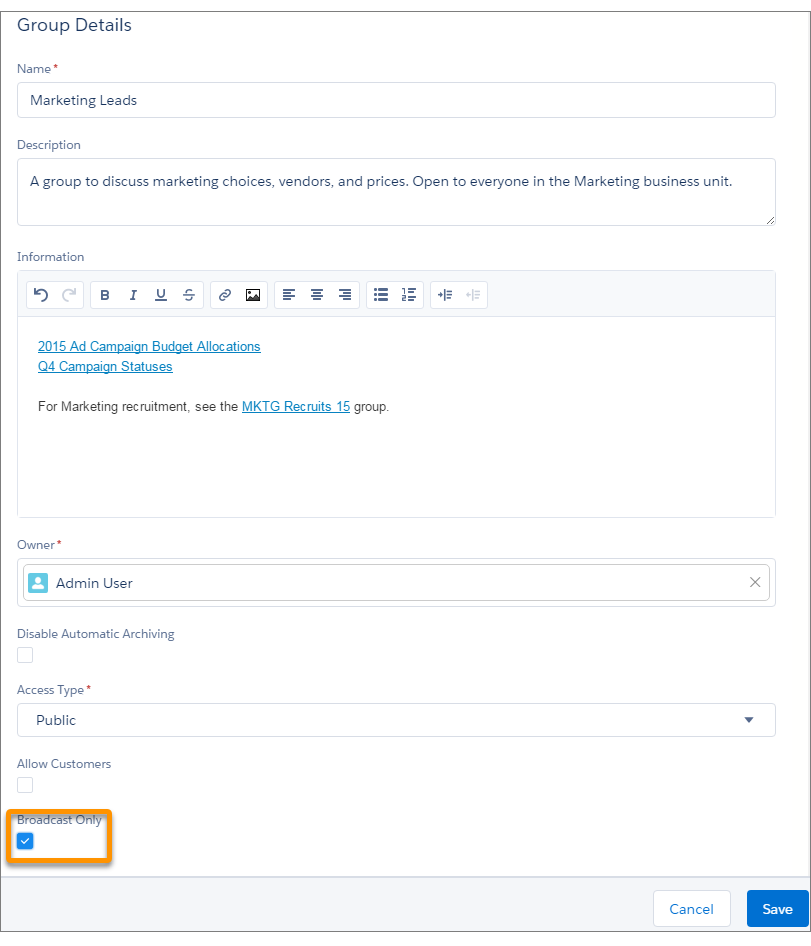
To set a group to broadcast mode, select Broadcast
Only in the group settings.
Example Creating broadcast groups are ideal when a limited and consistent set of individuals
must regularly communicate with a large group of people. Some examples include:
Organization-wide updates from the executive leadership in the company
Policy changes from your company’s HR department
Event updates from the organizer of large events or company conferences
Important action alerts from key IT personnel, including their awesome Salesforce
administrator
Broadcast group setting in Salesforce Classic.
Broadcast group setting in Lightning Experience.
Did this article solve your issue?
Let us know so we can improve!
Loading
Salesforce Help | Article
Cookie Consent Manager
General Information
Required Cookies
Functional Cookies
Advertising Cookies
General Information
We use three kinds of cookies on our websites: required, functional, and advertising. You can choose whether functional and advertising cookies apply. Click on the different cookie categories to find out more about each category and to change the default settings.
Privacy Statement
Required Cookies
Always Active
Required cookies are necessary for basic website functionality. Some examples include: session cookies needed to transmit the website, authentication cookies, and security cookies.
Functional Cookies
Functional cookies enhance functions, performance, and services on the website. Some examples include: cookies used to analyze site traffic, cookies used for market research, and cookies used to display advertising that is not directed to a particular individual.
Advertising Cookies
Advertising cookies track activity across websites in order to understand a viewer’s interests, and direct them specific marketing. Some examples include: cookies used for remarketing, or interest-based advertising.