
You are here:
Export a Customized Experience Builder Theme for a Lightning Bolt Solution
Export themes that you’ve customized and use them in your own Experience Builder sites, or package and distribute them for others to use.
Required Editions
| Available in: both Salesforce Classic and Lightning Experience |
| Available in: Enterprise, Performance, Unlimited, and Developer Editions |
| User Permissions Needed | |
|---|---|
| To create an Experience Cloud site: | Create and Set Up Experiences AND View Setup and Configuration |
| To customize or publish an Experience Cloud site: |
|
| To create a Lightning Experience Builder template, theme, or page: | Customize Application AND Create and Set Up Experiences AND View Setup and Configuration |
| To create a Lightning Bolt Solution: | Customize Application AND View Setup and Configuration |

Note If your customized theme isn’t based on the latest template version, you can’t export it
until you update the
template.
-
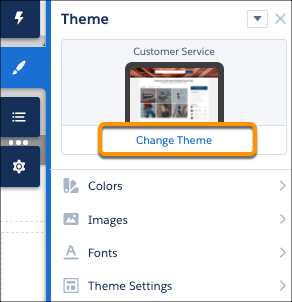
In Experience Builder, change to the theme you want to export if that isn’t your active
theme.
-
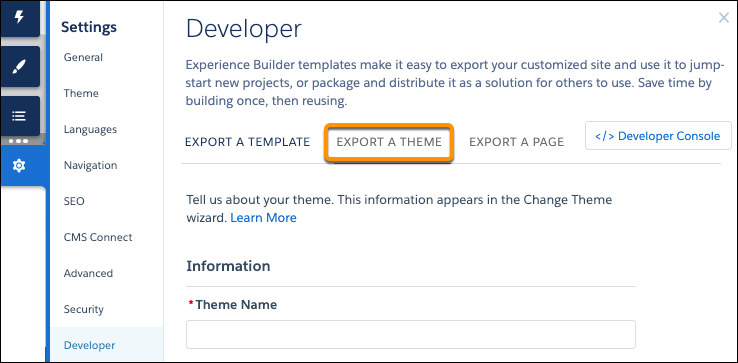
Select Settings | Developer, and click Export a Theme.
-
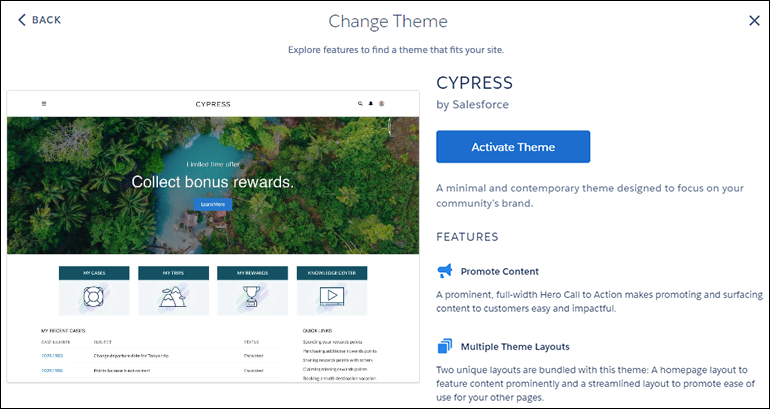
Fill in the form with the needed elements for the Change Theme detail page. Clear
information and images help you and others understand what is in the theme and how it
works.
-
Click Export.
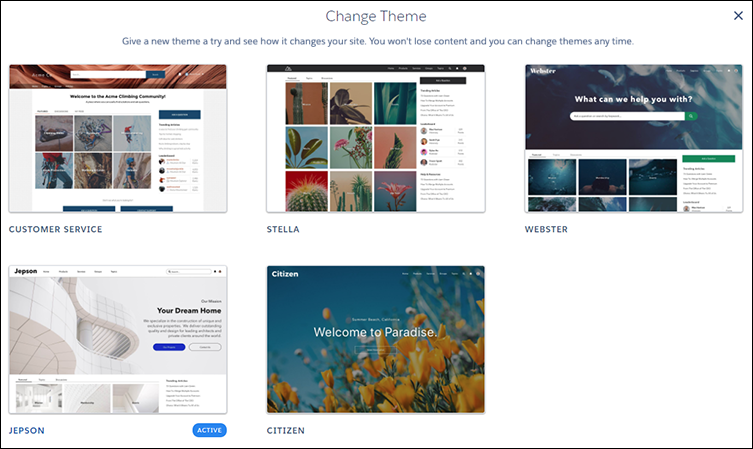
After you export a theme, it appears in the Change Theme dialog box in all the Experience Builder sites in your org. If you package the theme and install it in another org, it appears in that org’s Change Theme dialog box. Themes are ordered by how new they are, so a newly imported theme appears at the beginning of the list.
- To distribute your theme, create a managed package. Or add the theme to a Lightning Bolt Solution, and include it in the package.
To delete an imported or exported theme, from Setup, enter Digital Experiences in the Quick Find box, and click Themes.
Note If an Experience Builder site in your org is using the theme, you can’t delete the theme
until you switch to a different one.
Did this article solve your issue?
Let us know so we can improve!
