Channel account managers can measure partner users’ performances and establish
benchmarks for their channel programs using partner scorecards. You can customize partner
scorecards to display any report summary results that your channel account manager or executive
team wants to see. Add multiple scorecards to track more than one category. Partner scorecards are
available in Lightning Bolt Solutions.
Required Editions
Available in: Enterprise, Performance, Unlimited, and
Developer Editions
User Permissions Needed
To manage scorecards:
Create, Edit, and Delete on Accounts
AND
Create, Edit, and Delete on
Reports
AND
Create, Edit, and Delete on Scorecards
To view scorecards:
Read on Accounts
AND
Read on Reports
AND
Read on
Scorecards
To view scorecard metrics:
Run Reports
Partner scorecards are only available with Partner Community licenses. If you don’t have
access to scorecards, contact Salesforce Customer Support to enable Manage Scorecards in your
org.
Add the “View scorecard” action to the account layout to display the scorecard directly on the
account. Each scorecard displays admin-defined metrics that monitor partner performance. You can
organize metrics into different categories, such as sales, marketing, and support. When you
select the category you want each metric to belong to, the metrics sort into different tabs on
your scorecard. Scorecards are built on top of Salesforce reports.
Go to Scorecards, and click New.
From Setup, enter Scorecard Metric and select
Fields, to enter categories that you need and are not already
included.
Go back to your scorecard and add metrics to it. Assign metrics to categories if you want
to group them by KPIs.
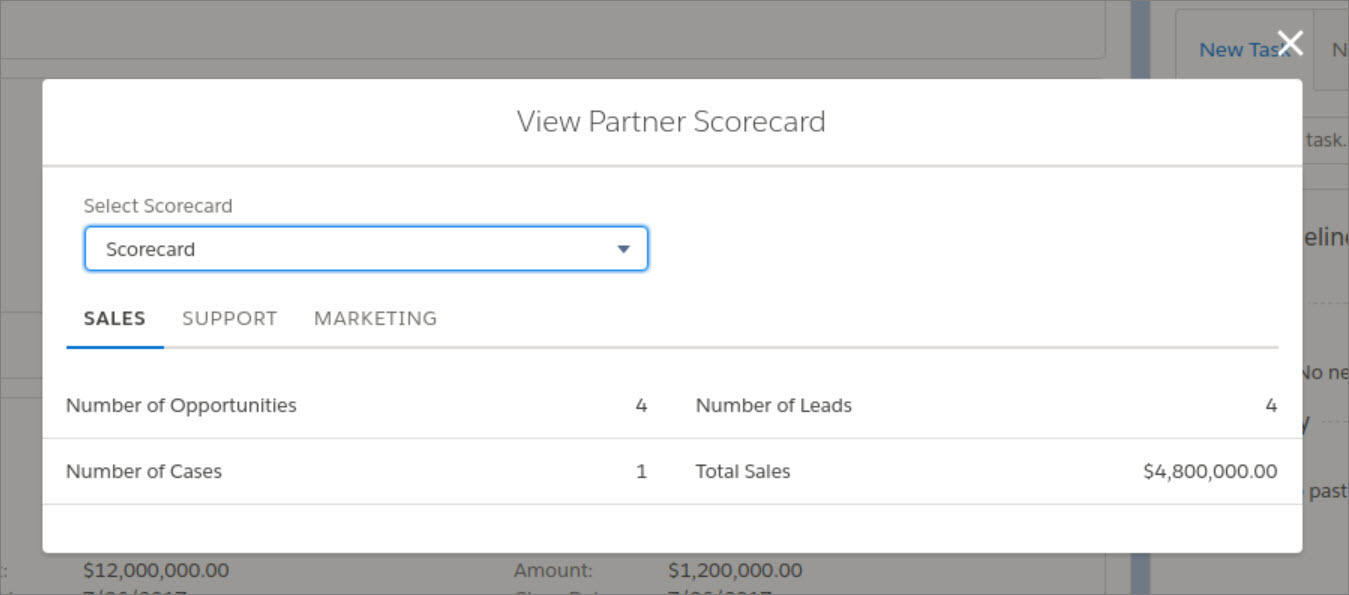
Associate your scorecard with a program, level, or partner account. Once you’ve associated
your scorecard with a program, level, or partner account, you can view the scorecard from that
account. If you’ve organize different scorecards into tabs, you can click the tab to see the
scorecard metrics associated with that category.
Example Partner Scorecard for Sales
Note Metrics are pulled from summary reports. You must have access to the reports you
want to associate with scorecards. Scorecard associations are permanently deleted when an
account is disabled.
We use three kinds of cookies on our websites: required, functional, and advertising. You can choose whether functional and advertising cookies apply. Click on the different cookie categories to find out more about each category and to change the default settings.
Privacy Statement
Required Cookies
Always Active
Required cookies are necessary for basic website functionality. Some examples include: session cookies needed to transmit the website, authentication cookies, and security cookies.
Functional Cookies
Functional cookies enhance functions, performance, and services on the website. Some examples include: cookies used to analyze site traffic, cookies used for market research, and cookies used to display advertising that is not directed to a particular individual.
Advertising Cookies
Advertising cookies track activity across websites in order to understand a viewer’s interests, and direct them specific marketing. Some examples include: cookies used for remarketing, or interest-based advertising.