You are here:
Article Content
The Article Content component lets users view and vote on an individual article after they've selected it from search results.
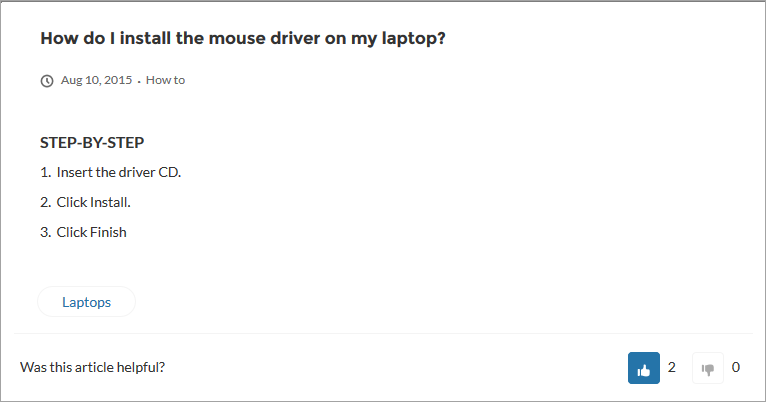
The article's title, latest revision date, and article type appear with the body of the article.

If you enable article voting for this component, authenticated users see a prompt to vote below each article. Logged-in users can give articles a thumbs up or thumbs down vote. If your org uses star ratings on articles, thumbs up votes are recorded as five stars and thumbs down votes are recorded as one star. Article voting is available in the Winter ‘16 and later versions of Experience Builder templates.
The user can return to the article later to view their vote, but can’t change it or see voting data from other members. You can view an article’s voting data at the top of the article in your org.
- Select the Article Content component in the page you're configuring.
-
In the property editor, configure the properties for the component.
Property Details Record Id This value is retrieved when the individual article is selected. URL Name This value is retrieved when the individual article is selected. Show title in the article header Select this option to show the title in the article’s header. Allow voting on articles Select this option to let users vote on articles. This option is not selected by default. This functionality is available only in the Winter ’16 and later versions of Experience Builder templates. Show topics Select this option to show topics associated with an article.