You are here:
Calendar
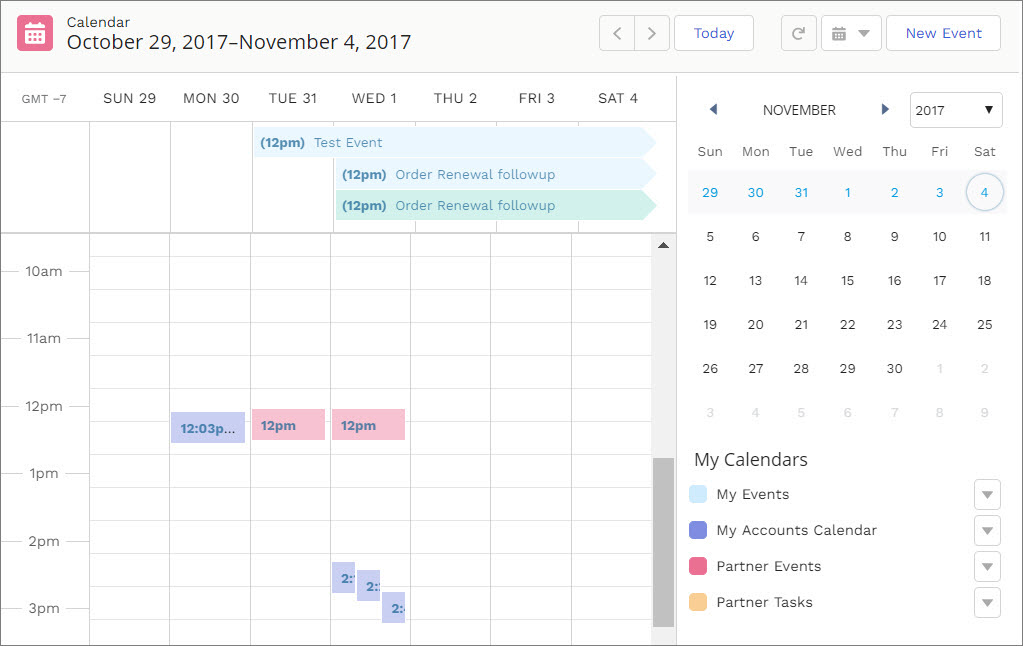
View your events and others’ calendars from your Experience Builder site on your desktop or mobile device.
Your admin can configure the calendar to display details in the side panel of the calendar component or they can hide the sidebar. Calendar sidebars are turned on by default and display your “My Events” calendar and other users’ calendars that have been shared with you. If your calendar is set up to display the side panel, you can collapse it if you need more space.

- The option to hide or open the side panel in the Experience Cloud site Calendar is only available in calendars that have been configured to Show Calendar Sidebar.
- Internal users and partners users can add a public calendar to their Other Calendars section.
- When added as attendees, partners can see the event preview card, but they can’t edit or view complete event details.
- Customer users can’t access public calendars and events.
- Customer and partner users can’t add user records as attendees to events.
- Partner users can invite people to calendar events using their email addresses. Because partner users can’t access other partner users’ email addresses, they can’t invite other partner users to calendar events.
- Partner users can’t view shared calendars from mobile devices.
You can share your My Events calendars with other team members and add their calendars to your view. If you want to change one of your events, simply drag it to a new time slot.
- Select the Calendar component in the page you're configuring.
-
In the property editor, configure the properties for the component.
Property Details Show Calendar Sidebar To display the calendar sidebar by default, select this option. To work with this item, use the full Salesforce site. Show Other Calendars To display calendars that have been added to user’s calendar view, select this option. To work with this item, use the full Salesforce site. Let Users Create New Calendars Turn on this option to create a calendar. To work with this item, use the full Salesforce site.