
You are here:
Create Record Button
Use the Create Record Button component to allow site members to create records using global actions.
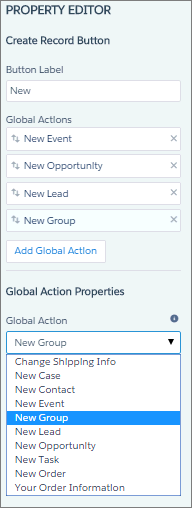
This component relies on the global actions defined in your org by the administrator. If you associate more than one action with this button, it acts like a dropdown list. When a site member selects an action from the list, the Create Record page dynamically loads the appropriate action layout for that action using the Create Record Form component.
- Add the Create Record Button component to a page or select it on the page you’re configuring. For example, you can add this component to the Home page to make it easy for site members to find.
- Click Add Global Action to add an action to the Global Actions list.
-
Select each action and modify its type and public availability in the Global
Action Properties section.
- Select the global action type to be associated with each action in the Global Actions list.
- Select Publicly Accessible to make that action available for guest users of the site.

Example Sample Create Record Button component on a site home page.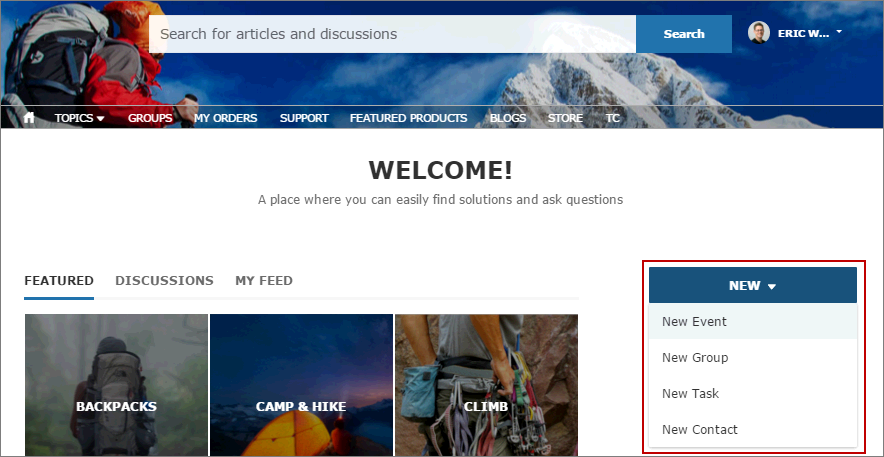
Did this article solve your issue?
Let us know so we can improve!
