
You are here:
Deflection Tracking
The Deflection Tracking component gathers data from users about the deflection content that you provide. Prompt users with a customized set of answers, and capture their feedback in your Salesforce org. Use the Salesforce Case Deflection Reporting Package for Experience Builder sites to build reports about the effectiveness of your deflection content. Reports help you plan your content strategy with the support of real data.
- Select the Deflection Tracking component, and drag it onto any Feed Detail, Question Detail, or Article Detail page. Avoid placing the component in the template header or footer of the page. Doing so causes the component to appear on all pages.
-
In the property editor, configure the properties
for the component.
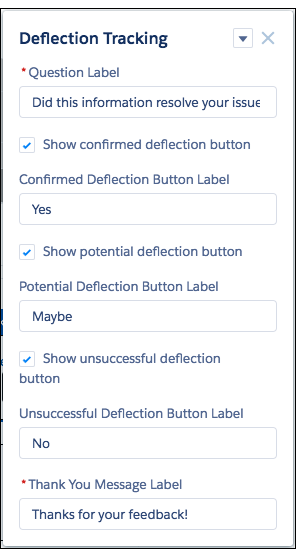
Property Details Question Label Enter a prompt that asks users if they’re satisfied with the suggested content. Default text is: Did this information resolve your issue?. Show confirmed deflection button Select to include a confirmed deflection button that users click to confirm that the information resolved their issue. Confirmed Deflection Button Label Enter a label for the confirmed deflection button. Default text is: Yes. Show potential deflection button Select to include a potential deflection button that users click to show that the information possibly resolved their issue. Potential Deflection Button Label Enter a label for the potential deflection button. Default text is: Maybe. Show unsuccessful deflection button Select to include an unsuccessful deflection button that users click to show that the information didn’t resolve their issue. Unsuccessful Deflection Button Label Enter a label for the unsuccessful deflection button. Default text is: No. Thank You Message Label Enter a message thanking the user for their response. Default text is:Thanks for your feedback!. - Publish the page.

Sample Deflection Tracking component set up in Experience Builder:
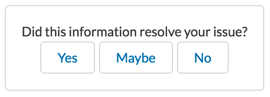
Sample Deflection Tracking component in viewable user page:
Install the Salesforce Case Deflection Reporting Package to see how well the Deflection Tracking component actually deflects cases from being created. Use the Community Case Deflection Metrics dashboard to get metrics on potential and confirmed case deflections and the most helpful articles and discussions.
