
You are here:
External Account Hierarchy List Card
The External Account Hierarchy List card displays child and parent nodes within an external account hierarchy in list form. The hierarchical order of the accounts is represented by nested rows.
When you enable Enable External Account Hierarchy in Settings, external account hierarchies are available in your org.
- Select the External Account Hierarchy List Card component on the page you're configuring.
-
In the property editor, configure the properties
for the component:
Property Details Hierarchy Type The type of hierarchy of which the accounts are added. The available values are Partner and Customer.

Example Sample External Account Hierarchy component: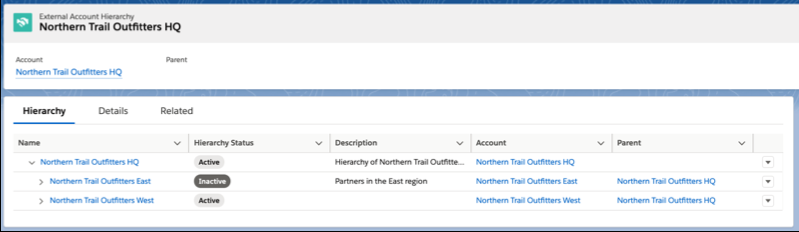
Did this article solve your issue?
Let us know so we can improve!
