
You are here:
Feed
The Feed component displays a feed of all record or group interactions, including posts, questions, system updates, and attachments.
Use the Feed component to add a feed to a record, topic, group, user profile, or site discussion. The component provides a chronological, filterable list of posts made with the Feed Publisher component. Users who click a post’s timestamp are directed to an expanded view, which shows the post and all its related comments.
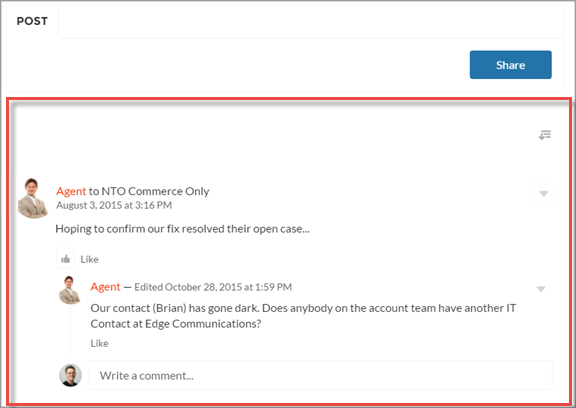
Comments and attachments on posts appear inline below the post for desktop and tablet users.
- Select the Feed component in the page you’re configuring.
-
In the property editor, configure the properties
for the component.
Property Details Feed Type Select the type of feed you want to place on your page. Types include:
- Group or Record—Group or Record feed shows everything that is posted to a selected group or record, like an account or opportunity.
- Discussion—Discussion feed shows everything that is posted to Navigational Topics.
- My Feed—Shows feed items that are tagged with a topic, or a person or record that you follow. My Feed also shows all of your personal site activity. You see all shared feed items unless another person shared the item with a group that you aren't a member of. With public groups, you see the feed item that you shared despite not being a member.
- Topic—Topic feed shows everything that is posted to a selected topic.
- User Profile—User Profile feed shows everything that is posted for user profile feeds.
- Bookmarks—Bookmarks feed shows everything that is posted for a selected bookmark.
Search isn’t supported on the Topic feed type. If you plan to make your feed searchable, select the Group or Record feed type.
The Group or Record, Discussion, and Topic feed types support the Top Posts sort order, which sorts feed items based on relevance. Relevance is represented as a numeric score, and certain events, such as likes and comments, increase the score of a given feed item. The feed items with the highest scores within a given container, like topics or groups, represent posts with a high level of interest.
Record ID The feed item ID. Typically, this field is automatically populated when the page loads. Leave this field blank if you pick the Discussion or My Feed options in Feed Type. Default Filter For feed entries that you want your site members to see, select the default filter. Default Sort Order The default sort order for the Discussion and Topic feed types. Presents site members and guests with the initial experience that you intend. If users choose to change the sort order in their view, their selection sticks. Post Style Choose to expand or collapse post comments by default. Let members search feeds Choose to let site members search an individual feed.
Search isn’t supported on the Topic feed type.
Let members sort feeds Choose to let site members sort a feed. When sorting is enabled, members can sort a feed by the latest posts or most recent activity.


Each feed type comes with a set of filters for limiting what’s shown in the feed. This table lists and describes filter types, and it pairs filters with the feeds where they’re available.
| Filter Name | Description | Feed Types |
|---|---|---|
| All Updates | Shows all posts in a feed. No comments are shown. Click a post's date and timestamp to navigate to its detail view. The detail view includes all comments on the post. |
|
| All Questions | Shows all the questions in the feed. |
|
| Questions with Best Answer | Shows all questions with an answer that is marked as best. |
|
| Questions with No Best Answer | Shows all questions with answers, none of which is marked as best. |
|
| Unanswered Questions | Shows the questions that aren’t answered. |
|
