
You are here:
HTML Editor
The HTML Editor component lets you create and edit custom content in HTML.
Required Editions
| Available in: both Salesforce Classic and Lightning Experience |
| Available in: Enterprise, Performance, Unlimited, and Developer Editions |
| User Permissions Needed | |
|---|---|
| To customize or publish an Experience Cloud site: |
|
-
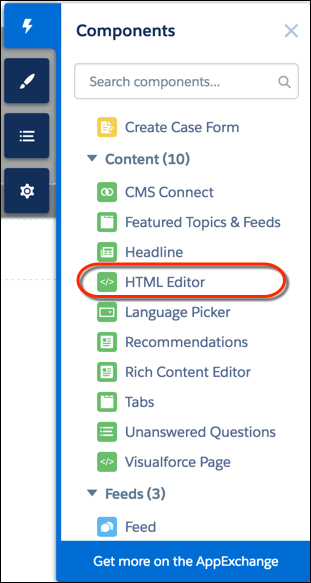
In Experience Builder, drag the HTML Editor component from the Components panel
onto the page.
-
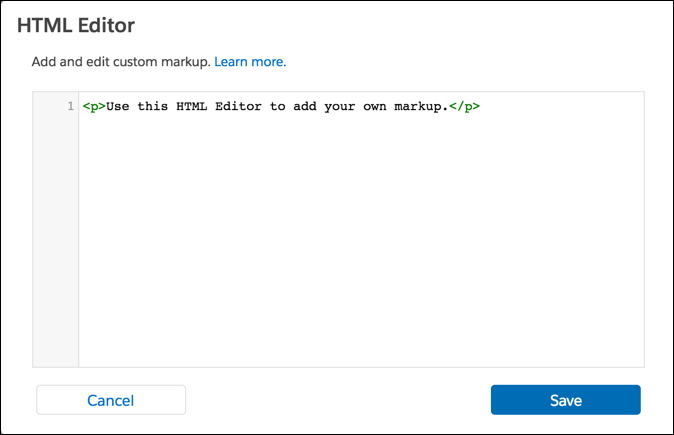
Add and format HTML content.
The HTML Editor component supports the following HTML tags and attributes. Any exceptions are flagged in your markup.
Tags: a, abbr, acronym, address, area, article, aside, audio, b, basefont, bdi, bdo, big, blockquote, br, button, canvas, caption, center, cite, code, col, colgroup, datalist, dd, del, details, dfn, dialog, dir, div, dl, dt, em, embed, fieldset, figcaption, figure, font, footer, form, h1, h2, h3, h4, h5, h6, header, hgroup, hr, i, iframe, img, input, ins, kbd, label, legend, li, main, map, mark, menu, meter, noscript, object, ol, optgroup, option, output, p, param, pre, progress, q, rp, rt, ruby, s, samp, section, select, small, span, strike, strong, sub, summary, sup, svg, table, tbody, td, template, textarea, tfoot, th, thead, time, tr, track, tt, u, ul, use, var, wbr, xmp
Attributes: abbr, accept, accept, -charset, accesskey, action, align, alink, allow, allowfullscreen, alt, aria-*, autocapitalize, autocomplete, autoplay, axis, background, bgcolor, border, capture, cellpadding, cellspacing, char, charoff, charset, checked, cite, class, classid, clear, code, codebase, codetype, color, cols, colspan, compact, content, contenteditable, controls, controls-list, coords, crossorigin, csp, data, data-*, datetime, declare, decoding, default, defer, dir, dirname, disabled, download, draggable, enctype, face, for, formaction, formenctype, formmethod, formnovalidate, formtarget, frameborder, frameborder, headers, height, hidden, high, href, hreflang, hspace, http-equiv, id, inputmode, is, ismap, itemprop, itemscope, itemtype, kind, label, lang, language, link, list, loop, longdesc, low, marginheight, marginwidth, max, maxlength, media, method, min, minlength, mozallowfullscreen, multiple, muted, name, nohref, noresize, noshade, novalidate, nowrap, open, optimum, pattern, placeholder, poster, preload, pubdate, radiogroup, readonly, rel, required, referrerpolicy, rev, reversed, role, rows, rowspan, rules, sandbox, scheme, scope, scrolling, selected, shape, size, sizes, span, spellcheck, src, srcdoc, srclang, srcset, standby, start, step, style, summary, tabindex, target, text, title, translate, type, usemap, valign, value, valuetype, version, vlink, vspace, webkitAllowFullScreen, width, wrap, xmlns
