
You are here:
Lead Inbox
Use the Lead Inbox component to share a common pool of leads with partners in your site.
The lead inbox uses a queue and the list view associated with a queue to pass leads to partners. Partners included in the visibility settings for the queue and list view can see and accept leads from the Lead Inbox. Accepting a lead makes the user the owner of the lead.
- Click the Lead Inbox component on the page you’re configuring. By default, the Lead Inbox component lives on the Home page of the Partner Central template.
-
In the property editor, configure the properties for the component:
Property Details Title Specify a title for the lead inbox. The default title is Lead Inbox. Number of Leads Specify the number of leads to display in the lead inbox. The default value is 5. Sort Order Select a sort order for the list of leads. You can sort by the date on which the lead was created, ascending or descending. Link to the leads list view Select to show a link to a lead list view on the lead inbox. Linked List View If you selected the previous option, specify the leads list view you want to show a link for. By default, the first leads list view in the org is selected.

Example Sample Lead Inbox Component: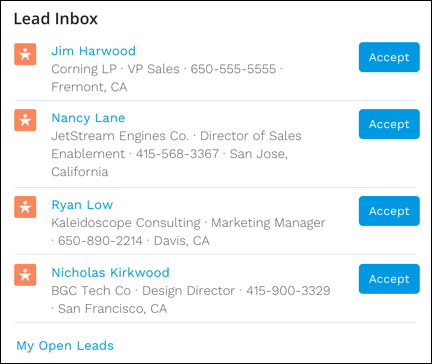
Did this article solve your issue?
Let us know so we can improve!
