
You are here:
Self-Registration
The Self-Registration component lets users set up their accounts so that you don’t have to add each one manually. Users put their information into the form fields, and when they click Sign Up, an account is created for them. This component has a basic set of fields that you can customize, and you can add more fields.
For this component to appear, go to Experience Management and select .
- Select the Self Registration component in the page that you're configuring.
-
In the property editor, configure the properties
for the component.
Property Details Account ID Enter the variable expression for the account ID to associate with new users. Start URL Enter the path to the page that users see after they log in. This page is the home page for the site. Registration Confirmation URL Enter the path to the page to display after the user submits the self-registration form. First Name Label Enter the label text for the user’s first name. The default text is First Name. Last Name Label Enter the label text for the user’s last name. The default text is Last Name. Email Label Enter the label text for the user’s email address. The default text is Email. Password Label Enter the text for the password field label. The default text is Confirm Password. Confirm Password Label Enter the text for the field in which a user confirms the password. This field usually requests the user to retype the proposed password to make sure that it’s correct. Submit Button Label Enter the text for the button to submit the form values. The default text is Sign Up. Include Password Field? Select this option if you want self-registering users to pick their own passwords. Otherwise, password information is provided in the email that they receive after they submit the form. Extra Fields Field Set Name Optionally, add fields to the form. If you’ve created a field set by using our API, enter the variable that’s associated with the field set here. For example, you can write code that creates a field set to collect a phone number or other information.

Example Sample Self-Registration component: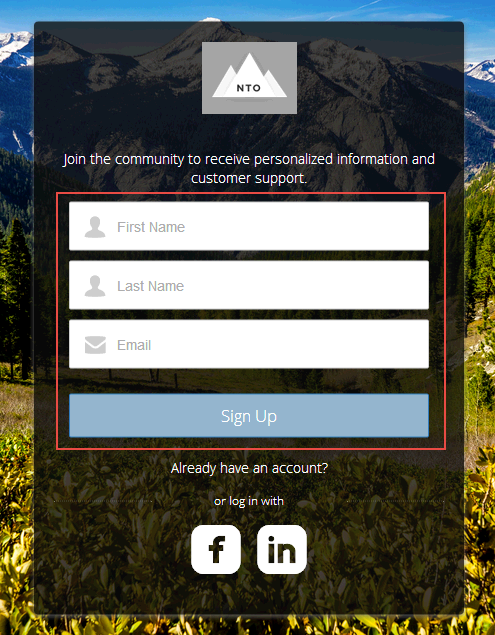
Did this article solve your issue?
Let us know so we can improve!
