
You are here:
Message Notification
Add the Message Notification component to your site pages to let users view their recent messages from outside the Messages list view. The Message Notification component shows up to three recent messages and allows users to send new messages.
Add the Message Notification component to the site Home page and configure it in the Page Editor.
- Select the Message Notification component.
-
In the property editor, configure the properties
for the component.
Property Details Header Label Enter a title for the component. The default text is Recent Messages.

Example Sample Message Notification component: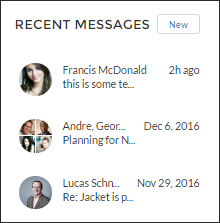
Did this article solve your issue?
Let us know so we can improve!
