You are here:
Related Record List
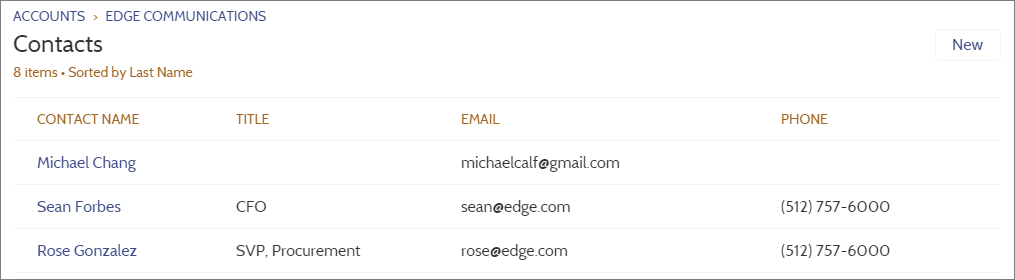
The Related Record List component shows, in a list, a single type of record related to a record. For example, if you’re looking at an account, you can see a related list of contacts for that account. Use the Related Record List component on a generic Related Record List page or on a custom page. Members can create records from the list and from lookups.
When a user expands the list of related records, the Related Record List page is displayed, which uses the Related Record List component under the hood. The component can occasionally be empty. For example, if there aren't any records related to the current record, or if the current record was created in the last 24 hours, no related items populate the component.

- Select the Related Record List component in the page you’re configuring.
-
In the property editor, configure the properties
for the component.
Property Details Parent Record ID The ID of the parent record. Related List Name Name of the related list. Breadcrumbs Select to show breadcrumbs. Custom Title Select to display the title in the header. Row Numbers Select to show row numbers. Refresh Select to display the manual refresh button. Note Related Lists for Campaign members have quick filters to narrow your results for fast results, but the resulting views can’t be saved or shared.