
You are here:
User Profile Image
The User Profile Image component displays the user's reputation level, reputation points, and profile photo.

Note The User Profile Image and the User Profile Summary components replace the User
Profile Summary & Image component, which was deprecated in Winter ’21.
- Select the User Profile Image component in the page you're configuring.
-
In the property editor, configure the properties
for the component.
Property Details User ID The system supplies this value so that authenticated users can view their own information. Don’t update this field. Display circular photo To apply a circular crop to user profile photos, select the box. Otherwise the crop is a square/rectangle.
Users must reload their photos so they fit in the cropped area.
Display Reputation To display the reputation level below the user profile photo, select the box.

Example Sample User Profile Image component: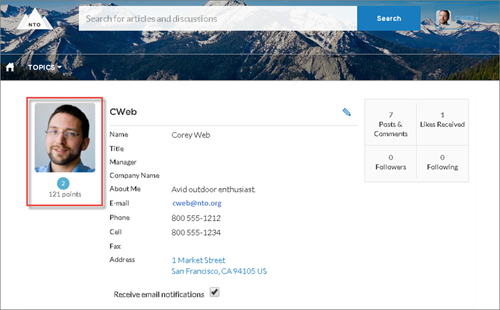
Did this article solve your issue?
Let us know so we can improve!
