
You are here:
Learn About Short Cycle Workflows
For a field technician to successfully complete short cycle work, they need to do a series of safety checks and gather details at the right time. The Field Service for Energy and Utilities: Short Cycle Work app provides a template of tasks and service-related data to support mobile workers.
Mobile workers face unique situations with every visit for short cycle work which could impact their safety or their efficiency. As a utility company, you can provide a streamlined list of checks and display the right service information at the right time in order to improve the productivity and safety of your mobile workers. With Field Service for Energy and Utilities: Short Cycle Work, you can use the following pre-configured templates to support mobile workers:
-
Gas Meter Replacement
-
Turn On Service
-
Turn Off Service
Gas Meter Replacement
After the mobile worker receives a work order, they receive an associated set of work plans in their smartphone. To complete a gas meter replacement process, they must mark each step within the work plan as Done.
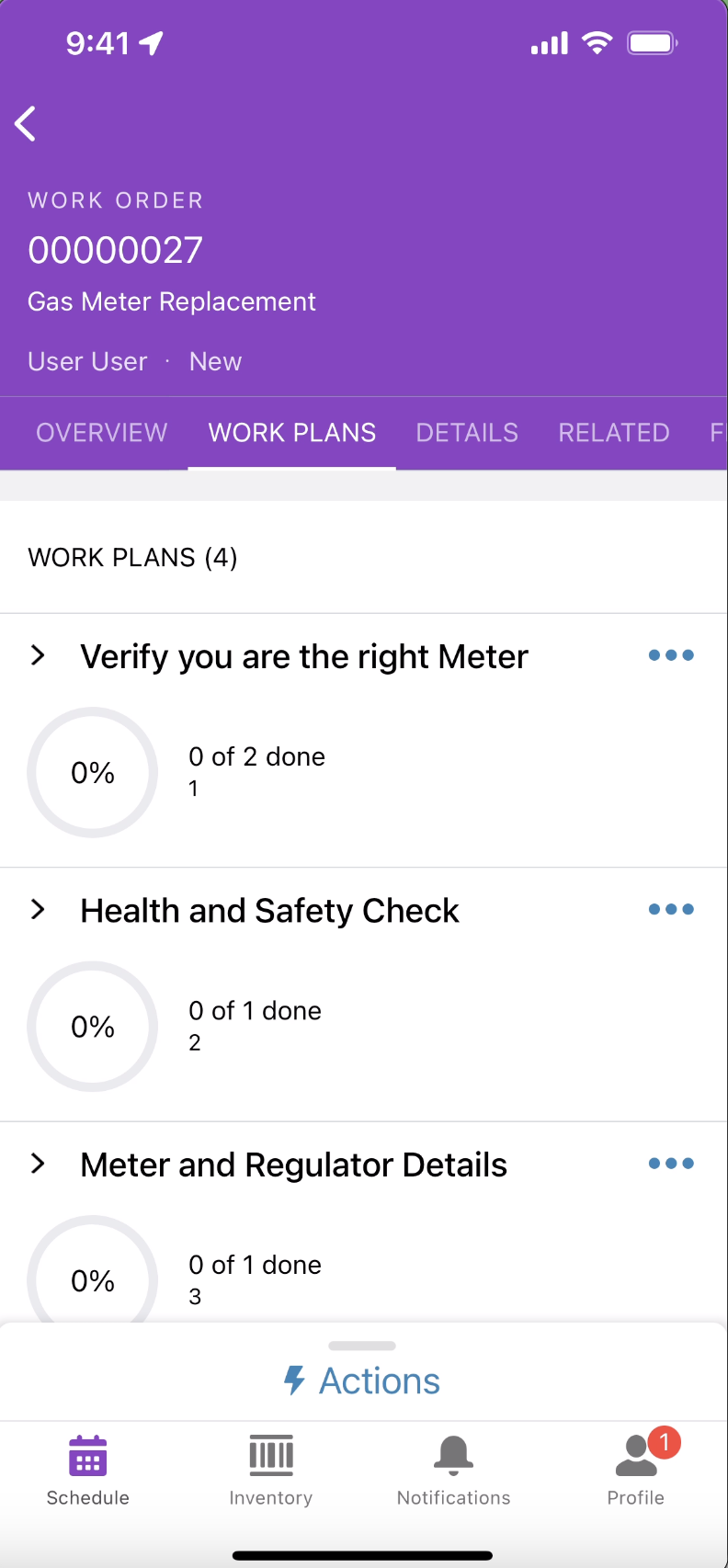
| Work Plan | Work Steps | Details |
|---|---|---|
| Safety Checks | Safety Check | Displays basic safety checks before the mobile worker approaches the meter. You can ensure that the mobile worker places cones behind the tires, and is informed about known hazards in the area. |
| Verify you are at the right meter | Check Meter Details | Displays the details of the meter that can be verified by the mobile worker. The mobile worker can also enter comments if any meter details are wrong. |
| Enter old meter read | The mobile worker can enter the old meter reading and the date and time of the reading. | |
| Health and Safety Checks | Health and safety check | Displays the health and safety checks to perform before replacing the old meter. You can provide instructions to perform tightness test, isolate gas at the emergency control valve, and test for unwanted charge. The mobile worker can confirm that each of these tests are performed. |
| Meter and Regulator Details | Enter meter and regulator details | Once the gas meter is replaced, the mobile worker can enter the details of the new meter and regulator. The mobile worker can also add a photo of the new meter. |
| Final Health and Safety Check | Final health and safety check | Displays the health and safety checks to perform after installing the new meter. You can provide instructions to perform tightness test, leak test, and to open the valve. |
| Wrap Up | Clean area | Displays the instructions for the mobile worker to clean the area after the gas meter is replaced. |
| Leave a note or text customer | Displays instructions for the mobile worker to inform the customer about the completion of the job. |
Turn-On or Turn-Off Service
After the mobile worker receives a work order, they receive an associated set of work plans in their smartphone. To complete a turn-on or turn-off service process, they must mark each step within the work plan as Done.
| Work Plan | Work Steps | Details |
|---|---|---|
| Safety Checks | Safety Check | Displays basic safety checks before the mobile worker approaches the meter. You can ensure that the mobile worker places cones behind the tires, and is informed about known hazards in the area. |
| Verify you are at the right meter | Check Meter Details | Displays the details of the meter that can be verified by the mobile worker. The mobile worker can also enter comments if any meter details are wrong. |
| Enter old meter read | The mobile worker can enter the old meter reading and the date and time of the reading. | |
| Health and Safety Checks | Health and safety check | Displays the health and safety checks to perform before replacing the old meter. You can provide instructions to perform . The mobile worker can confirm that each of these tests are performed. |
| Meter and Regulator Details | Enter meter and regulator details | Once the gas meter is replaced, the mobile worker can enter the details of the new meter and regulator. The mobile worker can also add a photo of the new meter. |
| Final Health and Safety Check | Final health and safety check | Displays the health and safety checks to perform after installing the new meter. You can provide instructions to perform tightness test, leak test, and to open the valve. |
| Wrap Up | Clean area | Displays the instructions for the mobile worker to clean the area after the gas meter is replaced. |
| Leave a note or text customer | Displays instructions for the mobile worker to inform the customer about the completion of the job. |
